Learn TypeScript
Scrimba's free Learn TypeScript course runs about 4.2 hours in three sections. Bob Ziroll teaches TypeScript fundamentals by rewriting a buggy pizza app, then Rachel Johnson converts a React game to TypeScript and builds a typed Express API. It is worth the time if your JavaScript is solid, and it stops short of interfaces, classes and declaration files.
Reviewed inside the course with a Pro account, September 2026: 41 of its 79 scrims opened, at least a third of every section, transcripts read.
This page is part of our Scrimba TypeScript courses catalog. Scrimba's path pages list it in the Fullstack Developer Path and the Backend Developer Path.
Quick answer
It fits a JavaScript developer who wants the case for TypeScript made before the syntax lesson starts, or anyone who has finished Learn React or Learn Express.js and wants to see those exact projects typed. The catch: sections two and three assume you already know both frameworks and do not re-teach them. From here, Learn React or Learn Express.js covers what those sections build on.
Learn TypeScript
FreeTaught by Bob Ziroll and Rachel Johnson (opens in a new tab)
TypeScript fundamentals through a console pizza app, then the same ideas applied to a React game and an Express API, all in the browser.
Start free on Scrimba (opens in a new tab)Is it worth your time?
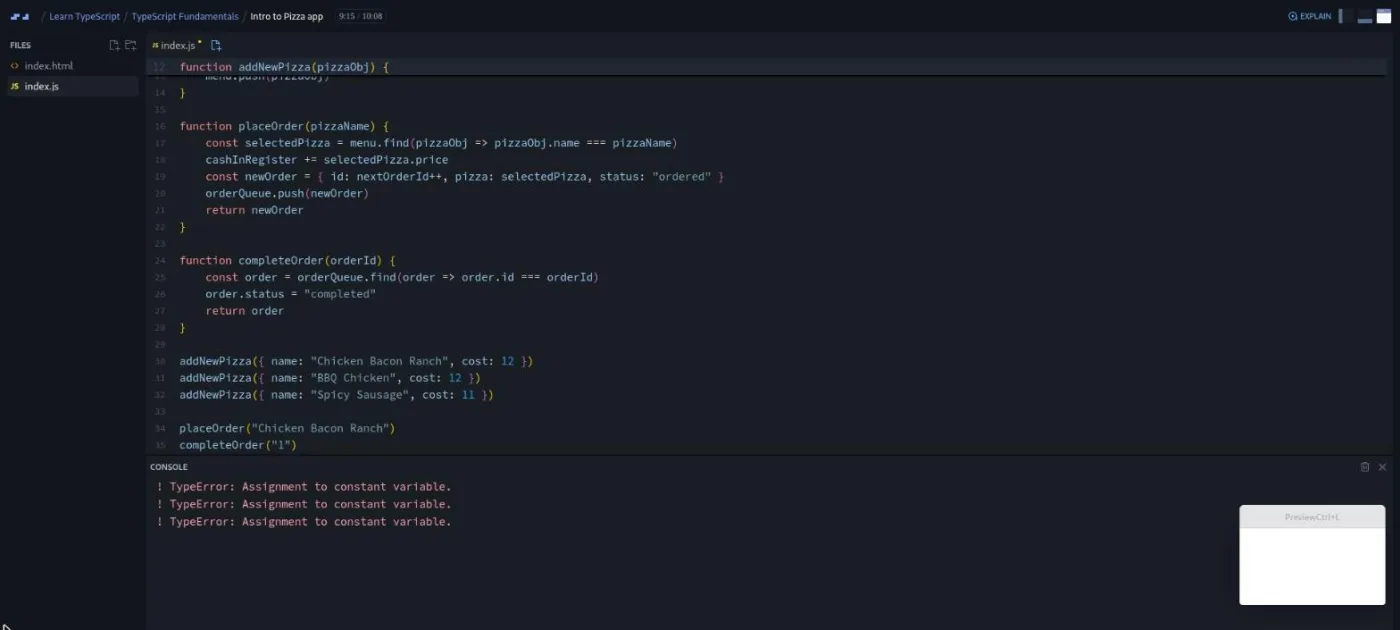
Yes, if your JavaScript is solid. The course is free, it is short, and it does the one thing most TypeScript tutorials skip: it shows you the bugs first. Bob's opening project is a console pizza restaurant written in plain JavaScript, with three small challenges to get you typing. Then he runs it and the console prints "TypeError: Assignment to constant variable" three times. Only after that does he create the .ts file, and the red squiggles that appear are the same bugs, caught before the code ran. That order makes the "why" land in a way a list of type syntax never does.
The course title only credits Bob Ziroll, though he teaches just the fundamentals section. Rachel Johnson teaches the React and Express sections, and her teacher card sits next to Bob's further down the course page. Their styles differ: Bob talks through his reasoning and gets on the odd soapbox ("I'll get off my high horse now"), while Rachel is brisker, with a challenge every second scrim.
Depth is limited too. Bob says in his conclusion that "what you've watched is everything that we have," and more topics were planned. Enums get a one-line mention, unknown appears only in passing, and in the 41 scrims I opened there were no interfaces, classes, or declaration files; no scrim title mentions them either. Rachel's sections assume you already know React and Express; she says so in the Express intro. If you want those tools taught, take Learn React and Learn Express.js first.
What you'll learn
Course curriculum
3 modules · 77 lessons
- TypeScript Fundamentals
- TypeScript in React
- TypeScript in Express
Lesson counts are the scrims I counted in each expanded section in September 2026 (32, 21, 24). Scrimba's section headers show 30, 20 and 22, so they appear to skip a couple of clips per section. Add the two scrims outside the sections, the Typed Tenzies solo project and a certificate clip, and the total matches Scrimba's 79. The per-section runtimes add up to 4.26 hours, which is the 4.2 hours on the course page.
Inside the course, section by section
1. TypeScript Fundamentals (2.1 hrs, 32 scrims): the pizza restaurant
The section opens with a six minute talk (the only scrim marked SAMPLE) where Bob gives three reasons to learn TypeScript: confidence, productivity, and employability. He is direct about the last one: "learning TypeScript is oftentimes considered table stakes by many companies, even if it's not explicitly listed in their job descriptions." He also warns that the language "can be challenging to learn at first," quotes Kent C. Dodds ("TypeScript is not going to be making your life terrible. It's simply going to be showing you how terrible your life already is"), and holds up a steel stud guard as a metaphor for planning ahead.
Then comes the ten minute "Intro to Pizza app," the longest scrim in the course. You write addNewPizza, placeOrder, and completeOrder as three challenges in plain JavaScript, in a file that Bob has quietly seeded with bugs: a cost property where the menu uses price, a const that gets reassigned, and a string passed where a number is expected. As he puts it near the end, "if you've actually been following along you'd know that this code is pretty full of some minor bugs."
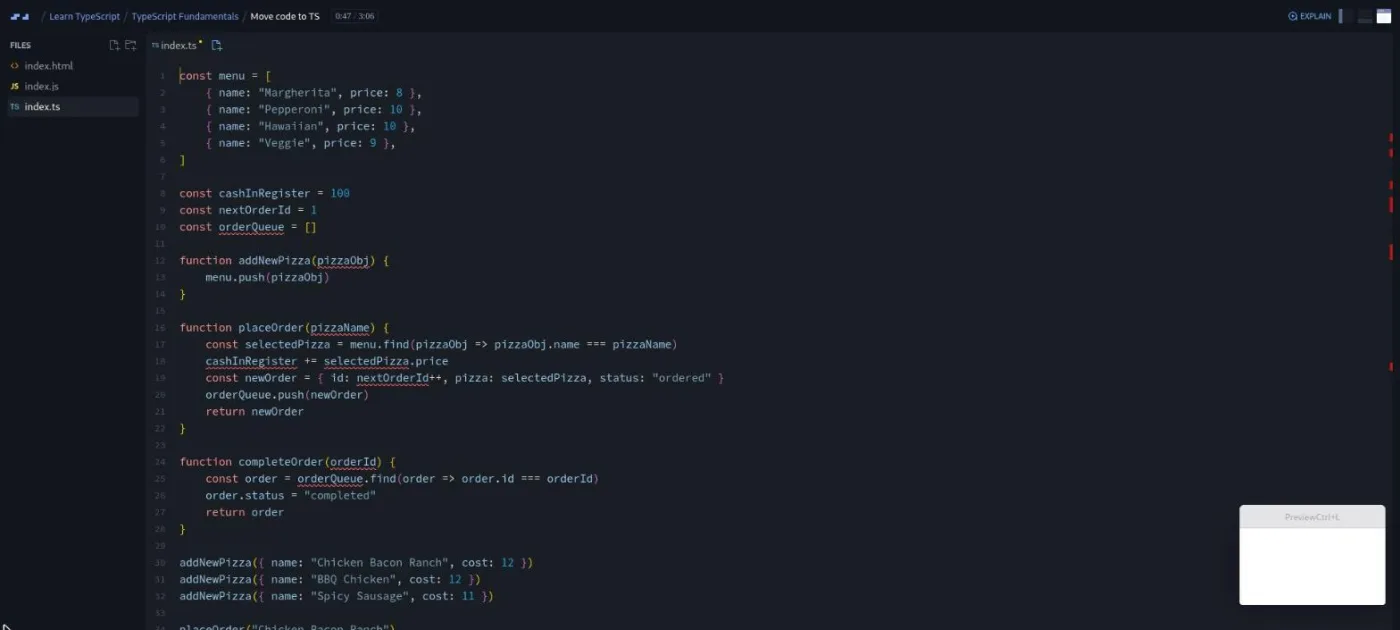
"Move code to TS" is where the course turns. There is a Scrimba quirk here: instead of renaming the file, Bob has you create a new index.ts and paste the code across, because of how TypeScript runs inside the editor. The squiggles appear at once. He asks you to hover each one, and adds a caveat that matters for the whole course: the IntelliSense popups "are not something that Scrimba records into the Scrim," so you have to hover yourself to see the messages.
"Defensive coding" introduces the idea Bob returns to all section: the happy path versus the sad path. "TypeScript forces us to take a step back and consider the sad path," he says, and the fix for "object is possibly undefined" is an if (!selectedPizza) guard with an early return. Only then does he admit the compiler has hit its limit and the string-for-number bug is still in there, which is the cue for the actual syntax lessons.
From there the sequence is: primitive types (with a nod that explicit annotations on inferred primitives are "busy work"), custom object types, nested objects, optional properties, typed arrays, literal types and unions, and type narrowing with typeof. Each concept gets a standalone example and then a "back to the pizza restaurant" challenge: "Add type to orderId," "Adding a Pizza type," "Type orderQueue," "Add ids to pizzas." The challenges get vaguer on purpose; in "Type orderQueue" Bob says "Notice I'm being a little bit vague here," and in "Type Narrowing" he warns "I'm getting a little bit more vague with the details." Back in the nested objects scrim he had already set a challenge to extract an Address type, syntax he admits "I haven't explicitly taught how to do this."
The last third covers function return types, void, a short tangent on any ("if there's just one thing I want you to take away from this lesson, just don't use any"), the Partial and Omit utility types, and generics. Generics get a seven minute standalone scrim built around a getLastItem function, a "mini challenge" that is mostly about hovering to read the inferred types, and a practice scrim in the pizza app that Bob openly calls "a refactor that's gone wrong" and reverts afterwards. The conclusion mentions a planned DOM section that never arrived; the React and Express sections were added instead.
2. TypeScript in React (52 min, 21 scrims): typing Assembly: Endgame
Rachel Johnson opens by explaining the plan: take the finished Assembly: Endgame hangman game from Learn React and "rework this project with TypeScript." She is explicit that "we're not gonna be spending a lot of time tweaking or extending the game itself." The setup scrim runs npm create vite@latest with the React and TypeScript template rather than adding TypeScript to the old project, because "there's a lot of config involved to get everything working smoothly." The new project's package.json lists React 19.1, TypeScript 5.8, and Vite 6; the original game it copies from ran React 18.3.
Three refresher scrims re-type the data files (words.ts as string[], languages.ts with a custom Language type) and the utility functions. Then the React-specific part starts with useState. Rachel shows that state infers its type from the initial value, so useState([]) becomes any[], and the fix is the generic argument: useState<string[]>([]). Components get a return type of JSX.Element, imported as a type from React; she mentions React.FC and explains why she avoids it (it "does include children in props by default even if it's not used").
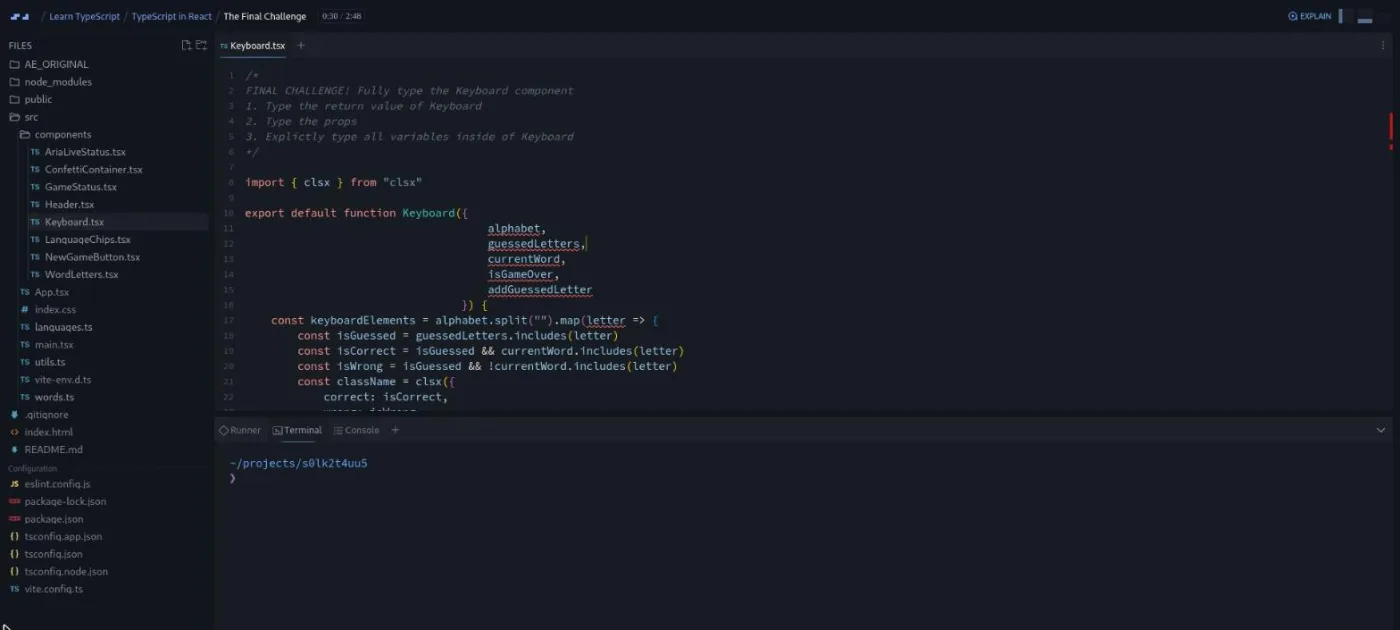
The rest is one component per scrim: JSX.Element | null for the confetti container, inline prop types for a one-prop component, custom prop types when GameStatus's five booleans get "a little bit messy," imported types, and function props typed as () => void. Two scrims are pure challenges, AriaLiveStatus and WordLetters, and the section ends with "The Final Challenge," where you type the Keyboard component on your own.
3. TypeScript in Express (73 min, 24 scrims): a typed pet shelter API
Rachel's Express intro states the project and the prerequisite in one breath: "you'll build a simple read only but fully typed pet shelter API," and "this course does assume you already know the basics of Express and TypeScript." The setup scrim installs Express, typescript and @types/express as dev dependencies, and extends @tsconfig/node20 because "the Scrimba editor uses version twenty at the moment." The very next scrim makes you repeat the setup from a challenge.md file with no walkthrough until the solution.
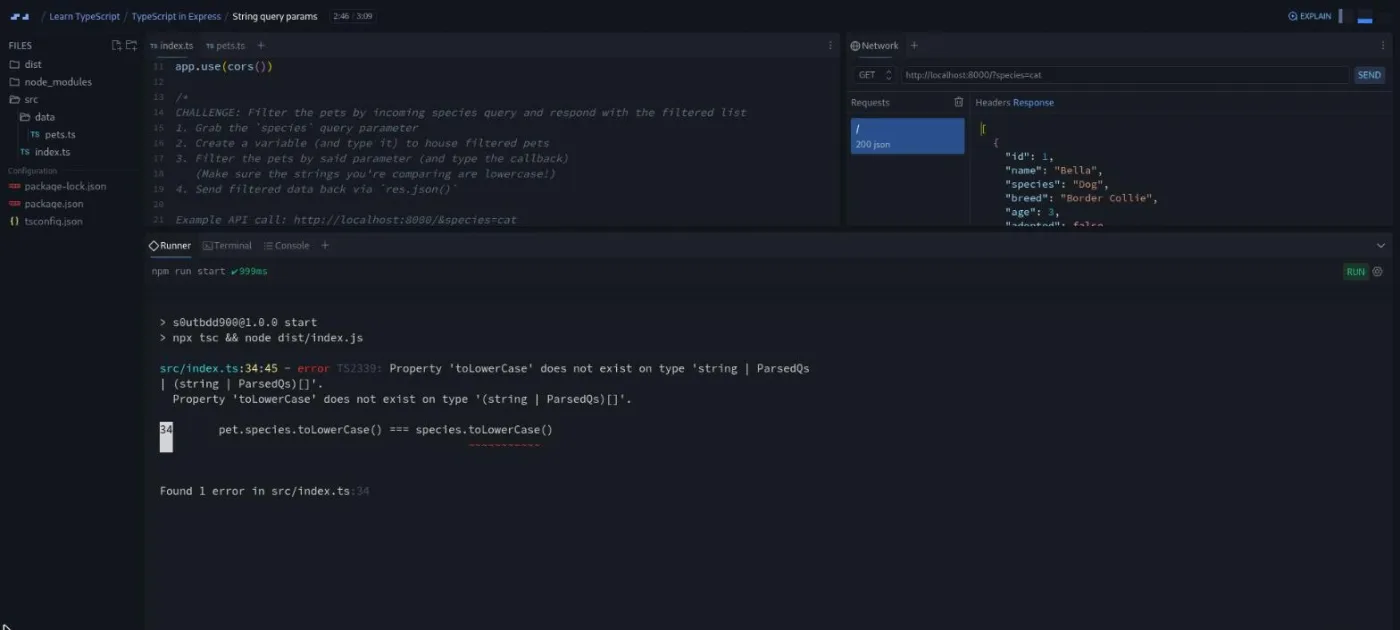
Running the project shows the real failure first: node src/index.ts fails, so you compile with npx tsc and run node dist/index.js, and a later challenge turns that into an npm start script. The package.json I saw shows Express 5.1 and TypeScript 5.9. Requests are sent from a Network panel inside Scrimba's editor, so there is no Postman to install.
The typing progression is the useful part. req and res start as any; you import Request and Response. Adding cors throws "Could not find a declaration file for module 'cors'," and Rachel turns the fix into a challenge ("read the entire error message a bit more closely") before showing @types/cors. Then the generics: a Response<Pet[]> for the list route, a Request<{ id: string }> for path params, and, after a filter by ?species=cat fails to compile, the four-slot Request<{}, unknown, {}, { species?: string }> for query strings.
Boolean and number query params follow (they arrive as strings and need converting), then a refactor into routes/ and controllers/ with a typed Router, and two middleware scrims that introduce NextFunction: a validateNumericId guard that returns a 400, then "Your own middleware" as a final challenge. The outro suggests connecting a real database or building a frontend against the typed API as next steps; neither is in the course.
After the three sections come two loose scrims. "Solo project - Typed Tenzies" is a two minute brief from Rachel: recreate the Tenzies dice game from Learn React in a fresh Vite TypeScript project, with a reference slide covering setup, "extra reading" on typing useEffect and useRef (which the React section does not cover), and some "level up" concepts. Then a generic one minute certificate clip.
What a lesson feels like
Scrims run from under a minute to ten minutes; most are two to four. Bob's fundamentals scrims follow a fixed loop: a short explanation on a standalone file, a "pause now and work on this challenge" prompt written as a comment in the editor, silence while you code, then his solution. Rachel's sections do the same with "give it a go, and I'll see you on the other side," and her challenges sometimes live in a challenge.md file rather than a comment. Around two thirds of the scrims I opened contain a challenge, which matches the challenge icons on the course page.
One thing to plan for: a lot of the teaching is "hover over this and read the popup," and because the editor's hover popups are not part of the recording, you get nothing out of watching passively. You have to be in the editor with the mouse. The Express section adds a terminal and a Network panel to the layout, so those scrims feel like a small IDE rather than a video.
Every scrim has captions, a timestamped transcript under the settings menu, subtitles in ten languages, and playback speed control. The auto-generated transcript spells Bob's surname three different ways, so trust the teacher card, not the transcript, for names.
Free or Pro: exactly what is gated
The course is listed as free, and all three sections opened without a paywall in my session. Only the six minute introduction carries a SAMPLE badge on the course page, which is Scrimba's marker for preview lessons; everything else is regular course content.
Two things I could not confirm from a Pro account. The "Solo project - Typed Tenzies" row shows the same challenge icon as the other scrims and no lock or PRO label, unlike the "Solo Project (PRO)" items inside Learn React and Learn JavaScript, so it may well be free; I could not test what a free account sees. And the certificate at the end of the course is a Pro feature on Scrimba's pricing page (opens in a new tab), as are the career paths this course belongs to and the Pro-only Discord channels. Basic Discord access is listed under the free plan, so the community alone is not a reason to upgrade.
How long it takes
Runtime is 4.2 hours, but almost every scrim stops for a challenge and the React and Express sections make you set up projects in the terminal. Plan for 9 to 13 hours: about five hours for the fundamentals, three for React, and four for Express, in that order. That is a week at an hour or two a day. The Typed Tenzies solo project is another three to five hours if you do it properly, and more if useEffect and useRef typing is new to you, because the course does not teach them.
Who it's for, and who should skip it
It fits a JavaScript developer who has been told to learn TypeScript and wants the argument made concretely before the syntax. The pizza app does that in twenty minutes. It also fits anyone who has finished Learn React or Learn Express.js and wants to see their own project types applied to a framework, since sections two and three reuse those exact projects.
Skip it for now if you are still learning JavaScript; the first challenge assumes you can write array.find with a callback without thinking. Skip it if you want TypeScript for the DOM, for classes, or for library authoring; none of that is here. And if you have written TypeScript in a React or Node codebase for a few months, most of this will be review, apart from the Express Request generic slots, which Rachel explains better than the Express docs do.
Prerequisites
Comfortable JavaScript: array methods with callbacks, object literals, const versus let, and the typeof operator. For section two you need React basics, including useState, props, and mapping arrays to components. For section three you need to have seen an Express route, app.use, and req/res before. You do not need any prior TypeScript, and you do not need to install anything; the Vite project and the Express server both run inside Scrimba's editor.
Where it fits
On this site, Learn TypeScript is the typing layer over Learn JavaScript, and it sits after Learn React and Learn Express.js because its second and third sections build on those exact projects. Scrimba lists it in the Fullstack Developer Path and the Backend Developer Path. If you are on the Frontend Developer Path instead, it still fits after Learn React, and Advanced React is the natural next step once your components are typed.
Strengths and limits
What it does well: the bugs-first opening makes the case for TypeScript in a way you feel rather than hear, the challenge density is high, the framework sections use current versions (React 19, Express 5, TypeScript 5.8 and 5.9), and Rachel's Express section covers the Request and Response generics and typed middleware, which the fundamentals section never touches.
Where it is limited: it is an introduction and says so, with no interfaces, classes, or declaration files in any scrim I opened; the two framework sections assume the frameworks; the teaching depends on hover popups that are not in the recording, so you cannot follow along from a phone; and the course title credits one teacher when there are two.
Related courses and comparisons
- Learn JavaScript, the prerequisite
- Learn React, which section two converts to TypeScript
- Learn Express.js, the backend section assumes it
- Advanced React, the usual next step on the frontend
- Best TypeScript courses compared, how it stacks up
- Scrimba vs freeCodeCamp, if you are choosing a platform
- All TypeScript courses, the hub for this category
Yes. All three sections opened without a paywall. The certificate and the career paths around the course are Pro features. The Typed Tenzies solo project carries no PRO label on the course page, but I could not confirm the free-account view from a Pro account.
Two people. Bob Ziroll teaches the 2.1 hour TypeScript Fundamentals section. Rachel Johnson teaches TypeScript in React and TypeScript in Express, and she also records the solo project brief. Scrimba's course title only names Bob.
A console-based pizza restaurant in the fundamentals (menu, orders, an order queue, all typed), then a TypeScript conversion of the Assembly: Endgame hangman game from Learn React, then a read-only pet shelter API in Express 5 with typed routes, query parameters, and middleware. The solo project is a typed rebuild of the Tenzies dice game.
For sections two and three, yes. Rachel says in the Express intro that the course assumes you know the basics of both, and the React section reuses a finished project from Learn React without re-teaching it. The fundamentals section only needs JavaScript.
The React section scaffolds a Vite 6 project with React 19.1 and TypeScript 5.8. The Express section uses Express 5.1, TypeScript 5.9, @types/express 5, and a Node 20 tsconfig base. The fundamentals run in Scrimba's built-in TypeScript editor with no project setup.
About 4.2 hours of video, but with a challenge in most scrims plan for 9 to 13 hours, or a week at an hour or two a day. Add three to five hours for the Typed Tenzies solo project.
Yes. Every scrim has captions, a timestamped transcript in the settings menu, and subtitles in ten languages. One warning: a lot of the teaching relies on hovering over red squiggles to read the editor's popups, which the recording does not capture, so you need to be in the editor rather than just reading along.
No. Bob covers basic, literal, and custom types, optional properties, unions, narrowing, function return types, void and any, Partial and Omit, and generics. Enums get a one-line mention. I saw no interfaces, classes, or declaration files in the 41 scrims I opened, and no scrim title mentions them.