Learn JavaScript
Per Borgen teaches Scrimba's free flagship JavaScript course: about 9.4 hours across eight modules, roughly 200 scrims and 140+ challenges, building a passenger counter, a blackjack game, a Chrome extension, and a Firebase-backed mobile app. It is the strongest free, project-first introduction to JavaScript in the catalog, and the practical prerequisite for Learn React.
Reviewed inside the course with a Pro account, September 2026.
Quick answer
Take it if you have never programmed: nothing is assumed, and most challenges stop the recording so you write the code yourself (Rafid Hoda teaches one guest section). The one catch is that the three Solo Projects are Pro-only. Finish it, then move on to Learn React.
Learn JavaScript
FreeTaught by Per Borgen (opens in a new tab)
Beginner JavaScript taught through 140+ challenges, building a counter, a blackjack game, a Chrome extension, and a mobile app.
Start free on Scrimba (opens in a new tab)Is it worth your time?
It is free, so the only cost is time, and the format earns it. JavaScript is a language you learn by typing, and the course is designed around that: a two to four minute explanation, then a scrim that stops and says "go ahead and give this one a shot, and then of course return back to the screencast when you want to see my solution." That loop repeats well over a hundred times. You cannot get through the course by watching.
"Free flagship" does not mean "the only course you need." This is foundations. It teaches variables, functions, the DOM, conditionals, arrays, objects, loops, localStorage, and a first taste of a database, and it stops before async patterns, promises, classes, and the harder language internals. You finish able to build small apps from scratch, not able to reason about every corner of the language; that depth is what Advanced JavaScript is for.
Three of the practice modules end in a "Solo Project" marked PRO. The course itself is free; those three projects are not.
What you'll learn
Course curriculum
8 modules · 194 lessons
- Build a Passenger Counter App
- Practice Time - Part 1
- Setting up a Local Dev Environment
- Build a Blackjack Game
- Practice Time - Part 2
- Build a Chrome Extension
- Practice Time - Part 3
- Build a Mobile App
Lesson counts are the scrims I counted in each expanded module in September 2026. Scrimba's own figures differ in both directions: the module headers show slightly fewer (they exclude intro and wrap-up scrims), while the course listing and its structured data say 238 lessons, which counts the clips inside scrims rather than the scrims you click. When other pages on this site quote 238, that is Scrimba's number.
Inside the course, module by module
1. Build a Passenger Counter App (82 min, 30 scrims)

The opening lesson is under a minute and explains why you are building a people counter: Per's first job at nineteen was standing outside a subway entrance in the cold, counting passengers with a pen and paper. The app fixes that problem, and everything in the module serves it. You write your first variable (let count = 0), meet console.log, add a button with an onclick, write your first function, and render the count with innerText. Strings arrive halfway through, with the classic "8" + "2" gotcha called out explicitly.
The module ends further than most beginner intros: you personalize the app, download it, and deploy it to Netlify so it has a real URL. There is also a short "Learning in public" scrim nudging you to share it. That is a deliberate habit the course keeps building.
2. Practice Time, part 1 (26 min, 10 scrims)
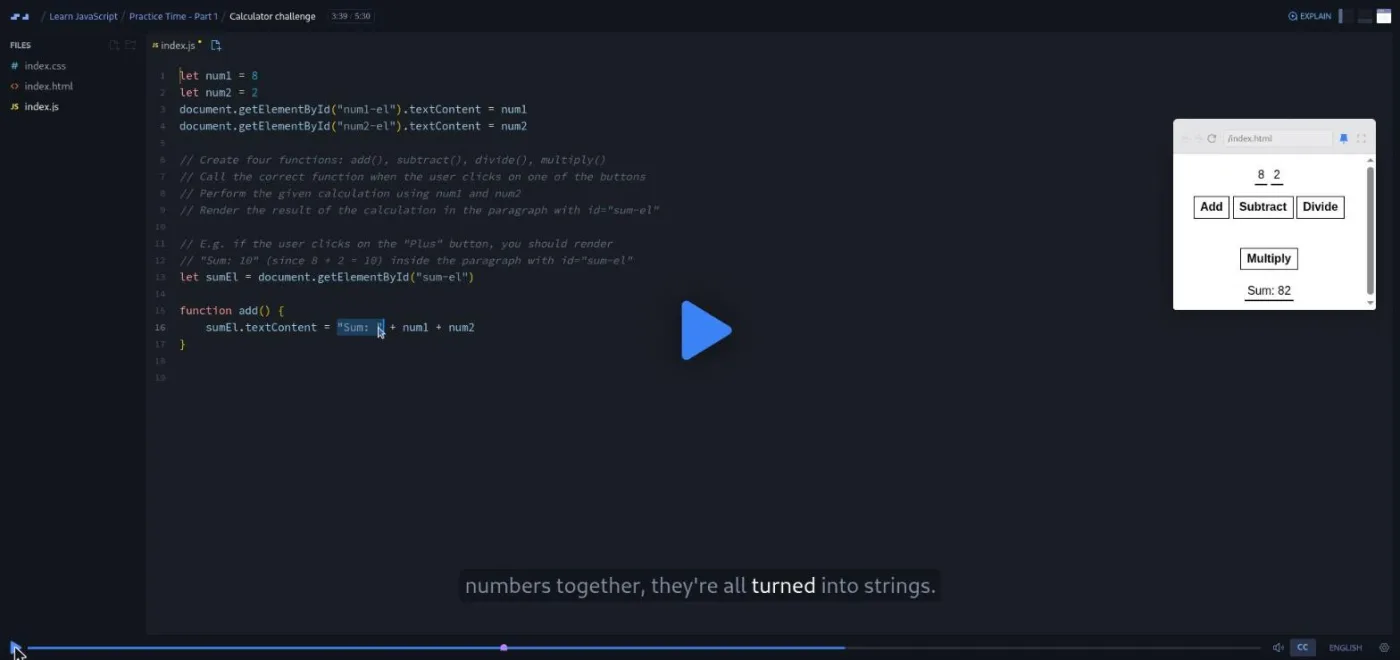
Seven short drills on what you just learned (variables, concatenation, incrementing, an error message, and a five minute calculator challenge), then a "why solo projects matter" talk and the first Solo Project: a basketball scoreboard.
This is also where Scrimba is testing a feature called AI challenges. The module opens with a note that the next six challenges give instant AI feedback on your solution. Per's explanation of why: "we want to help you get to the right solution without having to watch mine," and "the AI will tell you if you've completed the challenge according to the spec" even when your code looks nothing like his. In the course table of contents these show up with a small icon whose tooltip reads "Challenge with Instant Feedback."
3. Setting up a local dev environment (12 min, 4 scrims)
Four scrims, all optional in the sense that the course itself never needs them: install GitHub Desktop, open the project in VS Code, push to GitHub, deploy the solo project. It sits here so that people who want to build the basketball scoreboard on their own machine can. If you are happy in the browser, skip it and come back later.
4. Build a Blackjack Game (2.7 hrs, 55 scrims)
The biggest jump in the course. Blackjack needs conditionals, so you get if/else, else-if, booleans (hasBlackJack, isAlive), and a first pass at "state." Then the game needs cards, so arrays arrive: indexes, push and pop, a for loop that renders each card into the DOM. Then random cards need Math.random() and Math.floor(), which you build up into a dice function first. Then the "new card" button needs && and ||. Objects come last, with a player object holding a name and chips.
Roughly a third of the scrims here are labeled "Aside," which is Per's word for a concept detour before applying it in the game. The rhythm is aside, apply, challenge, and it works because the game gives every concept a reason to exist.
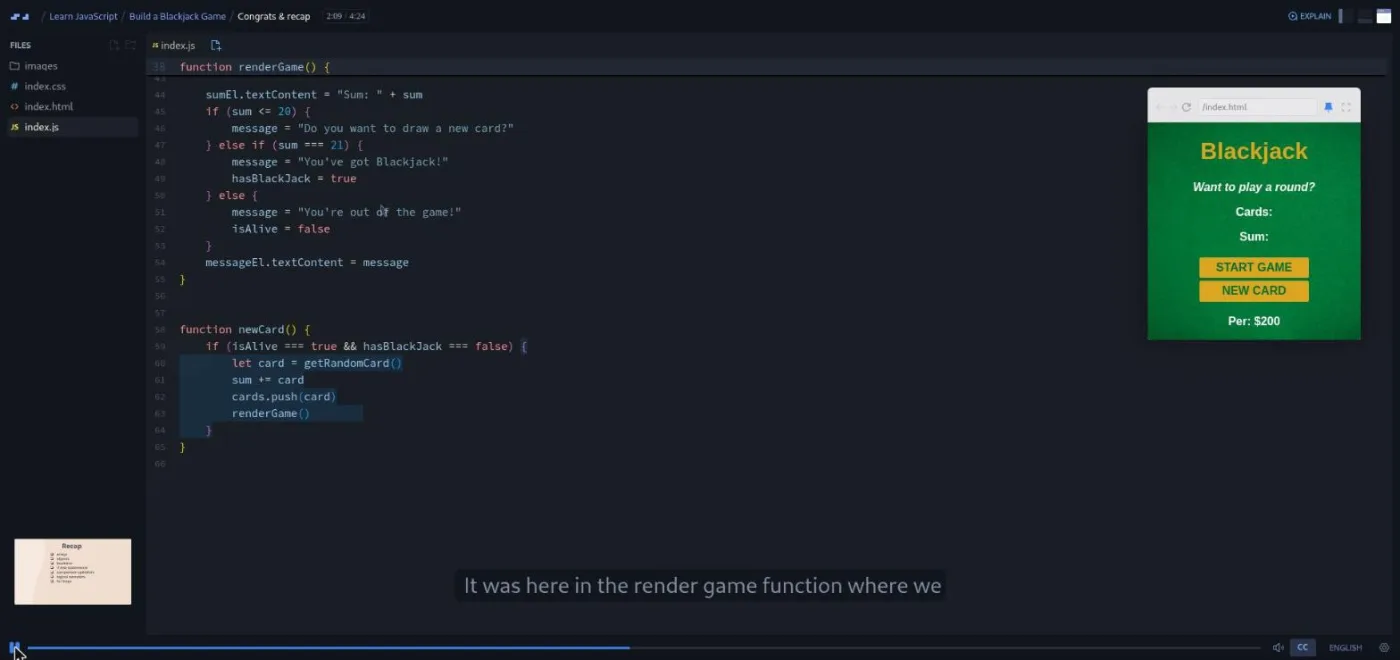
The recap scrim ends with a line I appreciated: "I would have never remembered the difference between comparison operators and logical operators when I learned JavaScript. What they are called doesn't really matter." It is a beginner course that knows what beginners worry about.
5. Practice Time, part 2 (25 min, 9 scrims)
Objects and functions, if/else, loops and arrays, push/pop/unshift/shift, logical operators, then three mini-projects: rock paper scissors, an "EmojiFighter" game, and sorting fruits. The Solo Project here is a password generator (PRO).
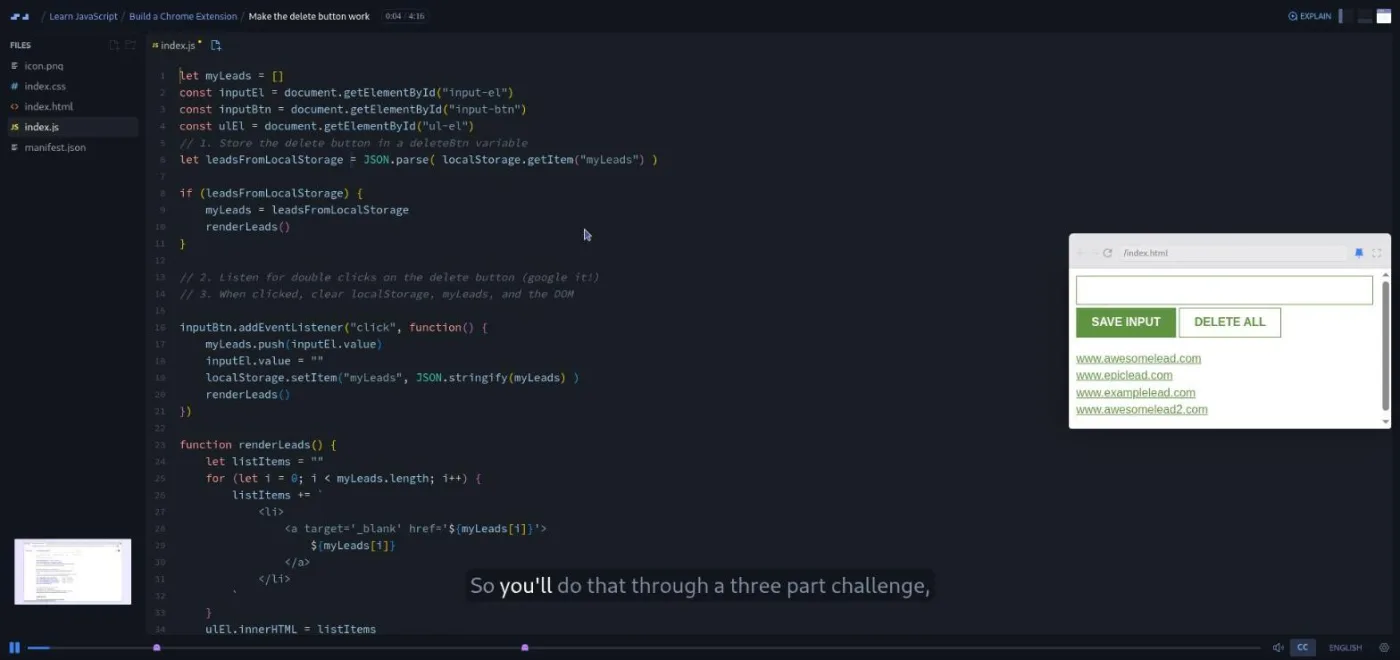
6. Build a Chrome Extension (2.7 hrs, 54 scrims)
The most "real" project in the course. The extension is a leads tracker: paste a URL or click "save tab" and it stores the link in a list that survives closing the browser. Per explains the idea came from watching a sales team at a shipping-data company spend hours collecting prospect links by hand.
What it teaches, in order: addEventListener (and refactoring away from onclick), let vs const, rendering a list with innerHTML and then with createElement/append, template strings, styling, packaging and deploying the extension to Chrome, localStorage (four scrims, including storing arrays with JSON.stringify), truthy and falsy values, a delete button, function parameters (six scrims), and finally the Chrome tabs API to grab the current tab's URL. You deploy it twice: once mid-module, once with the final version.
7. Practice Time, part 3 (26 min, 9 scrims)
let and const, logging arrays, saving to localStorage, event listeners with objects in arrays, a sentence generator, rendering images, rounding numbers, converting strings to numbers. Solo Project: a unit converter (PRO).
8. Build a Mobile App (59 min, 23 scrims)
A guest section taught by Rafid Hoda, not Per. You take the leads tracker and swap localStorage for a Firebase Realtime Database: create the project, push data, read it back with onValue, turn the returned object into an array, delete with remove. Then you add a viewport meta tag, favicons, and a web app manifest, deploy to Netlify, and add the app to your phone's home screen. Rafid is upfront that this is "not technically a native mobile app," and the section is a gentle introduction to talking to a backend plus the basics of a progressive web app. It is the newest part of the course and the one most likely to change.
The course closes with a one minute "How to utilize your certificate" scrim and the certificate of completion.
What a lesson feels like
A typical scrim is two to four minutes. Per talks over a live editor, types the code, runs it, and the preview on the right updates. When a scrim is a challenge, the brief is written as numbered comments in the file, the recording pauses, and you type into the same editor. Then you press play and he solves it. Every scrim has captions and a full transcript panel (settings menu, "Show Transcript"), with subtitles in ten languages, and you can change playback speed and font size.
The teaching voice is warm to the point of being corny, and I mean that as a compliment for a first course. The first variable lesson opens with "today is actually a really important day in your life because you're going to write your first lines of JavaScript," and the calculator challenge ends with "if you found it a bit too hard, now that you've seen the solution, just go back and try it again." Per also does something few beginner instructors do: he writes bugs on purpose, runs them, and reads the error out loud before fixing them. You see "cannot access myAge before initialization" in lesson three. That habit alone is worth the price of admission, which is zero.
Free or Pro: exactly what is gated
The eight modules, all 190-odd scrims, every challenge, and the deploys are free. You do not need a card or a subscription to finish the course.
What is Pro is the three Solo Projects, one at the end of each Practice Time module: a basketball scoreboard, a password generator, and a unit converter. Each comes with a Figma design file, a written spec, and stretch goals (for the scoreboard: a "new game" reset, highlighting the leading team, a period counter). Per is explicit that the stretch goals use concepts he has not taught yet and are "only for those of you who find these requirements to be a bit boring." Pro also unlocks the certificate, the career paths this course belongs to, and the Pro-only channels on Scrimba's Discord (the pricing page lists "basic access to Discord community" as a free feature, so the server itself is not gated).
My read: the solo projects are the point where you find out whether you can build without the instructor, so they matter more than their 10 minutes of video suggests. If you are only ever going to take this one course, stay free and build the scoreboard on your own from the description above. If you plan to continue into the Frontend Developer Path, the projects come with it. See current plans (opens in a new tab) for what Pro costs in your region.
How long it takes
The 9.4 hours is video runtime. With 140+ challenges, most people should budget two to three times that: 20 to 30 hours spread over three to six weeks at an hour a day. The blackjack and Chrome extension modules are each 2.7 hours of video and will each take a full week at that pace. If you do the solo projects properly (from the Figma file, with stretch goals), add another five to ten hours.
Who it's for, and who should skip it
It fits complete beginners who want to learn JavaScript by building rather than reading, and anyone who needs the JS foundation before starting React. It is the anchor course for the Frontend Developer Path and the Fullstack Developer Path, and a good fit for beginners and career changers who can only spare an hour a day, because the scrims are short enough to stop anywhere.
Skip it if you already write JavaScript comfortably: go straight to Advanced JavaScript or the React track. Also skip it if you specifically want modern tooling from day one; the course stays in the browser until module three and never touches npm, bundlers, or async code.
Start Learn JavaScript for free (opens in a new tab)Prerequisites
None. The first HTML tag you need is explained when it appears. The course does assume you can follow along in English or one of the nine other subtitle languages, and that you are willing to type every challenge rather than watch it.
Where it fits
Learn JavaScript is the foundation for two paths: the Frontend Developer Path and the Fullstack Developer Path. It is the practical prerequisite for Learn React, which assumes the JavaScript this course teaches. The Chrome extension module is also the best preparation in the catalog for Learn Node.js, because it is where you first think about data that outlives the page.
Strengths and limits
What it does well: it is free, it teaches by building four real projects, the challenges keep you typing (and six of them now check your answer with AI), Per writes bugs on purpose and fixes them out loud, and the transcript panel makes it usable if you learn better by reading.
Where it is limited: it is foundations only and stops short of async and object-oriented JavaScript, the three solo projects that test independence are Pro, the in-browser format means you set up your own environment late, and the mobile app section is a guest module whose Firebase setup steps will age faster than the rest.
Related courses and comparisons
- All JavaScript courses, the full category this course anchors
- Advanced JavaScript, the deeper follow-up
- The Tricky Parts of JavaScript, a short top-up on gotchas
- Learn React, the usual next step
- Scrimba vs freeCodeCamp and Scrimba vs Codecademy, if you are choosing a platform
Yes. All eight modules, every challenge, and the deploys are free with no card required. The only Pro pieces are the three Solo Projects at the end of the Practice Time modules and the certificate.
Yes. It is rated Beginner, assumes no prior programming, and the first lesson literally walks you through writing let count = 0 and logging it. It is the recommended first course in the catalog.
Per Borgen, Scrimba's co-founder, teaches seven of the eight modules. The final Build a Mobile App module is taught by Rafid Hoda.
A passenger counter app deployed to Netlify, a blackjack game, a leads tracker Chrome extension you install in your own browser, and a Firebase-backed version of the tracker you add to your phone's home screen.
Yes. Every scrim has captions, a timestamped transcript panel under the settings menu, and subtitles in ten languages.
Six challenges in Practice Time part 1 that check your solution with AI and tell you whether it meets the spec, even if your code differs from the instructor's. Scrimba labels them 'Challenge with Instant Feedback' and calls the feature a beta.
9.4 hours of video, but plan for 20 to 30 hours including the challenges, or three to six weeks at an hour a day.
No. Everything runs in the browser. Module three shows how to set up VS Code and GitHub Desktop if you want to work locally, but the course never requires it.
Yes, effectively. Learn React is rated Intermediate and assumes the JavaScript that this course teaches, so do it first.