Build a Memory Game in React
Ajo Borgvold's Pro project course has you build one emoji memory game in React over about 4.4 hours, with a full module on making it work for screen reader and keyboard users. It is the project to pick over a generic React build if accessibility is the skill you came for.
Reviewed inside the course with a Pro account, September 2026: every module opened, transcripts read for 26 of the 43 scrims, including the intro, outro and each module's first lesson.
Quick answer
This course fits developers who already know hooks and fetch calls and want reps grading themselves against specific briefs. The catch: it is one project, not a survey, so there is no routing, testing or TypeScript. Finish it and move to Advanced React, which covers what this build leaves out.
Build a Memory Game in React
ProTaught by Ajo Borgvold (opens in a new tab)
A guided React project: build an accessible memory game on the EmojiHub API, in 29 challenges inside the interactive Scrimba player.
View on Scrimba (opens in a new tab)
Is it worth your time?
If you have finished Learn React and want reps, this is a well built set of them. Two thirds of the scrims are challenges: Ajo pastes a numbered brief into the file, tells you to pause, and comes back with a solution you compare against your own. The briefs are specific (variable names, class names to copy, a hint and a warning), so you are never guessing what "done" looks like. And the solutions are typed live: Ajo's own answer to the first fetch challenge throws a ReferenceError from a typo before it works.
The accessibility module is why you would pick this course over another project build. Most project tutorials add an aria-label somewhere and call it done. This one spends 74 minutes on why a screen reader user gets an HTML entity code instead of an emoji, how aria-live="polite" decides when to speak, why matched cards should be disabled so the Tab key skips them, and how to move focus to a component that just appeared so it gets announced. If you have never thought about any of that, you will after this.
Two caveats. It is one project, not a survey: no routing, no Context, no testing, no TypeScript, and the CSS is written for you. And there is a seam Ajo owns up to in a "side note" scrim: three module 1 lessons were re-recorded after the rest, so the code you see from module 2 onward has unnecessary async keywords and a reduce where a map would do. Nothing breaks, but you should know why the code shifts.
What you'll learn
Course curriculum
4 modules · 43 lessons
- Building the Foundation
- Core Game Functionality
- Accessibility Enhancements
- Advanced Features
Lesson counts are the scrims I counted in each expanded module in September 2026, including intros, asides, side notes, a "Want to become a Scrimbassador?" promo in module 3, and the outro. Scrimba's module headers show 8, 12, 10, and 8 (38 in total), while the course listing and its structured data say 44 lessons, which adds a standalone one-minute "How to Utilize Your Certificate" clip after the last module. When other pages on this site quote 44, that is Scrimba's number.
Inside the course, module by module
1. Building the Foundation (54 min, 10 scrims)
The intro shows the finished game (a form, face-down cards, a "play again" box) and sets expectations plainly: "when I say familiar with, I mean familiar with. You're not supposed to be an expert because if you were, you wouldn't need to take this course at all," as Ajo puts it at 3:52. Then "Boilerplate code" asks you to pause and read the starter files (App.jsx, Form.jsx, MemoryCard.jsx, RegularButton.jsx, a data.js you will not touch until module 4) and write comments to yourself before Ajo walks through them. The CSS is all pre-written: "your only job when it comes to styling is to use the class names that I tell you to use."
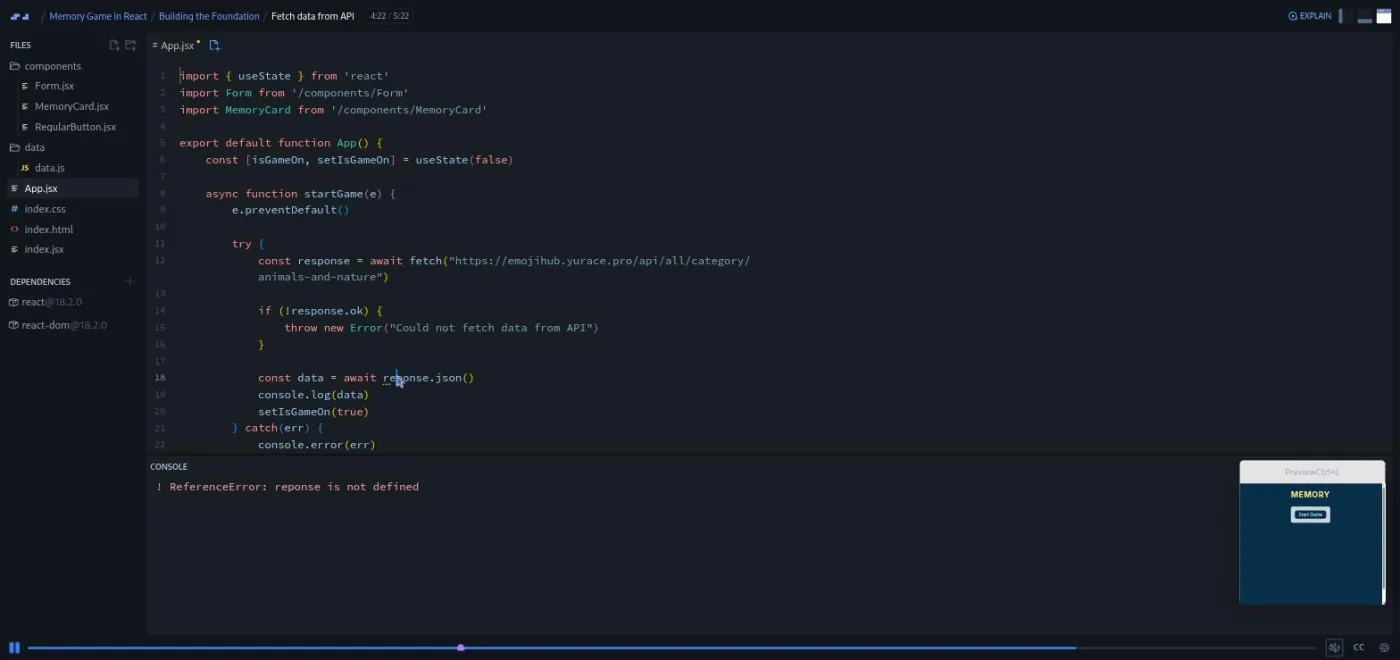
From there the challenges start and do not stop. "Fetch data from API" has you make startGame async, wrap a fetch to the EmojiHub API in try/catch, and throw on a bad response. "Store API data in state" slices the first five emojis into useState. An aside on HTML entities explains why an entity stored in a variable does not decode itself, and adds the html-entities package to fix it. Then the emojis render, and "Issue with emojisData" stops to plan in plain English: pick five random emojis, duplicate them, shuffle them.
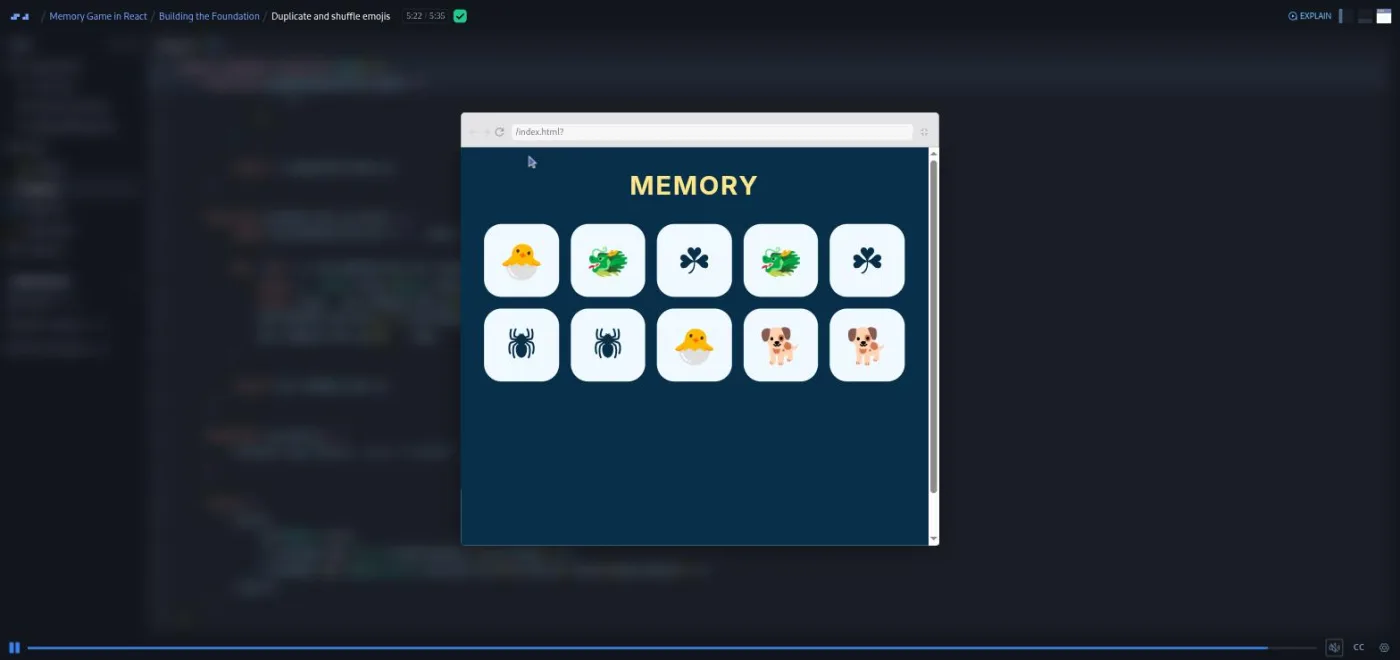
The two "Get random emojis" scrims open with "mini challenges" (think, no typing: how do you get random indices, how do you keep them in range?) before a for loop that pushes five random indices. "Duplicate and shuffle emojis" closes the module with the Fisher-Yates shuffle, which Ajo tells you to Google: "You're not supposed to know this algorithm by heart. You're not supposed to be able to just type it out from memory. I can't do that either." By 5:14 there are ten shuffled cards in the preview.
2. Core Game Functionality (68 min, 10 scrims)
It opens with the "side note" about re-recorded lessons ("recordings show no mercy, as you know"), then three "Select a memory card" scrims build the turnCard logic step by step. Part 1's mini challenge asks what identifies a clicked card (its index) and a pair (its name), and why the name beats the HTML code "as a service to our fellow developers." Part 3 has you write the rules as pseudocode first: a card can be in the selection once, and there can be at most two selected. Ajo tests it on screen: click a snail, click it again (nothing), click the other snail (two objects), click a tree (selection resets).
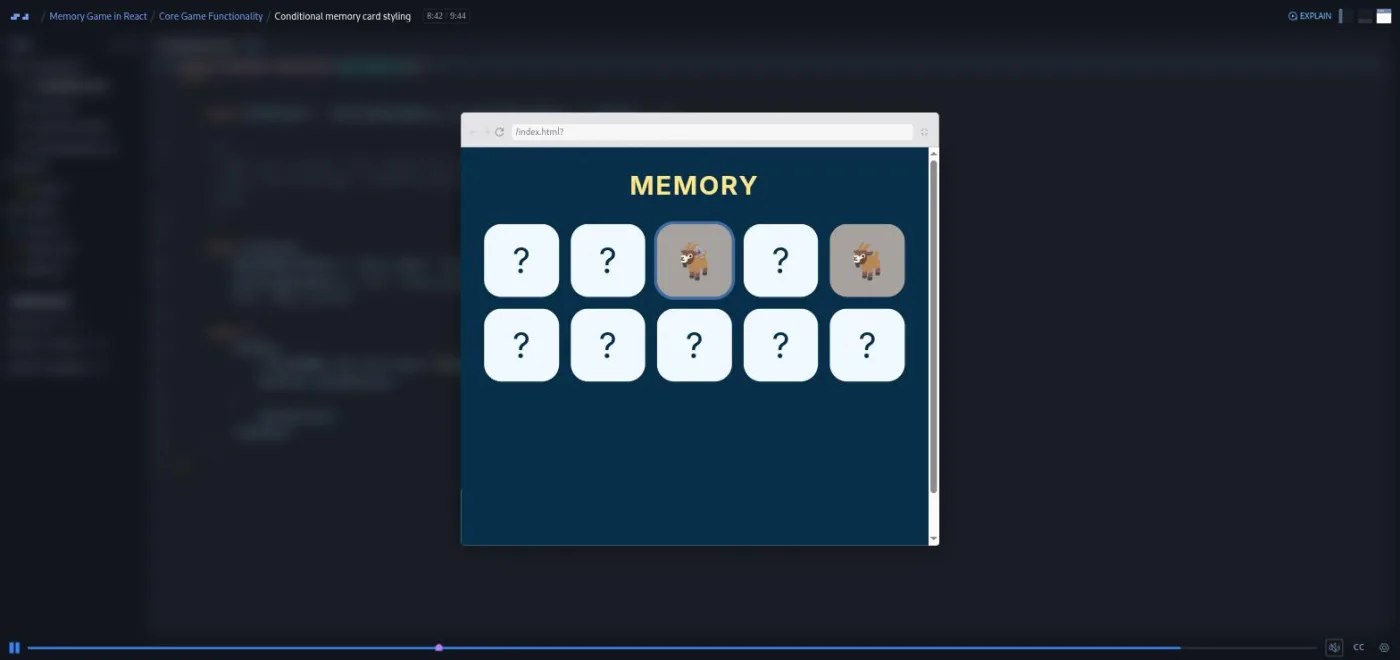
"Detect matching cards" is where useEffect arrives, with a mini challenge asking which React tool should check for matches whenever two cards are selected, and a clear explanation of the dependency array. "Create EmojiButton component" ("This was a huge challenge") pulls the button into its own component, and the two "Conditional" scrims give each card its content and its classes based on whether it is selected, matched, or neither. Ajo uses chained ternaries and says a let with if/else is fine too.
3. Accessibility Enhancements (74 min, 13 scrims)
The module opens with a slide-based aside on aria-label and aria-live. Ajo reads the MDN definition, then answers when to use a label: "The short answer is when we have no other option." The memory game is that case: each button's accessible name is an HTML entity, so a screen reader reads a code instead of "monkey face." The aside ends with a detail I had not seen taught elsewhere: end every aria-label string with a period so the screen reader pauses.
Back in the game, "Disabled attribute & conditional event handler" shows that the greyed-out matched cards still log "clicked," adds disabled, and demonstrates the Tab key skipping them. "Add aria-label to EmojiButton" refactors the button to receive the whole emoji object and labels each card "Position 3:" followed by the emoji's name and a period (index plus one, because "humans tend to start counting from one"). "Create AssistiveTechInfo component" adds a visually hidden section announcing matched pairs and cards left, and walks through the sr-only CSS: "If you want to hide something, like really hide it so that nobody will ever find it, then go ahead and use display none or visibility hidden."
The last third builds the GameOver component and then fixes the problem it creates. A new element is not announced when it appears, so the "Focus as an accessibility tool" aside introduces what Ajo calls "a cocktail of tools": useRef, useEffect, .focus(), and tabIndex="-1". "Make GameOver component accessible" has you apply all four, with the warning that Chrome's focus outline only shows if you navigate by keyboard.
4. Advanced Features (66 min, 10 scrims)
Error handling first: an isError state flipped in the catch block, a resetError function, and an ErrorCard component with a restart button. Then the form. "Create form elements" has you hardcode two select menus (emoji category, number of cards) with labels and an onChange that logs name and value; "Save form selections in state" stores them. The two "Refactor form" scrims finally use data.js: Object.entries(data).map(...) builds a reusable Select component, then an Option component. Ajo calls part 1 "not an easy challenge" for the destructuring and chaining involved.
The final challenge closes the accessibility loop. The form reappears after game over or an error, and is not announced. Focus must move to it, but only on re-render, or the "Memory" heading would be skipped on first load. You add an isFirstRender flag and work out yourself where to flip it: "I'm not gonna tell you where because it's now your job to figure that out on your own."
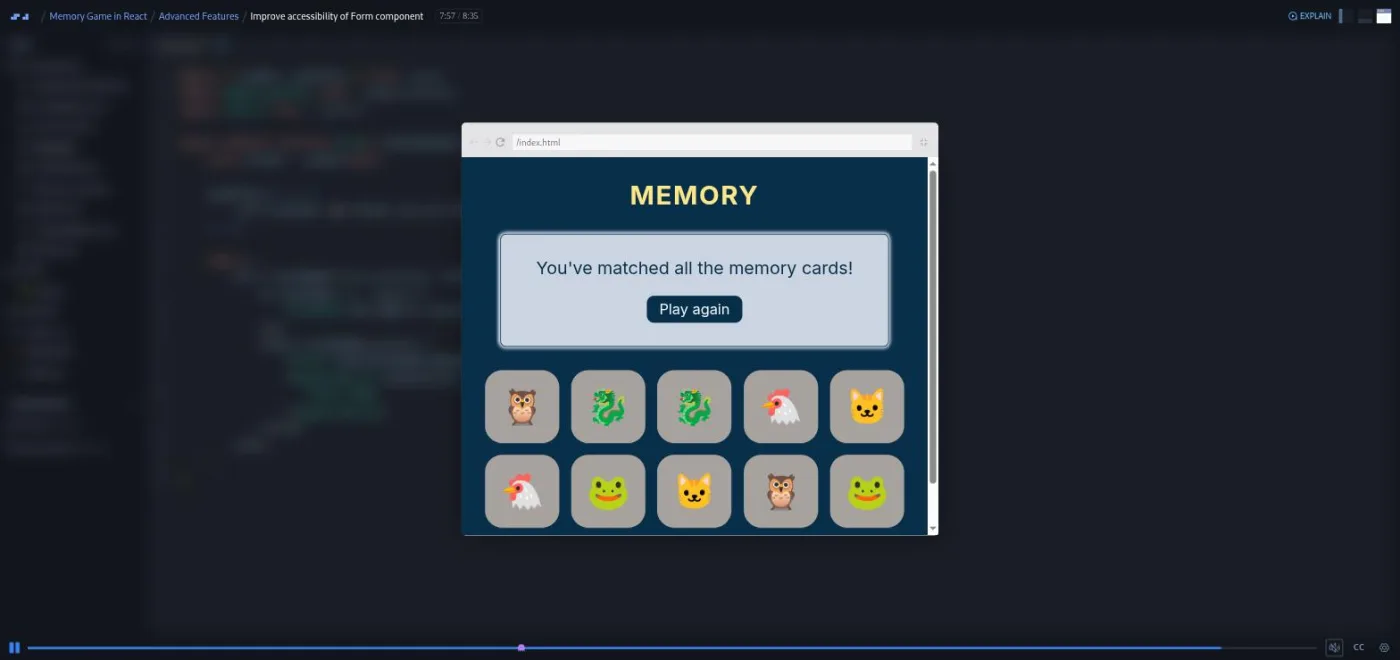
The outro replaces the usual celebration GIF with an emoji story, because "on a bad day, GIFs can cause some level of motion sickness for me. And since this is my course, then I make the rules." It lists ideas for extending the game: a timer or turn counter, Context, React Router, a redesign, a different API.
What a lesson feels like
Scrims run from 1:29 to 10:26; most are five to nine minutes. The pattern is stable: a short recap, sometimes a "mini challenge" you answer in your head, then a numbered challenge pasted into the file with hints and a warning about what you will not see yet. You pause, code, and unpause to compare. Ajo's solutions are typed live, typos included, and end with a run in the preview. The tone is warm without being cloying: "give yourself a pat on the back," "please remember to take a break to not wear yourself down completely," and, on getting stuck, "you can always ask Google or ChatGPT. Remember, there's no shame in doing either of that."
The preview pane is small by default; Ajo pops it into a larger window for demos. Every scrim has captions, a timestamped transcript under the settings menu, subtitles in ten languages, and playback speed. Some accessibility results (focus outlines, screen reader output) are not captured in the recording, and Ajo says so and asks you to run the code yourself.
Free or Pro: exactly what is gated
This is a Pro course. Two scrims are marked SAMPLE and open without a subscription: the 5:31 intro and the 5:49 boilerplate walkthrough. Everything after that, all 29 challenges, the accessibility module, and the certificate, needs Pro. There are no Solo Projects; the whole course is guided.
Pro also unlocks the two career paths this course sits in and the Pro-only Discord channels. Basic Discord access is on the free plan according to Scrimba's pricing page (opens in a new tab), so the community itself is not the upgrade reason; this course and the paths are.
How long it takes
4.4 hours is video runtime. With 29 challenges to attempt before watching the solution, plan for 9 to 13 hours: a week at an hour and a half a day, or two focused weekends. The accessibility module will take longest if the concepts are new, because you should test with a screen reader (VoiceOver on a Mac, NVDA on Windows) rather than take Ajo's word for it. Doing one of the outro's extension ideas adds a few hours more and makes the project yours.
Who it's for, and who should skip it
It fits you if you can write a component with useState, have fetched from an API before, and want a finished game that shows you understand accessibility. It also suits anyone who learns by solving small briefs rather than watching long builds.
Skip it for now if hooks and promises are still new; the intro says the course will not teach them, and it does not. Skip it if you want breadth: no routing, state libraries, TypeScript, or testing. And if you are on the fence about Pro, the free Learn React capstones give you two complete games first.
Start Build a Memory Game in React on Scrimba (opens in a new tab)Prerequisites
React basics (components, props, useState, useEffect), JavaScript array methods (map, slice, find, includes), destructuring and the spread operator, and async/await with fetch. You do not need any accessibility knowledge; the course teaches aria-label, aria-live, aria-atomic, tabIndex, and programmatic focus from scratch. No local install is needed, and no API key: the EmojiHub API is public.
Where it fits
Scrimba lists the course under the Frontend Developer Path and the Fullstack Developer Path. It belongs after Learn React and before Advanced React, which covers the patterns this course leaves out. If the accessibility module is the part that lands, Learn Accessible Web Design goes deeper.
Strengths and limits
What it does well: a high ratio of challenges to lecture, briefs that are specific enough to grade yourself against, accessibility taught as engineering rather than a checklist, an honest instructor who shows their own typos and re-recording seams, and a finished game you can show in a portfolio.
Where it is limited: one project, React 18.2 rather than 19, CSS pre-written so you learn nothing about styling, a small preview pane, some code shown in an older, more verbose form than the re-recorded lessons, and results (focus, screen reader speech) that you have to verify yourself because the recording cannot show them.
Related courses and comparisons
- Learn React, the prerequisite
- Advanced React, the natural next step
- Build a React Project: Movie Search App, a shorter project build
- React Challenges, to drill skills after this
- Learn Accessible Web Design, for the accessibility side
- Best React courses compared, how it stacks up
No. It is a Pro course. Two scrims are free samples (the intro and the boilerplate walkthrough); the other 41, including all 29 challenges and the certificate, need a subscription.
One memory game: a form to pick an emoji category and card count, cards fetched from the EmojiHub API and shuffled into pairs, selection and match logic, a game over box with play again, an error card if the fetch fails, and screen reader support throughout.
Ajo Borgvold, a Scrimba Frontend Path graduate and former bootcamp reviewer who joined Scrimba's teacher program in 2024 and also made the Command Line Basics course. Ajo uses they/them pronouns and says so in the intro.
React 18.2.0 and react-dom 18.2.0, plus the html-entities package for decoding emoji codes. It uses useState, useEffect, and useRef, no React 19 features.
No. Everything runs in the Scrimba player, and the EmojiHub API is public. A screen reader (VoiceOver, NVDA) helps for testing the accessibility work but is optional.
By my count 29 of 43 scrims are challenges: Ajo pastes a numbered brief, you pause and code, then compare with the solution. Several also open with a mini challenge you answer in your head before typing.
4.4 hours of video; plan for 9 to 13 hours if you attempt every challenge, more if you test with a screen reader or extend the game.
Yes. Every scrim has captions, a timestamped transcript in the settings menu, and subtitles in ten languages.