Learn React Router
Bob Ziroll teaches Scrimba's dedicated routing course in 9.7 hours and 139 scrims, all of it spent building one app: VanLife, a camper van rental site with three levels of nested routes. It is the most complete routing course on Scrimba, and the most current one, since it covers the data router that React Router 7 is built on.
Reviewed inside the course with a Pro account, September 2026.
Quick answer
It fits you if you already have a solid foundation in React, the bar Bob sets before you start; finishing Learn React clears it. The one catch is overlap: if you already own Advanced React, you already have most of this material as its routing module. Once you finish, React Challenges is where to drill routing in practice.
Learn React Router
ProTaught by Bob Ziroll (opens in a new tab)
React Router 6 from the first route to loaders, actions, protected routes, and deferred data, built into one VanLife app across 139 scrims.
View on Scrimba (opens in a new tab)Is it worth your time?
Yes, if you build React apps and your navigation still means swapping components with state. React Router is the routing library almost every React codebase without a framework uses, and version 6.4 changed how data loading works. Bob teaches both halves: the classic BrowserRouter with Routes, Link, and Outlet first, then createBrowserRouter with loaders, actions, redirect, and defer. That order is the right one, because you feel the pain the data APIs fix before you learn them. He builds up a loading state and an error state by hand in module 3, breaks the app on purpose, and then deletes most of that code in module 4.
The code is mildly dated. The scrims pin react-router-dom 6.4.3 and 6.4.4 with React 18.2. React Router 7 has since shipped, but its routing model is the 6.4 data router this course teaches, so everything transfers. The one part that has moved is the last module. v7 deprecates defer() in favor of returning promises straight from a loader, and the "middleware" Bob says he hopes to record an update about has since landed in v7, first as an unstable API. Neither invalidates a lesson; you will just write slightly shorter code today.
This course started life as the routing module of Advanced React. Bob twice refers to "the full advanced React course," and in the NavLink lesson he says render props are something "you have already learned about" if you are taking it there. If you own Advanced React, you own most of this one. If you want routing on its own, this is the cheaper way in.
What you'll learn
Course curriculum
6 modules · 139 lessons
- Introduction to React Router
- Nested Routes
- Search Params and Links
- Loaders and Errors
- Actions and Protected Routes
- Deferred Data
Lesson counts are the scrims I counted in each expanded module in September 2026, including quizzes and two "Note from the future" updates. They also include two short Scrimba promo scrims, a Bootcamp ad after module 1 and a Scrimbassador ad after module 4. Scrimba's own module headers show 11, 19, 13, 2, 5, and 0, because they count only a subset of the scrims. The course listing and its structured data say 139 lessons, which matches my total.
Inside the course, module by module
1. Introduction to React Router (87 min, 20 scrims)
The first five scrims are free to preview and cover the mental model. Scrim one explains what client-side routing is. Two contrasts multi-page and single-page apps with a slide diagram, where Bob points out that "that telltale flicker is a good way to know that you are currently looking at a multi page application." Three introduces BrowserRouter as a context provider, four is Routes, and five is a one-minute challenge to set them up from a blank file. Route with path and element comes next, with a mini challenge inside the lesson to add an /about route. Then Link, and why an anchor tag would wipe your state.
Then VanLife starts. "VanLife project bootstrapping" is an eight-minute challenge to build the home and about pages with a nav bar, and it sets the tone for the whole course. Bob links a Figma design and tells you to do the CSS yourself if CSS is your weakness. Then he "snaps his fingers" and pastes in his own 145 lines of styles so the lessons stay about routing. An 11-minute "Initial Deploy to Netlify" lesson walks through GitHub Desktop, a .gitignore, and continuous deployment, and he deliberately forgets the viewport meta tag so you see a redeploy happen. Data comes from Mirage JS, a mock server that intercepts fetch. As Bob puts it, "think of it more like you are the front end developer on this project and a back end developer, one of your coworkers, has already created the server."
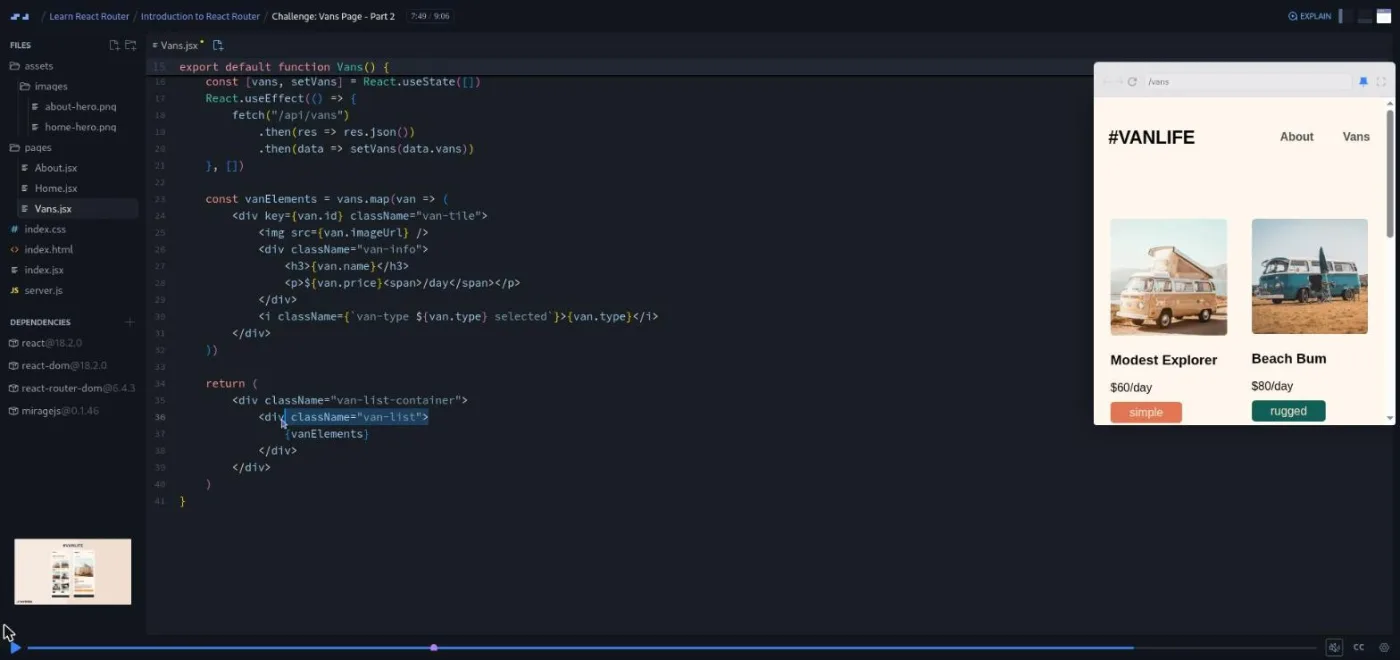
The module closes with route params (/vans/:id and useParams), a two-part challenge where Bob deletes his own code and makes you rebuild it, and a markdown quiz. Last comes an "A11y Update" recorded after the fact, where he turns on a screen reader to show why a card wrapped in a Link needs an aria-label. He is upfront that the accessibility fixes "are not going to persist in the code" later on.
2. Nested Routes (2.1 hrs, 23 scrims)
Bob calls this "one of the more complex topics about React Router," and it gets the most time. The intro uses the Remix "Fakebooks" demo to show nested URLs mapping to nested UI, then lays out the host section you are about to build. That is /host with a dashboard, income, and reviews pages, then /host/vans, then /host/vans/:id with its own details, pricing, and photos tabs. Three levels of navigation, each with a shared layout.
The sequence is careful. A layout route with Outlet fixes the copy-pasted nav bar first. Then a challenge to build HostLayout, where Bob briefly duplicates a /host path to make the dashboard show up. He says "you would never see this in production React Router six code." Relative paths break the dashboard again (you end up at /host/host), and index routes fix it. A "To nest or not to nest?" lesson is a thought experiment on nesting /vans/:id when there is no shared UI, and he concludes you should not. NavLink and its isActive render prop come in a standalone mini app before being applied to VanLife.
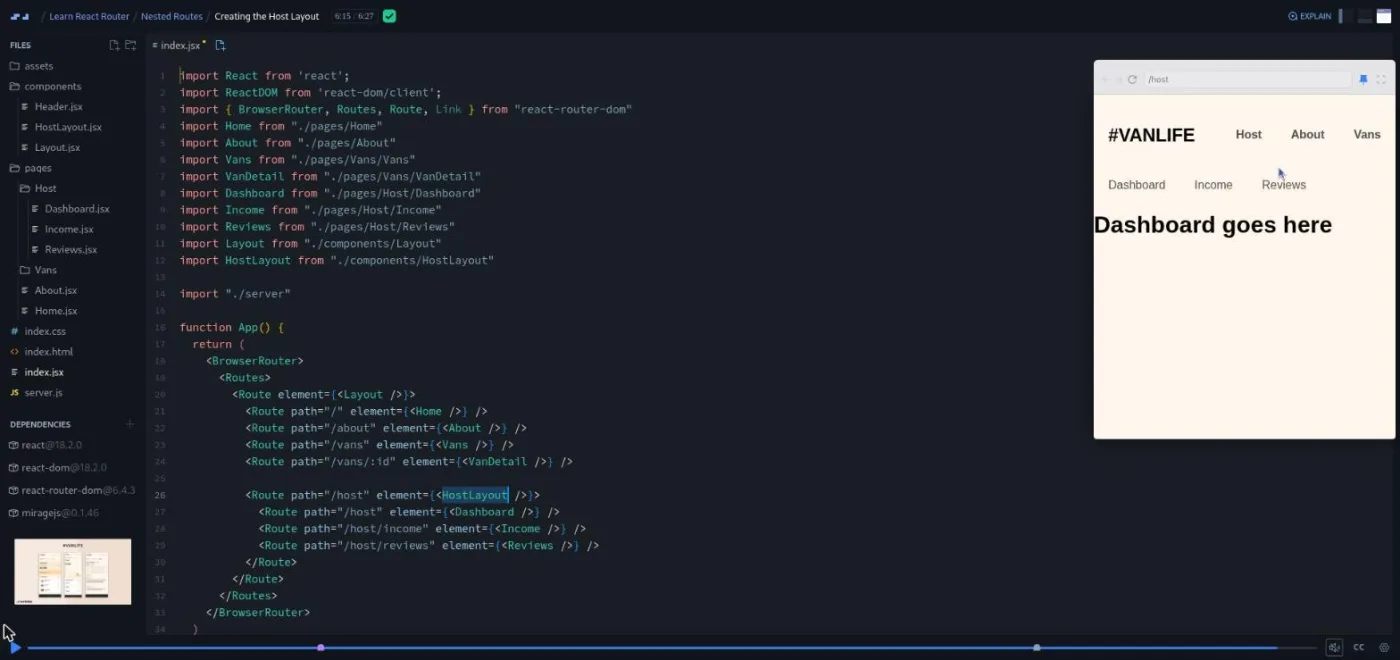
The host vans list is an "Optional Side Quest," one of the few optional challenges Bob sets ("If you didn't do this challenge, I know for a fact that it wasn't too hard for you"). Outlet context is taught by sending you to the React Router docs first. "I'm not going to teach you how to do this before I ask you to try and do it." The module ends with a second Netlify redeploy.
3. Search Params and Links (95 min, 25 scrims)
The filter buttons on the vans page were skipped earlier, and this is where they arrive. Bob's framing for search params is the test you will keep using. "Should a user be able to revisit or share this page exactly like it is and have the experience be the same?" If yes, the state belongs in the URL. useSearchParams is demonstrated on a tiny Star Wars characters app (Jedi or Sith), then applied to VanLife in a challenge. The pattern repeats three times: filter with a Link, filter with the setter function, then merge params so you do not wipe someone else's ?name=Jill.
Two smaller topics follow. Link state passes the current query string to the detail page so "Back to all vans" returns to the filtered list (Bob argues against putting the filter in the detail page URL). A splat route (path="*") makes the 404 page, with the note that React Router 6 scores routes so order no longer matters.
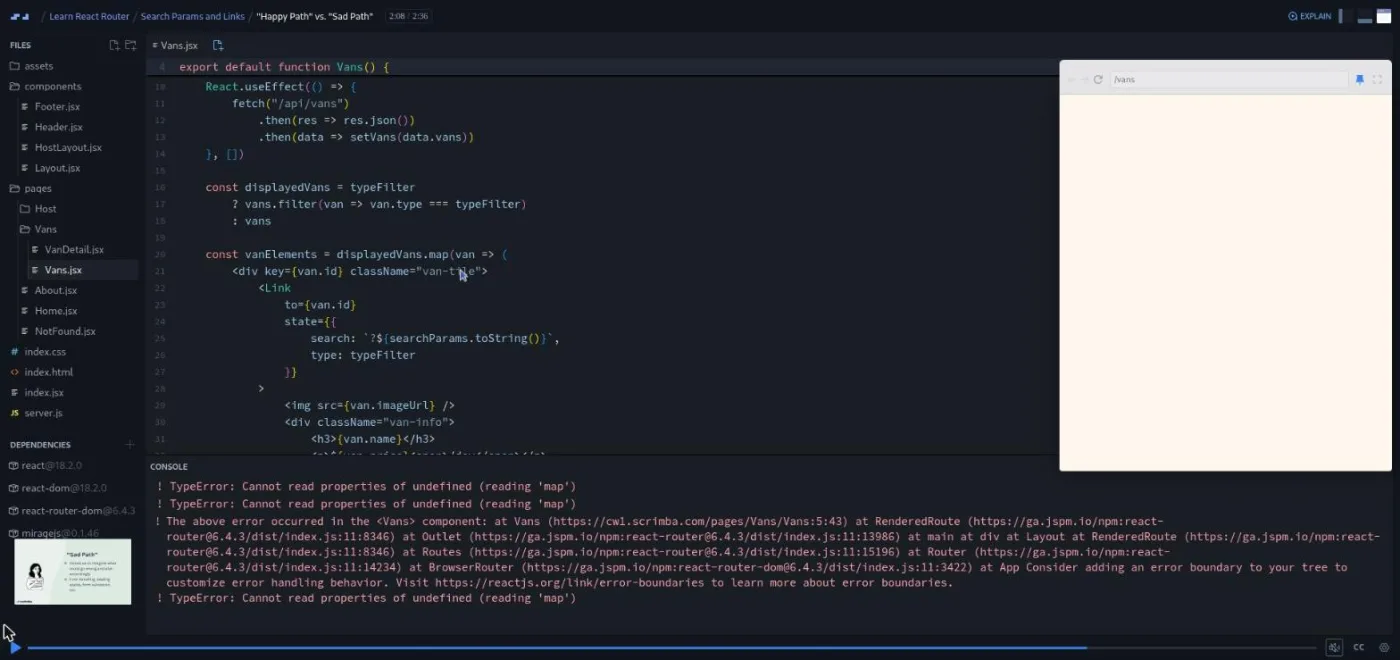
The last five scrims set up module 4. "Happy Path vs. Sad Path" opens on a "Data Layer APIs" title slide, then Bob changes the mock server to return a 400 and lets the app crash. He adds a loading state and error handling by hand, and a one-minute accessibility update adds aria-live to both.
4. Loaders and Errors (42 min, 13 scrims)
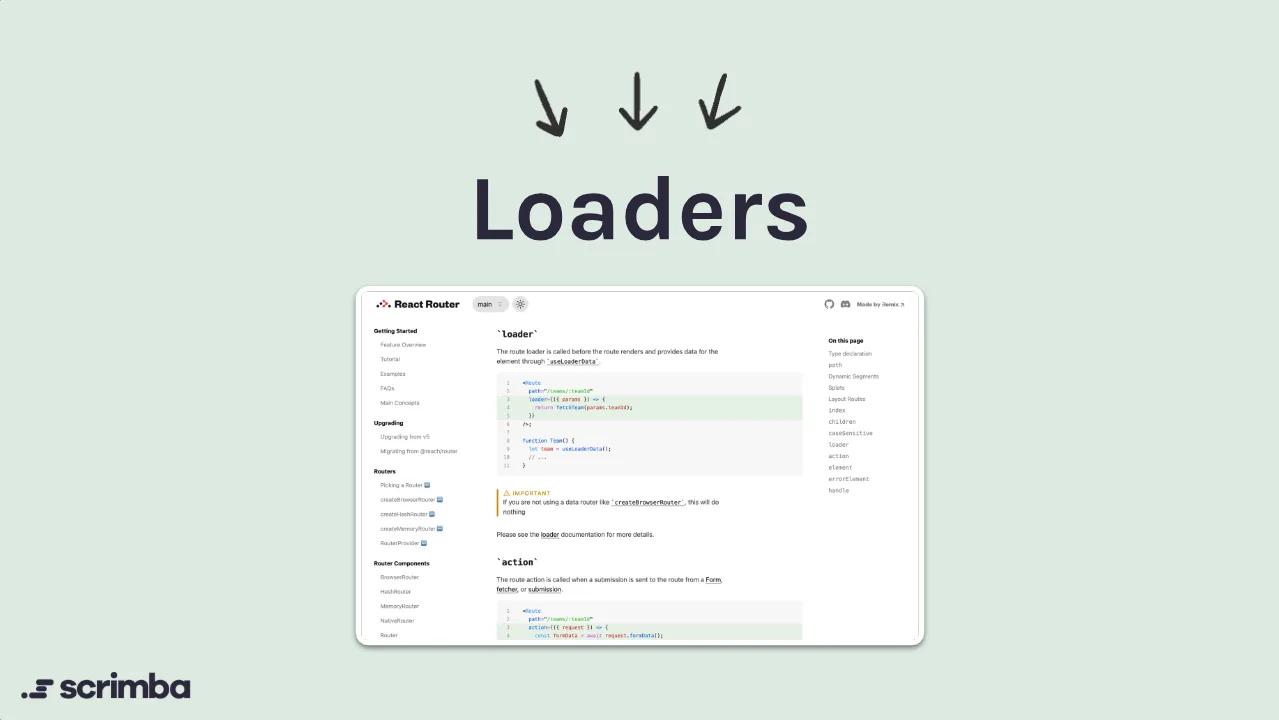
The shortest module and the turning point. The "Loaders" title card credits Remix, and Bob explains the change in one line. A loader runs before the route renders, so the component "gets to treat this much more synchronously." Opting in means createBrowserRouter, createRoutesFromElements, and RouterProvider, shown on the Star Wars app and then done by you on VanLife. Next come a loader that returns a string and useLoaderData. Then the payoff lesson, "Use the loader data instead of the useEffect," where you comment out the effect, delete the loading state, and delete the useState. Bob calls it "one of the most cathartic things that I think you'll ever do as a programmer."
Errors get three scrims: errorElement, then useRouteError with the message, status, and statusText thrown from api.js. The third demonstrates that errors bubble to the nearest errorElement in the route tree, so you can choose where the error UI lives.
5. Actions and Protected Routes (2.7 hrs, 40 scrims)

The biggest module, and it needs a login form to work with. Bob says plainly that "this isn't a course about authentication," so the form is prebuilt, the mock server gets one user, and a "Better (but still fake) auth" lesson stores a loggedin flag in localStorage. There is no real auth anywhere in the course.
Protected routes are taught twice on purpose. First the pre-6.4 way: an AuthRequired layout route that renders an Outlet or a Navigate. Then Bob shows why that fails with loaders: nested loaders run in parallel before anything renders (a "Parallel Loaders demo" proves it with random setTimeouts), so you cannot stop a fetch by blocking a render. The data-router answer is a requireAuth check that calls redirect inside every protected loader, which he admits is "a little bit tedious of a challenge" when you add it to every host route. The message and the original URL travel to the login page as search params.
The actions half starts with a lesson titled "Take: Forms in React are bad," marked with a chili pepper in the table of contents. Bob argues that controlled inputs re-implement state the browser already has. React Router's Form component, method="post", and an action function replace handleChange, handleSubmit, and the form state, and again he narrates the deletion. useActionData returns an error to the form instead of throwing, and useNavigation gives you state === "submitting" to disable the button and change its label to "Logging in".
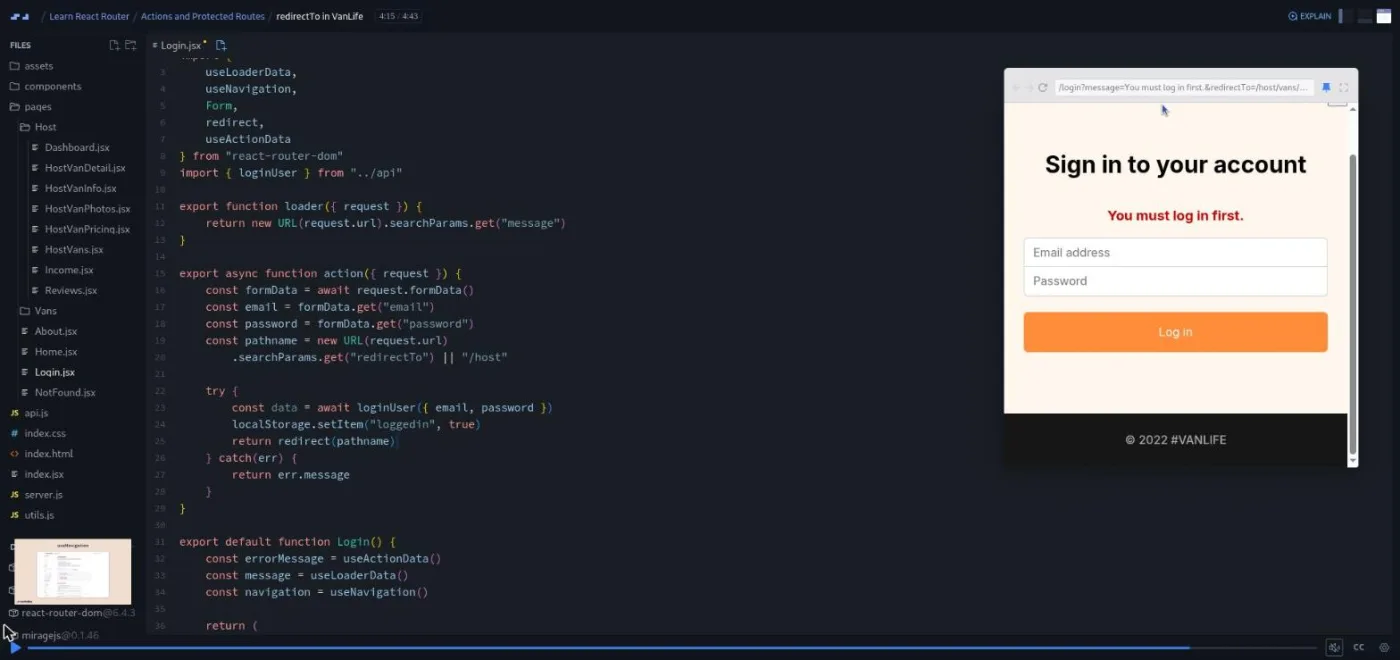
The module's final challenge, "redirectTo in VanLife," is the one where Bob "took the training wheels off." You pass the request through every requireAuth call, build the redirectTo param from new URL(request.url).pathname, and read it back in the action.
6. Deferred Data (73 min, 18 scrims)
Loaders cost you something: the page waits until the data arrives. A weather demo app with a three-second delay makes the point ("Three seconds feels like an eternity"). The fix is three pieces that only work together, which is why Bob calls it "an advanced topic." They are defer() wrapping a promise in the loader, the Await component with a render-prop child, and React's Suspense with a fallback. He makes you type the defer setup twice from memory before it can even run. Each piece is shown on the weather app, then applied to VanLife's vans and host vans pages.
"Placeholders are gone!" swaps in finished dashboard, income, and reviews pages (the graphs are static images, and Bob says so). The last six scrims move the data from Mirage JS to Cloud Firestore: creating the Firebase project, a collection reference, and rewriting getVans, getVan, and getHostVans. Bob recommends downloading the project and doing this part locally. "Final loose ends" is candid that without real auth, anyone can change a host van URL and see another host's van.
What a lesson feels like
Most scrims are three to five minutes. Bob narrates over the editor with the VanLife preview docked on the right, and challenges arrive as a numbered comment block in the file: "Pause now and work on this challenge" is the cue. There are four quizzes, each a markdown file you type answers into. Bob is explicit that "I do expect that you pause the screencast just like we do with any other challenge and physically type your answer down."
The rhythm is teach-on-a-toy-app, then apply-on-VanLife. Search params, createBrowserRouter, protected routes, actions, and deferred data are each introduced on a throwaway project (Star Wars characters, a weather page, a two-route "protected" demo). Each is then repeated as a challenge on the real app. It doubles the reps and keeps VanLife from becoming a wall of unfamiliar code.
Bob's voice is patient and a little self-deprecating ("I've said the word router too many times for it to make sense anymore"). Every scrim has captions, a timestamped transcript under the settings menu, subtitles in ten languages, playback speed, and "Download as Zip" for the project.
Free or Pro: exactly what is gated
The first five scrims are marked SAMPLE and open without a subscription: the intro, the multi-page versus single-page explainer, the BrowserRouter setup, Routes, and the first challenge. Everything from "Route, path, & element" onward is Pro, which is the other 134 scrims, VanLife included. There are no Solo Projects in this course; the whole thing is a build-along with challenges.
Pro also unlocks the certificate at the end, the two career paths this course sits in, and the Pro-only Discord channels. Bob points you to the Scrimba Discord in the outro; Scrimba's pricing page lists basic Discord access under the free plan, so the server itself is not a Pro perk. See current plans (opens in a new tab) for what Pro costs where you are.
How long it takes
9.7 hours is video runtime. Every module has multi-part challenges, and modules 5 and 6 each ask you to re-implement something on VanLife after seeing it on a demo app. Plan for 20 to 30 hours: three to five weeks at an hour a day. The Actions and Protected Routes module alone is 2.7 hours of video and will take most people a full week. If you do the Netlify deploys and the Firebase migration locally, add another three to five hours for account setup and the local install.
Who it's for, and who should skip it
It fits you if you are comfortable with hooks-based React, have built at least one app that fetches data, and want routing done the way React Router 6.4 and 7 expect. It is also the clearest explanation I have seen of why loaders exist, because you build the alternative first.
Skip it, for now, if React itself is new. Bob says in the first minute that "this course will not be a good starting point for that." Skip it if you already own Advanced React, which contains most of this material. And skip it if you use Next.js or Remix routing day to day; the concepts overlap, but the API does not.
Preview Learn React Router on Scrimba (opens in a new tab)Prerequisites
Solid React: components, props, useState, useEffect, and fetching data in an effect, since that is the code you will be replacing. Comfort with async/await and promises matters more here than in most React courses; loaders and actions are async functions, and the deferred data module depends on understanding that an un-awaited async call is a promise. Render props appear twice (NavLink and Await) and are only briefly explained. For the last module you will want a free Firebase account and a local Node install.
Where it fits
Take it straight after Learn React, whose Chef Claude and Meme Generator projects fetch in useEffect the way VanLife does in module 1. Scrimba lists it in the Frontend Developer Path and the Fullstack Developer Path. The Netlify and Firebase lessons overlap the standalone Deploying with Netlify and Learn Firebase courses, and the form-actions lessons pair well with What's New in React 19, where Bob covers React's own form actions.
Strengths and limits
What it does well:
- One app carried across all 139 scrims, with three levels of nested layouts you build.
- The classic router taught before the data router, so the improvement is felt rather than asserted.
- Two short accessibility updates.
- A steady challenge loop, with demo-app rehearsals before each VanLife task.
Where it is limited:
- Authentication is faked with localStorage from start to finish.
- The CSS is pasted in for you.
- The code is pinned to React Router 6.4, so
defer()and the per-loader auth checks look dated next to v7. - It duplicates the routing module of Advanced React.
Related courses and comparisons
- Learn React, the prerequisite
- Advanced React, which includes most of this as one module
- React Challenges, to drill routing in practice
- What's New in React 19, for React's own form actions
- Best React courses compared, how it stacks up
No. The first five scrims (a few minutes each) are free previews; the remaining 134, including the whole VanLife build, need a Pro subscription. There are no Solo Projects, so nothing beyond the sample scrims is separately gated.
React Router 6, pinned to react-router-dom 6.4.3 and 6.4.4 in the scrims, with React 18.2. It covers both the classic BrowserRouter API and the 6.4 data router (createBrowserRouter, loaders, actions, defer). React Router 7 uses the same data model; the main difference today is that v7 deprecates defer() in favor of returning promises directly.
One app, VanLife: a camper van rental site with a home and about page, a filterable vans list, van detail pages, a 404 page, a fake login, and a host area with dashboard, income, reviews, and per-van details, pricing, and photos tabs. Data comes from a Mirage JS mock server until the last module moves it to Cloud Firestore.
Probably not. Bob refers to 'the full advanced React course' inside these lessons, and Advanced React contains most of this material as its routing module. Buy this standalone course when routing is the only thing you need.
Only enough to demonstrate protected routes. The login checks one hard-coded user in the mock server and stores a loggedin flag in localStorage. Bob says up front that real authentication is out of scope, and the outro suggests adding it yourself as a next step.
Not for the routing lessons; everything runs in the Scrimba editor. The Netlify deploy lessons need a GitHub account and GitHub Desktop, and the final Firebase module is meant to be done locally after downloading the project as a zip and running npm install.
About 9.7 hours of video. With the challenges and the repeat-on-VanLife structure, plan for 20 to 30 hours, or three to five weeks at an hour a day.
Bob Ziroll, who also teaches Learn React, Advanced React, and What's New in React 19 on Scrimba. This course was originally recorded as the routing section of Advanced React.
Yes. Every scrim has captions, a timestamped transcript under the settings menu, and subtitles in ten languages. The transcripts are how I reviewed 64 of the 139 scrims for this page.