Advanced React
Scrimba's Pro follow-up to Learn React: about 18.8 hours across six modules, most taught by Bob Ziroll, ending in a component library, a camper van rental site, and a Supabase sales dashboard. It assumes hooks-based React, and it is the most complete React course on Scrimba, the closest to day-to-day frontend work.
Reviewed inside the course with a Pro account, September 2026: every module opened, transcripts read for 86 of the 240 scrims, at least a third of each module.
This page is part of our Scrimba React courses catalog. Scrimba's course page lists it under the Frontend Developer Path and the Fullstack Developer Path.
Quick answer
It fits you if you have finished Learn React or built a couple of hooks-based apps and want to see what production React looks like. The one catch: it is three courses stapled together under one banner, with three teachers and a jump from React 18.2 in the browser editor to React 19 in a Vite project. If you finish it and want more TypeScript, go to Learn TypeScript rather than repeat the last module.
Advanced React
ProTaught by Bob Ziroll (opens in a new tab)
Reusability patterns, React Router 6, performance, then Supabase persistence and auth and a TypeScript conversion, for people who already know the React basics.
View on Scrimba (opens in a new tab)Is it worth your time?
Yes. The Reusability module alone is the reason to take it. Bob builds a menu component the naive way first, with props for everything, then spends five hours showing why that breaks and rebuilding it with compound components, context, a headless Toggle, render props, and finally custom hooks.
In the recap he admits they "ended up completely ripping out some of the hard work," then shrugs: "That is the life of a software engineer." The docs tell you what a pattern is; this module shows you the mess it exists to clean up.
The second reason is VanLife. Bob calls it "the most involved project that I have created for any React course," and it earns the description: ten-plus routes, three levels of nested navigation, search params, protected routes, a mock API that is later swapped for Firestore, and a real Netlify deploy. The Supabase sections go further into the backend than Bob's modules do, with row level security policies and a Postgres trigger you write yourself.
The course is a patchwork. Bob's intro still says "this course is divided into three main sections," and his Course Outro sits at the end of module 3. Persistence, Authentication, and TypeScript were appended later with different teachers, different tooling (React 19 and a real Vite project instead of React 18.2 in the browser editor), and a different project each. It works, but it does not feel like one course. The Routing module is also the career-path version of Scrimba's standalone React Router course, so if you already took that, you will be repeating about six hours.
What you'll learn
Course curriculum
6 modules · 239 lessons
- Reusability
- Routing
- Performance
- Persistance
- Authentication
- TypeScript in React
Lesson counts are the scrims I counted in each expanded module in September 2026 (module 4 is spelled "Persistance" in Scrimba's listing, so I kept it). Scrimba's own module headers show 59, 53, 13, 6, 21, and 20, because they leave out intros, recaps, quizzes, asides, and the solo project. The course listing's 240 counts every scrim plus the 56-second certificate clip after module 6, which is the number I match.
Inside the course, module by module
1. Reusability (5 hrs, 68 scrims): a component library
The module starts with a warning. In the second scrim, a props review challenge to build a Button, Bob says "if this challenge is, well, really challenging for you, then you're probably not ready to jump into this advanced react course." The Button grows over ten scrims: children instead of a text prop, props spreading, and a size prop. Along the way there is a bug where spreading ...rest after className silently wipes the size class, which he leaves broken for a lesson before fixing it.
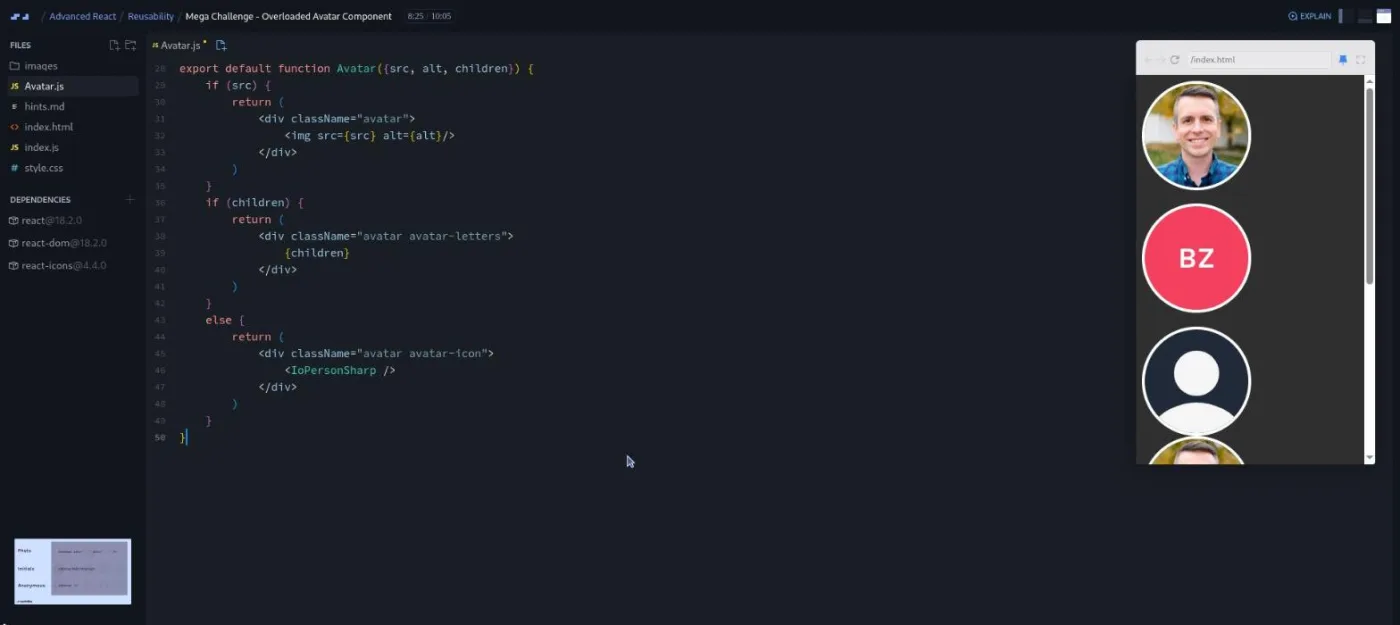
Then comes the Mega Challenge: an "overloaded" Avatar component that renders a photo if it gets a src, initials if it gets children, and a person icon otherwise. Bob gives you a hints.md file and ten minutes, and admits that overloaded components are "not usually best practice in your regular day to day life with React, but in our case because we're building a component library things are a little bit different."
The middle of the module is the Menu. Bob explains prop drilling with a diagram and then says something few instructors say: "you might just need to do nothing." When it is a problem, he flattens the menu into compound components, tries React.Children.map plus cloneElement, shows why that is fragile (wrap a child in a div and it breaks), and lands on context. The useContext() scrim is one of three free previews. A later "A11y in menu component" scrim, recorded after the rest, adds role="menu", aria-expanded, aria-haspopup, aria-controls, and useId, and Bob warns that this code "isn't going to persist into those other recordings."
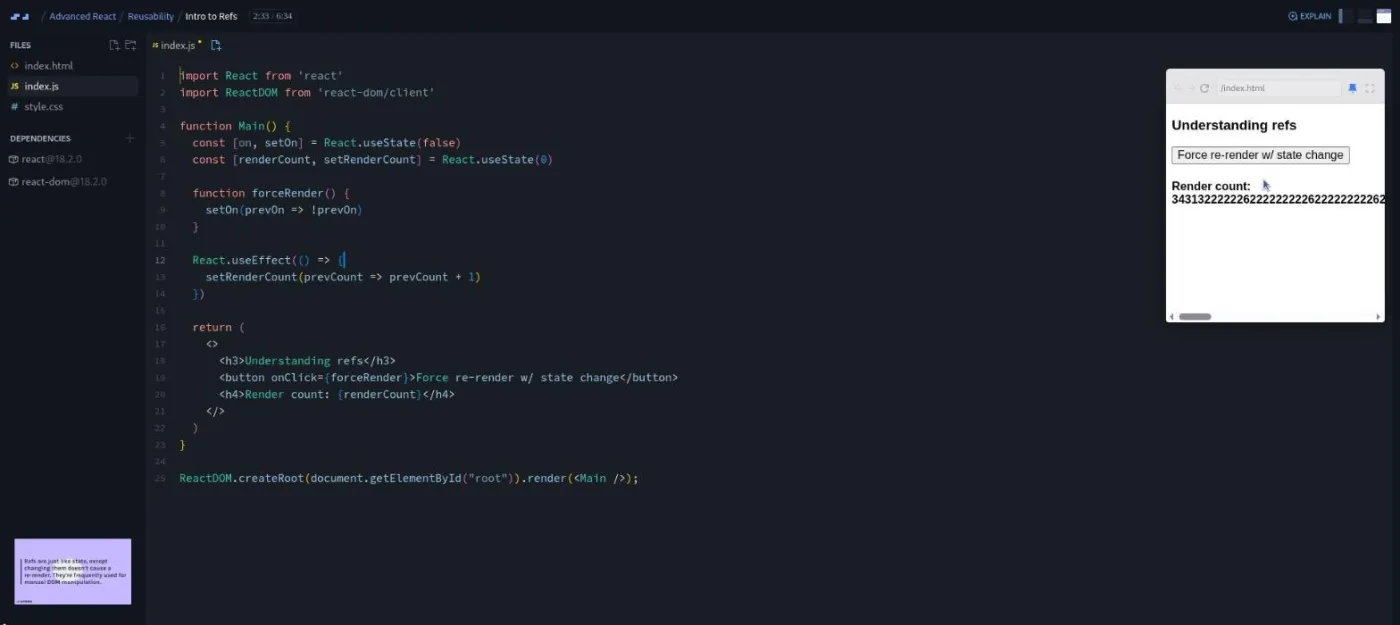
The last third builds a headless Toggle (Toggle.Button, Toggle.On, Toggle.Off, Toggle.Display), reuses it for both a star button and the menu, then teaches refs with a deliberate infinite loop, render props via the callback-function analogy, and finally custom hooks (useEffectOnUpdate, then a nine-part useToggle) that replace the Toggle component entirely.
The module ends with the only solo project in the course, Component Library++: a Badge, a Banner, a Card, and a Testimonial, with a Tooltip and a Toast as stretch goals, all from Figma designs. Bob calls it "very similar to what you might do on the job as a React developer." A two-minute "Want to become a Scrimbassador?" clip about the referral program is tacked on after it.
2. Routing (6.4 hrs, 86 scrims): VanLife on React Router 6
The first scrim opens with "Welcome to this course on React Router six," which tells you what this module is. It pins react-router-dom 6.4.3 and Bob says up front "we will not be going into the data layer APIs that come with six point four." Eight short scrims cover BrowserRouter, Routes, Route, and Link on a hello-world page, then VanLife starts. It opens with home and about pages from a Figma design and an early "Initial Deploy to Netlify" lesson (GitHub Desktop, a .gitignore, the forgotten viewport meta tag). Then a Mirage JS mock server comes in so you fetch("/api/vans") like a real frontend developer would.
From there the module is one long build. Route params and useParams for the van detail page. Nested routes explained through the Remix "Fakebooks" demo, then a host section with its own layout route, index routes, relative paths, and a third level of nesting at /host/vans/:id/pricing and /photos. NavLink active styling. Outlet context, which Bob sets as a challenge from the docs alone: "I'm not going to teach you how to do this before I ask you to try and do it." Then search params, which take a dozen scrims because he wants them to be "a single source of truth" you can share by URL.
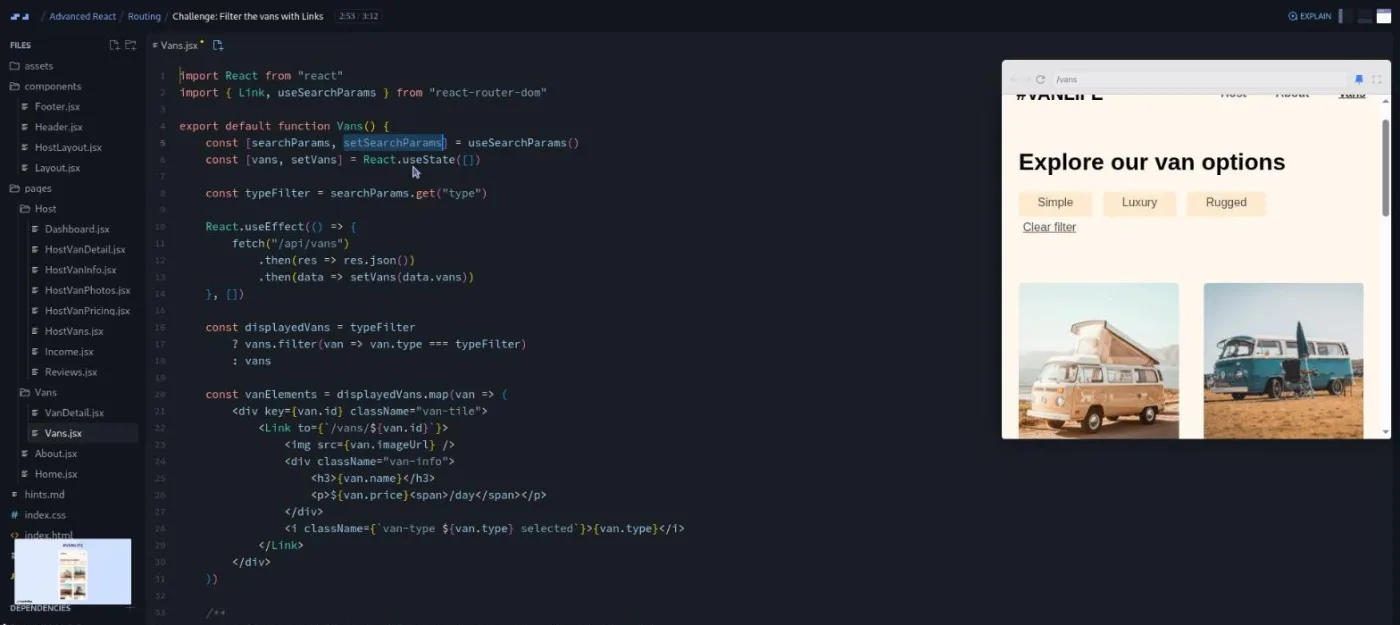
The back half handles the "sad path" (loading and error states with try/catch/finally), a 404 splat route, a login form, protected routes with an AuthRequired layout and Navigate, and a fake login flow with a status state that disables the button while submitting. The "send user to original page" challenge, where you pass location.pathname through link state, is one Bob says you should celebrate if you solve on your own. The last six scrims swap Mirage for Cloud Firestore, and he suggests you download the zip and go local from here because the credentials are his. The Outro explains the branching: this is the "career path version," and the standalone course diverges to cover loaders and actions.
3. Performance (109 min, 19 scrims): rendering, memo, and code splitting
Bob opens with two caveats that most performance courses skip: "React is already very fast" and "you should be able to measure a performance problem before you jump into using these techniques." Then he explains rendering as three phases (render, reconciliation, commit) with an architect-and-contractor analogy. He points out that "it's the commit phase where usually the bottlenecks occur."
The practical scrims use a small product-list app with a Faker.js dependency that weighs 3.2 MB. StrictMode's double rendering exposes a component that mutates an imported array with .push. Code splitting with React.lazy and Suspense shows the 23-second load in his screenshots dropping to instant, though he admits that inside Scrimba the fallback flashes by too fast to see. React.memo cuts a grandparent-to-grandchild tree from 31 renders per click to one, and useCallback fixes the case where a re-created increment function defeats the memo. The challenges here are "redo what I just deleted," and Bob asks for "no copying and pasting, please." The module ends with the original Course Outro: "You made it to the end of the advanced React course."
4. Persistance (54 min, 10 scrims): a Supabase sales dashboard
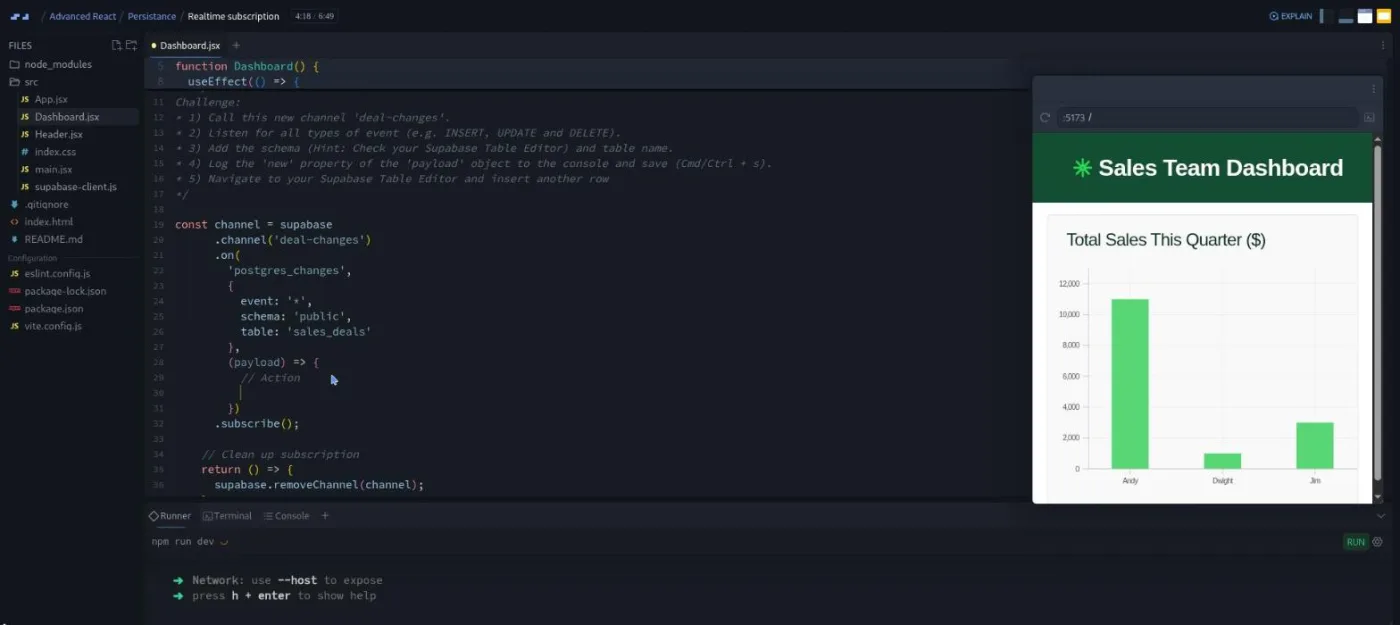
New teacher, new stack. Jonathan Hill, a School of Code graduate and former cruise-ship guitarist by his own intro, builds a sales dashboard (later branded "Paper Like A Boss") for a fictional user story: a bar chart of deals per rep that updates live, plus a form to add deals. The project is a real Vite app with node_modules and npm run dev running in Scrimba's terminal, on React 19, @supabase/supabase-js 2.49, and react-charts. You need a free Supabase account; he says "no need to dig out those credit cards," and your keys go into Scrimba environment variables so the challenges hit your own database.
The ten scrims go: create the project and a sales_deals table, seed it with names from The Office, connect the client, query with .from().select().order().limit() inside a useEffect, shape the data for the chart, subscribe to Postgres changes, and insert from a form. Two of the ten (the updated deal form and the recap) had no transcript when I checked.
5. Authentication (3.8 hrs, 36 scrims): sign-up, JWTs, RLS, and a trigger
Same app, second user story: reps and admins sign up and in, reps can only add their own deals, and unauthenticated users cannot see the chart. Jonathan sets up React Router with createBrowserRouter (the data router API Bob's module avoids), an AuthContext with a useAuth hook, and a session state that starts as undefined, becomes null or a session object after supabase.auth.getSession(), and drives a ProtectedRoute wrapper.
The middle is the teaching I did not expect: two scrims on JSON Web Tokens with a castle-and-certificate metaphor (the anon key "is like a basic visitor's pass, whereas a logged in authenticated user's JWT is like a full member badge"). Row level security follows, where policies "are like the bouncers stationed at each room or table's door" and everything is denied by default. Sign in, sign out, and sign up use React 19's useActionState. Then a database refactor. He adds a user_profiles table and a Postgres trigger function with security definer that copies name and account type out of raw_user_meta_data on every insert into auth.users, then rewrites the deals table and the fetch code to match. The header ends up reading "Dwight (Sales Rep)". His recap suggests a stretch goal, a read-only manager account type, and signs off with "See you in another course."
6. TypeScript in React (50 min, 20 scrims): retyping Assembly: Endgame
The instructor, Rachel, opens with "welcome to the next section of the Learn TypeScript course," which is where this module comes from. You scaffold a fresh Vite project with the React plus TypeScript template, copy Assembly: Endgame (the hangman game from Learn React) into it, install clsx and react-confetti, and type it file by file. A three-scrim vanilla TypeScript refresher, then useState<string[]>([]), JSX.Element and JSX.Element | null return types, inline prop objects, custom prop types, imported types, and typed function props. The named challenges are AriaLiveStatus, WordLetters, and a final one that types the whole Keyboard component. It is a decent bridge if you have never typed a React component, and thin if you have.
What a lesson feels like
Bob's scrims run from under two minutes to nearly twelve, most between three and seven, and a large share of the ones I read contain a challenge: he writes the brief as comments in the file or on a slide, tells you to pause, and then solves it. His signature is deleting his own work and making you rebuild it. "Instead of building a whole separate app to have you get practice with this, I'm actually just going to delete what we've done and have you do it from scratch," he says in the useParams scrim, and he does it again in Performance. He also breaks things on purpose (the className spread, the infinite render loop, a server hard-coded to return 400s) and keeps the "magic snap" for CSS so the React stays in focus.
Jonathan's scrims are often longer, seven to eleven minutes, and lean on numbered challenge lists with hints ("You may need a Google for that"). Because the Supabase modules run a real dev server, you save with Cmd+S and watch the terminal instead of refreshing a mini browser. Rachel's TypeScript scrims are short and brisk, two to three minutes each. Nearly every scrim has captions and a timestamped transcript under the settings menu, plus subtitles in ten languages and speed controls.
Free or Pro: exactly what is gated
This is a Pro course. Only three scrims are marked SAMPLE and open without a subscription: the course intro, the Button props review challenge, and useContext(). Everything else, including all 86 Routing scrims, the Supabase modules, the Component Library++ solo project, and the certificate, needs Pro. See current plans (opens in a new tab) for what that costs in your region.
The Discord is not part of the gate. Jonathan says in his intro that "this Discord is available to free and pro members," and Scrimba's pricing page lists basic Discord access under the free plan; Pro adds Pro-only channels. Bob points to the "today I did" and "I built this" channels for sharing VanLife and the component library.
How long it takes
18.8 hours is video runtime. Bob's challenges are frequent and he expects you to redo the ones you failed, VanLife alone is 86 scrims of typing, and the Supabase modules add account setup, table creation, and SQL you paste into a dashboard. Plan for 40 to 55 hours, or seven to ten weeks at an hour a day. The Component Library++ solo project from the Figma files is another 8 to 15 hours if you do all four components and the stretch goals.
Who it's for, and who should skip it
It fits you if you are comfortable with hooks, map, destructuring, and async/await, and you want the patterns that make components reusable, a routed multi-page app you can deploy, and a first backend-as-a-service integration with real auth. It is the natural next step after Learn React on the Frontend Developer Path.
Skip it, for now, if the Button challenge in scrim two would take you more than a few minutes; Bob says so himself. Skip the Routing module if you already finished the standalone React Router course, and note that the standalone one covers loaders and actions, which this does not. And do not take it for TypeScript: the last module is 50 minutes of typing an existing app, not a TypeScript course. Learn TypeScript is where that module comes from.
View Advanced React on Scrimba (opens in a new tab)Prerequisites
Hooks-based React to the level of Learn React: components, props, useState, useEffect, fetching data, and conditional rendering. Bob's intro slide also lists HTML, CSS, and vanilla JavaScript, and the course leans on filter, map, optional chaining, and promises. For the Supabase modules you need a free Supabase account and about ten minutes of setup; for the Firestore scrims at the end of Routing, a Firebase account. Nothing needs to be installed locally unless you choose to take VanLife out of Scrimba, which Bob recommends once Firebase credentials come in.
Where it fits
Scrimba's course page lists Advanced React under the Frontend Developer Path and the Fullstack Developer Path, and the obvious place for it is right after Learn React. The Supabase modules pair with Intro to Supabase, and in the Firestore scrims Bob assumes the path has already shown you Firebase, so Learn Firebase and Deploying with Netlify are worth a look first. If you finish it and want more TypeScript, go to Learn TypeScript rather than repeating module 6.
Strengths and limits
What it does well:
- The Reusability module is a real education in why patterns exist, not just what they are.
- VanLife is a complete, deployed app with nested routing that most courses never reach.
- The Performance module tells you not to optimize before measuring.
- The Supabase modules teach JWTs, RLS, and a trigger, which goes further into the backend than the other React courses here.
Where it is limited:
- It is three courses stapled together, with two intros, an outro in the middle, three teachers, and a jump from React 18.2 in the browser editor to React 19 in a Vite project.
- The Routing module repeats the standalone React Router course while skipping its newer data APIs.
- The TypeScript module is short and borrowed.
- A few Supabase scrims lack transcripts.
- The whole thing is Pro-only with just three preview scrims.
Related courses and comparisons
- Learn React, the prerequisite
- React Router, the standalone version of module 2
- React Challenges, to drill what you learn
- Intro to Supabase, the backend behind modules 4 and 5
- Learn TypeScript, where module 6 comes from
- Best React courses compared, how it stacks up
No. It is a Pro course. Only three scrims are free samples: the intro, the Button props review challenge, and the useContext() lesson. The rest, including the VanLife project, the Supabase modules, the solo project, and the certificate, needs a Pro subscription.
Bob Ziroll teaches the first three modules (Reusability, Routing, Performance), which were the original course. Jonathan Hill teaches Persistence and Authentication using Supabase, and an instructor who introduces herself as Rachel teaches TypeScript in React, a section borrowed from the Learn TypeScript course.
Effectively yes. The second scrim is a props review challenge, and Bob says that if it takes you more than a few minutes, you are probably not ready for this course. It assumes hooks, useEffect data fetching, map and filter, and async/await.
A component library (Button, Menu, Avatar, a headless Toggle, plus Badge, Banner, Card, and Testimonial in the solo project), VanLife (a camper van rental site with ten-plus routes, nested routing, search params, protected routes, Firestore, and a Netlify deploy), a Supabase sales dashboard with realtime updates, sign-up, sign-in, row level security, and a database trigger, and a TypeScript conversion of the Assembly: Endgame game.
Yes. Module 2 opens with 'Welcome to this course on React Router six' and is the career-path version of the standalone course. The Outro says the standalone version diverges to cover loaders and actions, which this module skips. If you took React Router already, you can move quickly through module 2.
Two. Bob's modules run react 18.2.0 and react-router-dom 6.4.3 in Scrimba's browser editor. The Supabase modules are a Vite 6 project on React 19 with useActionState, and the TypeScript module scaffolds a new Vite React plus TypeScript project.
A free Supabase account for modules 4 and 5, with your project URL and anon key stored as Scrimba environment variables so challenges use your own database. A Firebase account for the Firestore scrims at the end of Routing. Nothing has to be installed locally, though Bob suggests downloading VanLife and running it with npm once Firebase credentials come in.
About 18.8 hours of video, but plan for 40 to 55 hours with the challenges, VanLife, and the Supabase setup, or seven to ten weeks at an hour a day. Add 8 to 15 hours for the Component Library++ solo project.
Almost all. Nearly every scrim has captions, a timestamped transcript in the settings menu, subtitles in ten languages, and playback speed. Two short Persistence scrims had no transcript when I checked in September 2026.