Learn OpenAI's Assistants API
Scrimba's shortest AI course: about 30 minutes with Guil Hernandez, in which you turn a movie recommendation chatbot into an OpenAI "assistant" that answers from a text file. The course is clear and quick, but it runs on an API version OpenAI has since moved away from, so weigh that before you spend a Pro slot on it.
Reviewed inside the course with a Pro account, September 2026.
Quick answer
This fits Pro subscribers who want the assistant, thread, message, and run vocabulary explained once, not people hunting for a project to build. The catch is age: the code targets OpenAI's original 2023 beta, a surface OpenAI has since replaced and marked for retirement. If you want the same ideas on current ground, start with Learn AI Agents instead.
Learn OpenAI's Assistants API
ProTaught by Guil Hernandez (opens in a new tab)
Watch a movie chatbot get rebuilt on OpenAI's Assistants API in 30 minutes: assistant, thread, messages, run, and the polling loop that ties them together.
View on Scrimba (opens in a new tab)Is it worth your time?
If you already pay for Pro and want to know what "threads" and "runs" mean before you meet them in someone else's code, yes. Thirty minutes is a fair price for that. Guil moves fast, explains each object the API returns, and shows the response in the console every time. By the end you can read any Assistants API codebase and know which call does what.
If you are choosing what to spend an evening on, I would pick something else first. This is a screencast, not a workshop. Guil says so in the third scrim: "if you're not set up just yet, no worries. Feel free to kick back and watch for now and experiment with the examples on your own time." Nothing in the course checks your work. Scrimba's other AI courses, such as Learn AI Agents and Learn RAG, make you build.
The bigger issue is that the API moved. The scrims were recorded in November 2023 (the timestamps in the console output say so), during the first beta. OpenAI later renamed the retrieval tool to file_search, replaced file_ids with vector stores, and in 2025 said the whole Assistants API would be retired in favor of its Responses API. I did not run the code with my own key, so I cannot tell you which of these exact calls still succeed today. What still holds is the mental model: a persistent conversation the provider stores for you, a file the provider indexes for you, and a job you poll until it finishes. That is the part worth 30 minutes.
What you'll learn
Course curriculum
9 scrims in a flat list on Scrimba; the three groups below are my own reading of the sequence
- What the Assistants API is
- Build ReelRecs: assistant, thread, messages, run, UI
- Wrap-up and Scrimba house scrims
Scrimba's course page and its structured data both say nine lessons, which matches the nine scrims I counted; the scrim durations add up to about 33.5 minutes, of which 30.5 is Guil's teaching, so the "30 min" label is accurate for the course itself. The older version of this page said seven lessons, which is the count without the two Scrimba house scrims.
Inside the course, scrim by scrim
1. What the Assistants API is (7 min, 2 scrims)
The intro, "Introducing the Assistants API," is the free sample and a slide video rather than a coding scrim. Guil frames the API as RAG with the plumbing removed: "They've built RAG right into the Assistants API." If RAG is new to you, it stands for retrieval augmented generation, the pattern where you search your own documents and hand the matching text to the model. He also sets the expectation that matters most in hindsight, at 2:33: "keep in mind that it's still in beta and under active development."
"How OpenAI Assistants work" covers the three tools an assistant can be given: code interpreter (Python in a sandbox), knowledge retrieval, and function calling. Then Guil walks through OpenAI's flow diagram: create the assistant, create a thread, add messages, run it. He ends by showing the ReelRecs chatbot from his embeddings course, built the long way with chunking, an embeddings model, and a vector database. The point of the next four scrims is to rebuild it with fewer steps.
2. Build ReelRecs (23 min, 4 scrims)
The project is five files: config.js, index.html, index.css, index.js, and movies.txt, with one dependency, [email protected]. Before anything runs you need your own OpenAI API key saved as an environment variable in Scrimba; the third scrim points you to a separate scrim on how to do that.
"Create an Assistant" (5:32) is the densest lesson. Guil calls openai.beta.assistants.create with instructions ("You are great at recommending movies..."), a name, tools: [{ type: "retrieval" }], the model, and a file_ids array. To get a file ID he uploads movies.txt with openai.files.create, using fetch because the scrim runs in a browser and cannot read a file system. The line worth remembering comes at 4:18: "once a file is uploaded and passed to the assistant, OpenAI will automatically chunk your document, index, and store the embeddings," and then, "That's more than half of the usual RAG process right there."
"Create a Thread and Messages" (2:43) is short. A thread is "initiated by the user, and it's where the message history gets stored." He creates one, copies its ID into a variable, and adds a user message with role: "user" and the content "Can you recommend a comedy?". The assistant does not reply yet, and that is the setup for the next scrim.
"Running Assistants" (5:44) introduces the piece that makes this API different from chat completions. As Guil puts it at 0:12, "A run is what makes the assistant read the thread and decide how to best answer the user's query by either calling certain tools or simply using the model." He creates a run, shows its status starting at queued, walks the lifecycle chart (queued, in progress, completed, expired, failed), retrieves the run to confirm it completed, then lists the thread's messages.
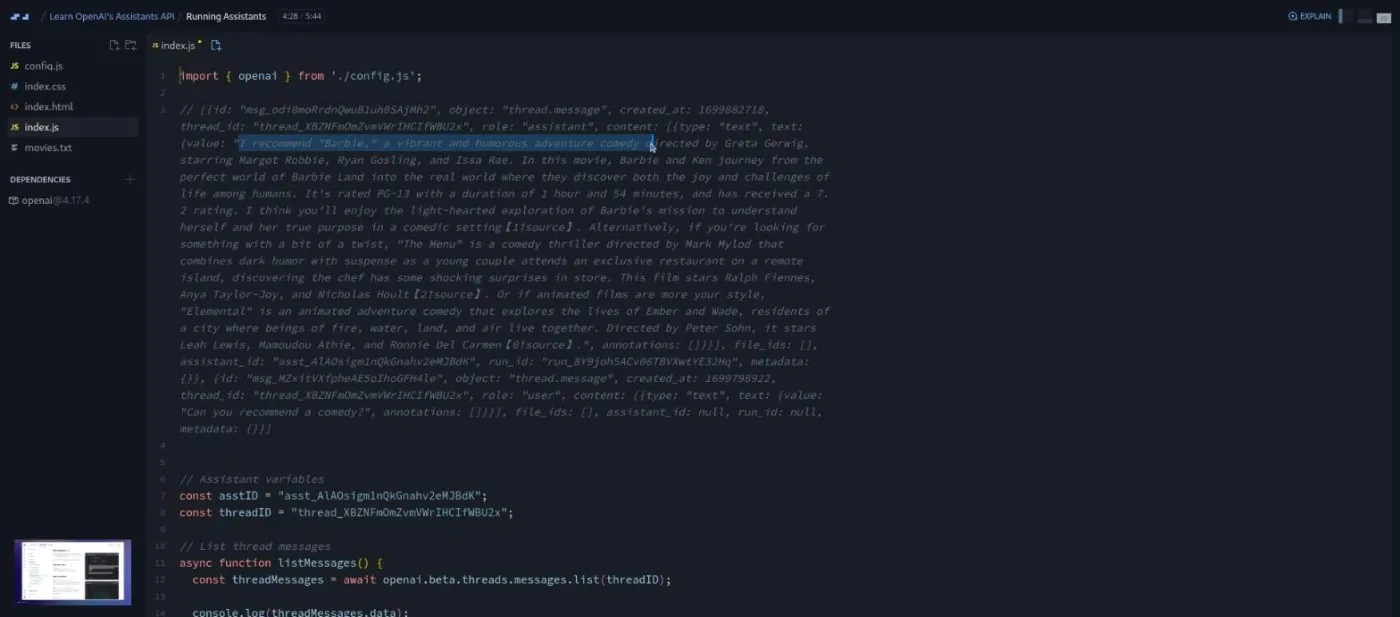
"Bring it all together" (8:50) is the longest scrim and the one that teaches you something the docs did not. Guil wires the calls to a form: create a message from the input, create a run, list messages, put the newest one on the page. It fails. The reply is the user's own question echoed back, because the run has not finished when the messages are read. "This is where the Assistants API and threads currently gets a bit weird," he says at 3:45.
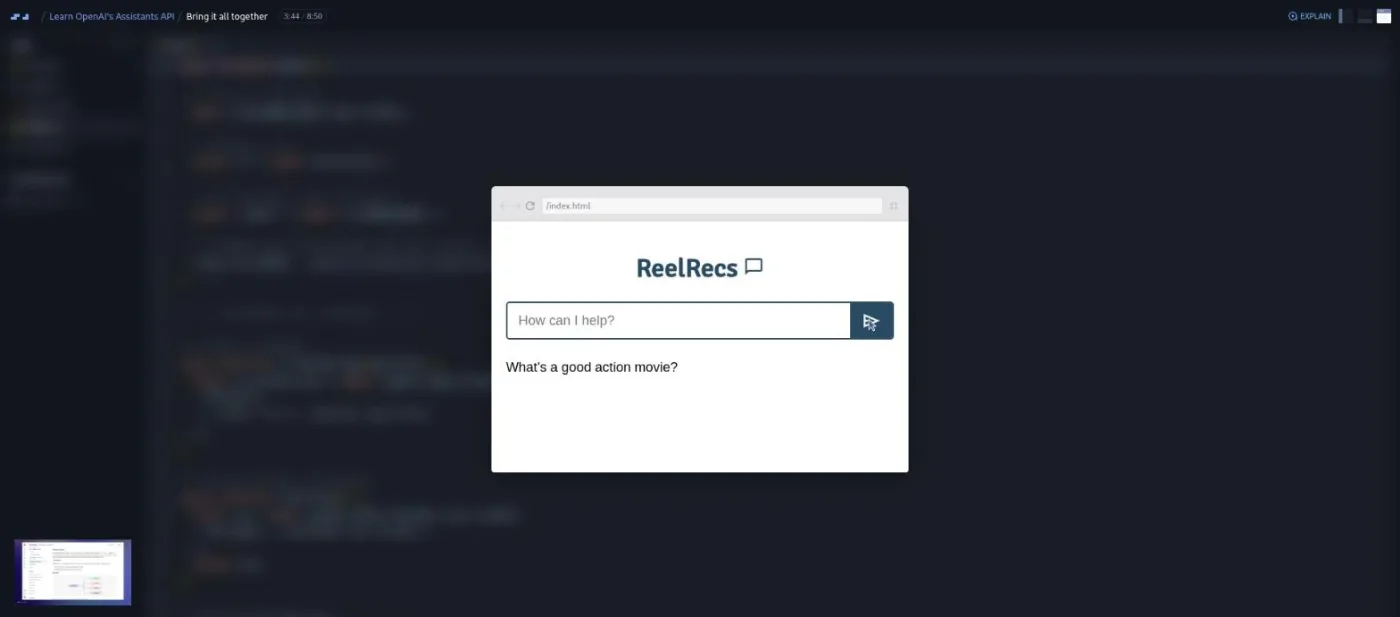
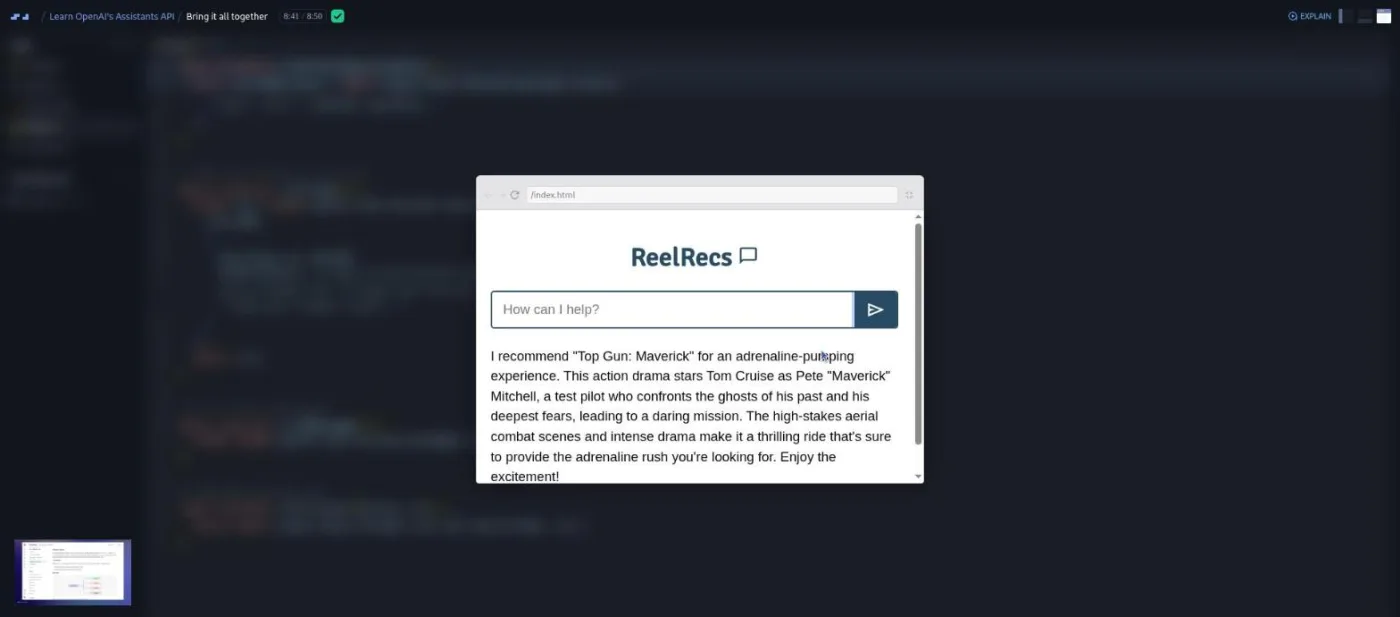
The fix is a polling loop: retrieve the run, wait 1.5 seconds, check again, until the status is completed. Guil admits he improvised it: "the OpenAI API docs doesn't exactly provide any snippets or even tips about polling for updates, but I did manage to put together some code that works for our app." He then adds run-level instructions to strip the [source] annotations, keep answers short, and refuse off-topic questions. The final demo asks for a follow-up ("which ones are great for children?"), an ambiguous query ("the movie with the actress from Her"), a memory check ("do you remember my name?"), an off-topic question about the sun, and finally "something that gives an adrenaline rush."
3. Wrap-up and house scrims (4 min, 3 scrims)
"More to explore" (1:02) is a slide with links into the docs: modify and delete assistants, modify threads and messages, create-and-run in one request, cancel a run. Guil signs off with "Thanks, and happy building." The remaining two scrims are not his. "Want to become a Scrimbassador?" is a two minute pitch for Scrimba's referral program by Per from Scrimba, and "How to Utilize Your Certificate" is the one minute LinkedIn nudge that closes most Scrimba courses.
What a lesson feels like
Every scrim is Guil narrating over the editor with the ReelRecs preview floating in front of it when he tests. The pattern is the same each time: copy a snippet from OpenAI's API reference, paste it into index.js, fill in the IDs, run it, read the returned object in the console, copy the ID you need into a variable. Because it is a scrim and not a video, you can pause at any point, click into the editor, and run his code with your own key, and the transcript panel under the settings menu gives you every line with timestamps. Subtitles come in ten languages.
There are no challenge scrims in the list and no "Challenge with Instant Feedback" icons on any of them. The tone is relaxed; Guil's most-used word is "Alright." If you like Scrimba because it makes you type, this course will feel passive. If you want a fast, well-narrated walkthrough you can scrub through, it is exactly that.
Free or Pro: exactly what is gated
The first scrim, "Introducing the Assistants API," carries the SAMPLE badge and plays without Pro. That scrim is the slide intro with no code. The other eight scrims, including every build step, need Pro, and so does the Certificate of Completion listed at the end of the course. There are no Solo Project items in this course, so Pro is not gating an extra project here, just the course itself.
Scrimba's Discord is not a Pro feature: the pricing page lists basic access under the free plan and the Pro-only channels under Pro. See current plans (opens in a new tab) for what Pro includes across the catalog.
How long it takes
The teaching runs 30.5 minutes. Watching once, pausing to read each returned object, takes about 45 minutes. If you set up your own OpenAI key in Scrimba's environment variables and run each step yourself, plan for 60 to 90 minutes, mostly spent waiting on runs and reading console output. If you then try to port the code to the current API, that is a separate afternoon and the course will not help you with it.
Who it's for, and who should skip it
Take it if you are already on Scrimba Pro, you know what async/await and fetch do, and you want the assistant, thread, message, and run vocabulary explained once, properly, by someone who shows the response objects. It also fits anyone maintaining an older codebase that still uses openai.beta.assistants and needs to understand it quickly.
Skip it if you want to build something you will ship in 2026; start with Learn AI Agents or Learn RAG, which teach the same ideas on surfaces that are still current. Skip it too if you are new to JavaScript. The code is short but Guil assumes you can read an async function, a promise, and a nested object path like data[0].content[0].text.value without help.
Prerequisites
Working JavaScript, including async/await and fetch. An OpenAI API account with a key you can add to Scrimba's environment variables; the third scrim expects it and points to a setup scrim. Guil twice refers to his embeddings and vector databases course as the place ReelRecs came from, so having done Learn RAG or something similar makes the "this replaces the vector database" argument land, but it is not required.
Where it fits
This is a standalone Pro course under Scrimba's AI topic, not part of the AI Engineer Path. On this site it sits at the applied end of the AI courses catalog, next to Learn RAG, which teaches the manual pipeline this API was designed to hide, and Learn AI Agents, which covers tool calling in a provider-neutral way. Read it as historical context for those two rather than as a prerequisite.
Strengths and limits
What it does well: it stays short and clear about its scope, Guil shows every object the API returns instead of describing it, the polling bug in the final scrim is a real lesson about asynchronous jobs that most tutorials skip, and the whole thing fits in a lunch break.
Where it is limited: the code targets the November 2023 beta (retrieval, file_ids, gpt-4-1106-preview), OpenAI has since changed and then deprecated that API, there are no challenges or projects of your own, and you need your own OpenAI API key to run anything. Nothing about streaming, cost, or evaluation is covered.
Related courses and comparisons
- Learn RAG, the manual version of what the Assistants API automates
- Learn AI Agents, tool calling and agent loops without the OpenAI-specific surface
- Intro to AI Engineering, the broader starting point
- Learn to Code with AI, Intro to Mistral AI, and Build Serverless AI Agents with Langbase, the free AI courses
- AI Engineer Path, if you want the full sequence
Only the first scrim, the slide introduction, is free (it carries the SAMPLE badge). The eight remaining scrims, including all four build steps, and the certificate need Scrimba Pro.
Nine scrims totalling about 33 minutes, of which 30.5 minutes is Guil Hernandez teaching; the last two scrims are Scrimba's referral pitch and certificate reminder. Budget 45 minutes to watch with pauses, or 60 to 90 minutes if you run every step with your own key.
Guil Hernandez, who also teaches Scrimba's embeddings and vector database material; he refers back to it twice. The two closing scrims are voiced by Scrimba staff.
ReelRecs, a one-input chatbot that recommends movies from a movies.txt file. You create an assistant with the retrieval tool, a thread, a user message, and a run, then wire it to a form with a polling loop that waits for the run to complete.
No. It was recorded in November 2023 on the first beta, using the retrieval tool, file_ids, and gpt-4-1106-preview. OpenAI later replaced those with file_search and vector stores and has announced the Assistants API will be retired in favor of the Responses API. I did not run the code with my own key, so treat the calls as historical and the concepts as the takeaway.
Yes, if you want to run anything. The third scrim tells you to add your key as an environment variable in Scrimba before starting and points to a setup scrim; without it you can still watch.
No. There are no challenge scrims, no quizzes, and no Solo Project items. It is a watch-and-follow screencast you can pause and edit.
Yes. Every scrim has a timestamped transcript under the settings menu and subtitles in ten languages.