Learn CSS Animations
Learn CSS Animations is Jad Khalili's two-hour Scrimba course on CSS transitions, keyframe animations, and transforms, built around three real-world challenges: a hover menu, a fading landing page, and a skewed four-bar logo. It's a fast, practical primer on the syntax if you already write CSS, and it stops well short of real motion design.
Reviewed inside the course with a Pro account, September 2026.
Quick answer
It fits anyone who can already write CSS and wants the motion syntax fast, not the deeper craft of animation. The catch is age: a full lesson still covers browser prefixes nobody needs in 2026, and there's nothing on prefers-reduced-motion or animation performance. Finish it and the natural next step is Learn Responsive Web Design, the course Scrimba's own closing video recommends.
Learn CSS Animations
ProTaught by Jad Khalili (opens in a new tab)
Transitions, keyframe animations, and transforms in two hours, with a mini challenge in most scrims and three real-world challenges.
View on Scrimba (opens in a new tab)Is it worth your time?
Yes, if you already write CSS and have never sat down with animations properly. The course is narrow on purpose. Jad says in the welcome video that the early challenges "may seem a little bit easy and kind of remedial, but that's what they're kind of intended to do. They're meant to build some muscle memory." That is an accurate description of the whole thing: you type transition: all 0.5s ease and animation: grow 2s ease-out 0s 4 alternate enough times that you stop looking them up.
It is dated: the prefixes lesson talks about Internet Explorer 7 and 8 and tells you to add -o- for Opera. Nobody needs that in 2026, and the course does not mention prefers-reduced-motion, will-change, the Web Animations API, or which properties are cheap to animate. Treat this as a fast on-ramp to the syntax, not a guide to motion design. Two hours of video, three or four hours of doing, and you have the vocabulary.
What you'll learn
Course curriculum
6 sections (editorial grouping), 27 scrims
- Welcome and the Scrimba workspace
- Transitions
- Animations and keyframes
- Transforms
- Tips and tricks
- Wrap-up and certificate
Scrimba shows this course as one flat list of 27 scrims with no module headers, so the six sections above are my grouping, following the four topic sections Jad lays out in the welcome video plus the intro and the wrap-up. The durations are the per-scrim times from the table of contents added up. Scrimba's listing says 28 lessons, which is the 27 scrims plus the certificate row at the bottom of the list.
Inside the course, module by module
1. Welcome and the Scrimba workspace (7 min, 2 scrims)
The welcome scrim is a five minute tour of the course plan. It includes one practical warning worth knowing before you start: the preview pane renders your HTML and CSS in real time. In Jad's words, "so if you speed up the video, or pause it, or skip through it, just beware that it will still be playing in real time. It won't be playing with the video." In practice, that means a paused scrim can still have a box bouncing in the preview.
The second scrim is a walk around the editor. Jad keeps the preview collapsed to a thumbnail in the bottom-right corner and pops it open when he wants to check something, which is how most of the course looks on screen. He also says you will hardly touch the HTML file: "this CSS file is where we're gonna be doing most of our coding."
2. Transitions (25 min, 6 scrims)
The sequence is: see a transition, build one, customise it, learn the shorthand, then two challenges. "What are Transitions?" shows a heading that changes colour and size on hover, first choppy, then smooth. "Adding Transitions" builds it up: the :hover pseudo-class (explained from scratch), then transition: color 0.5s, then comma-separated properties with different durations, then all. Its mini challenge asks for a green, 20px, letter-spaced heading that transitions over half a second.
"Customizing Transitions" splits the shorthand into transition-property, transition-duration, transition-delay, and transition-timing-function, with a note that setting a property without a duration silently does nothing. "Transition Shorthand" puts them back together in the right order. The "Transition Challenge" asks you to write all of it from a blank .heading rule.
The section ends with the first real-world challenge: a small website with a title and a five-item menu. The brief is written as an HTML comment in the file. Jad's summary afterward names where the work was: "Most of the work was really in just adding those pseudo selectors and knowing where to add them, and once you get that done, it's quite easy to just add the shorthand."
3. Animations and keyframes (34 min, 7 scrims)
This is the longest and best section. "Animations in Action" shows the target: a box that grows and changes colour on a loop, all in CSS. "Defining Animations" (7:33, the longest teaching scrim) introduces @keyframes with both syntaxes, from/to and percentages, and hammers one rule: be explicit about every property in every step, because "sometimes, over time things may change that you don't expect them to."
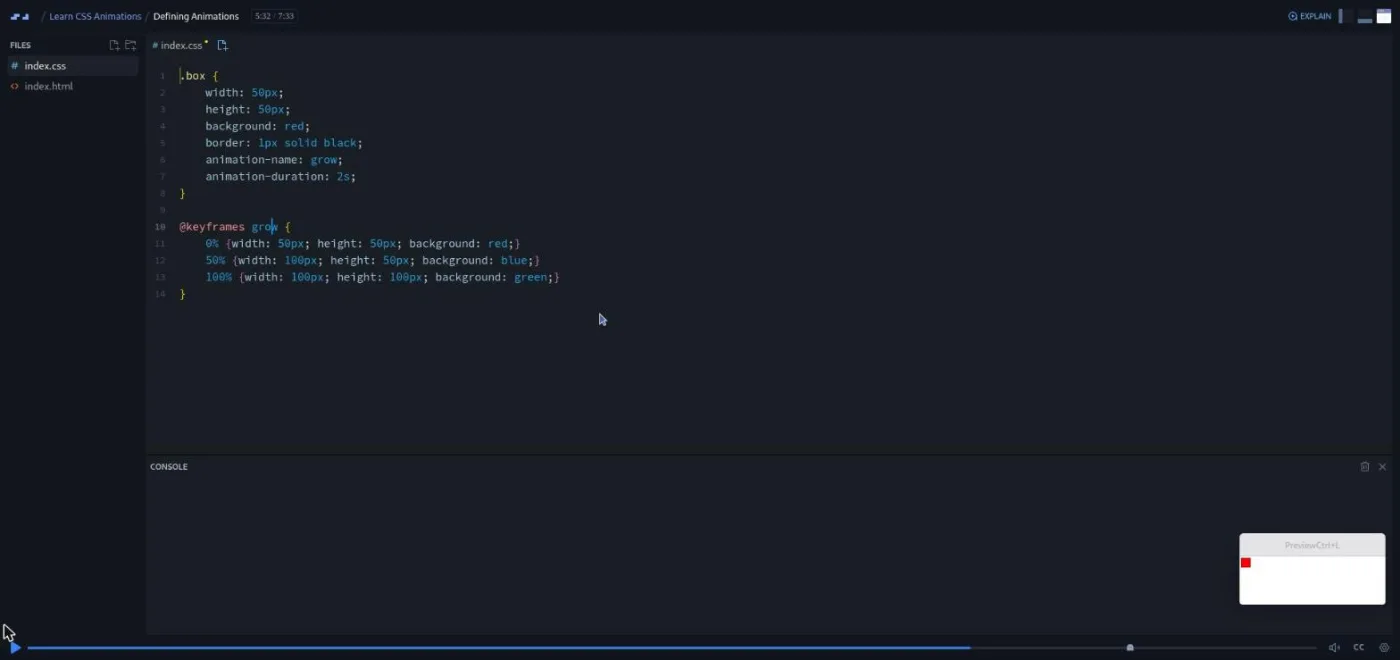
"Animations: Timing" adds animation-name, animation-duration, animation-delay, and animation-iteration-count (including infinite). "Animations: Other Properties" covers animation-timing-function, animation-direction (normal, reverse, alternate, alternate-reverse), and animation-fill-mode, which Jad admits is "a little bit complicated because it can depend on the conditions." He is right, and the demo of forwards, backwards, and both is the clearest bit of teaching in the course. "Animation Shorthand" folds six properties into one line and points out that fill mode is not part of it.
The "Animation Challenge" asks for a three-step animation called supersize with a specific duration, timing function, iteration count, and direction. The real-world challenge is a landing page: fade in and expand a background image, then fade in the headline. The lesson worth remembering is the one about delays. A second animation's delay counts from page load, not from the end of the first. As Jad puts it, "what our true delay actually needs to be is two seconds since we want half a second on top of that already 1.5 elapsed seconds."
4. Transforms (33 min, 6 scrims)
Jad frames transforms as things "that aren't actually focused on animations directly, but they are very useful when it comes to animating things." Each scrim follows the same pattern: the x function, the y function, then the shorthand. "Introduction to Transforms & Scaling" covers scaleX, scaleY, and scale, plus the rule that multiple transforms go on one line separated by spaces. "Translation" does the same for translate with pixels and percentages. "Rotation" uses degrees and a clock-face explanation for direction.
"Skew" is the one scrim not taught by Jad. It opens with Leanne from Scrimba explaining that "there was a technical glitch on Jad's original skew cast, so I have re-recorded it for you here." It is 2 minutes and covers skewX, skewY, and the shorthand.
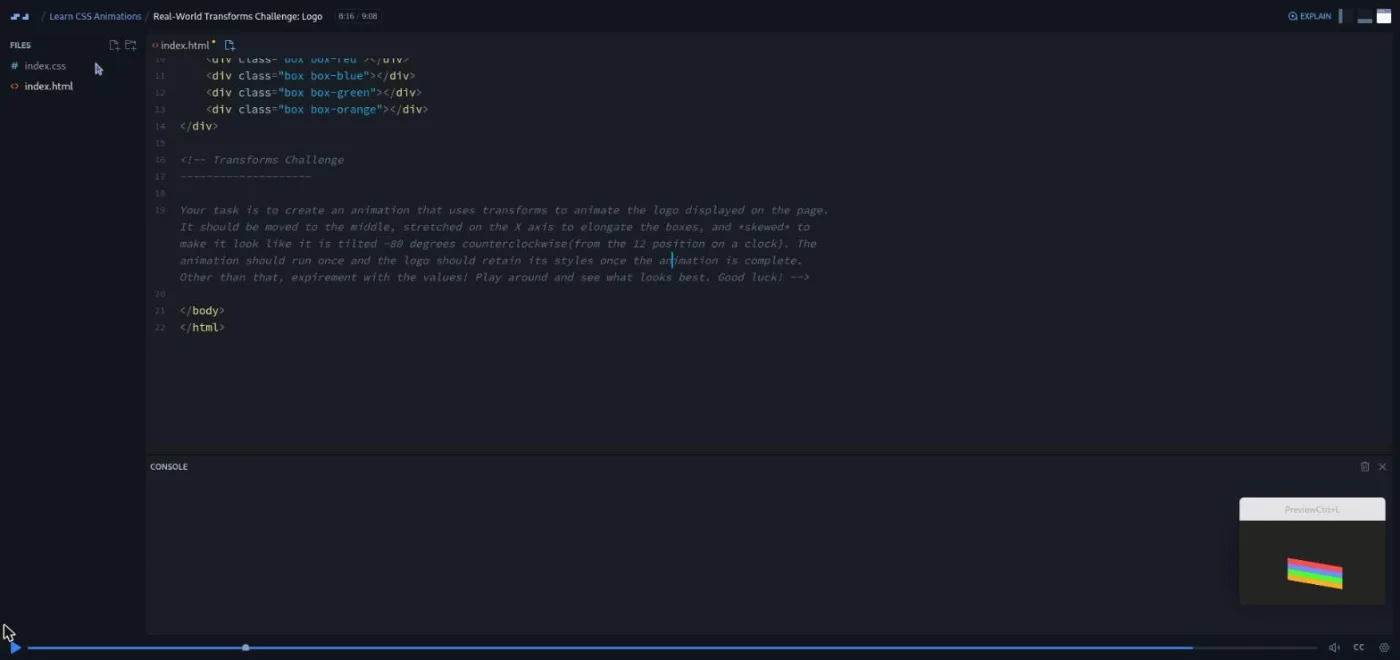
The "Transform Challenge" combines the section with the previous one: an infinite two second animation that shrinks a box by half, rotates it 45 degrees, and moves it 50px right. Then the last real-world challenge: animate a four-bar logo into the middle of the page, stretch it on the x axis, and skew it about 80 degrees. This is the most open-ended brief in the course ("experiment with the values! Play around and see what looks best") and the only one where Jad shows how a wrong choice looks, by swapping skew for skewX and then skewY and comparing the results.
5. Tips and tricks (20 min, 3 scrims)
Jad calls this section "quite unorganized" in the welcome video, and it is three unrelated lessons. "Prefixes" explains -webkit-, -ms-, -moz-, and -o- and tells you to add all four for maximum support. This is the lesson that has aged worst; modern browsers do not need prefixes for transitions or animations, and Opera has not used -o- for over a decade. "CSS Variables" is a sound short introduction to :root, --main-color, and var(), with a challenge to replace a repeated hex colour.
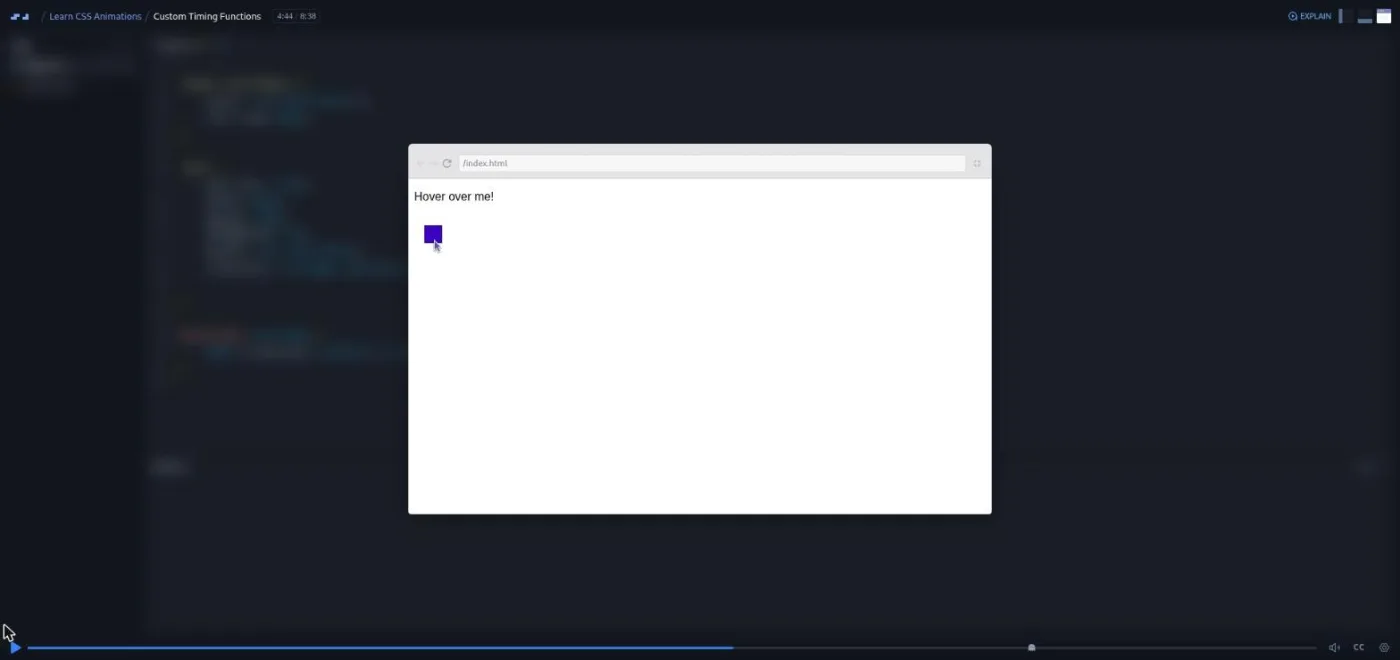
"Custom Timing Functions" is the best of the three and the one to keep. It explains cubic-bezier() with the visualiser at cubic-bezier.com, shows what happens when a control point goes past 1 (the animation overshoots and bounces back), and replaces ease-out in the running animation with a hand-picked curve. The challenge asks you to design a curve that starts slow and keeps accelerating.
6. Wrap-up and certificate (4 min, 3 scrims)
Three short Scrimba-standard scrims: a congratulations video from Leanne that recommends Kevin Powell's Responsive Web Design course as the next step. Then come a pitch for the Scrimbassador referral programme from Per Borgen and a one minute "How to Utilize Your Certificate" scrim. Nothing to learn here, but the certificate row sits below them.
What a lesson feels like
A typical scrim is three to six minutes. Jad talks over the editor, types a property, then opens the preview to show the effect. Nearly every teaching scrim ends with a mini challenge; the two demo scrims that open the transitions and animations sections are the exceptions. Jad states the spec out loud ("modify this transition so that it only targets the font size, has a one second delay, takes 0.5 seconds to run through, and has an ease-in timing function") and says "Good luck." The recording pauses for a few seconds before he solves it. You are expected to stop, type into the same editor, and press play when you are done.
The three real-world challenges are different. The brief is a written comment at the bottom of the HTML file, the starter project is already styled, and your job is the animation layer only. These scrims run 5 to 9 minutes including the solution.
Jad's delivery is plain and a little repetitive ("Alright. Let's move on." closes almost every scrim). He explains things once and moves on, which suits a syntax course. Every scrim has captions, a timestamped transcript, and subtitles in ten languages. The table of contents marks the scrims that contain a challenge with a small icon, the same one Scrimba labels "Challenge with Instant Feedback" on other course pages; I did not submit solutions to check how that feedback behaves here.
Free or Pro: exactly what is gated
The course is Pro. The first four scrims are marked SAMPLE and open without a subscription: the welcome, the workspace tour, "What are Transitions?", and "Adding Transitions." That is enough to see Jad's style and one full mini challenge before paying.
Everything from "Customizing Transitions" onwards (23 scrims, including all three real-world challenges) needs Pro, and so does the certificate. There are no Solo Projects in this course; the challenges are all inside the scrims. Pro also covers the Pro-only channels on Scrimba's Discord (basic Discord access is free, according to the pricing page). See current plans (opens in a new tab) for what Pro costs in your region.
How long it takes
Two hours of video. The mini challenges are 30 seconds to a minute each if you already know the answer, and two or three minutes if you have to think. The real-world challenges take ten to twenty minutes each if you experiment with the values as Jad asks. Budget four to six hours in total, or two evenings. If you already know transitions and only want animations and transforms, skip to "Animations in Action" and you are down to about three hours.
Who it's for, and who should skip it
It fits people who can write CSS but have only ever copied an animation from a blog post. That includes anyone on the Frontend Developer Path who wants some motion in a portfolio project. The mini-challenge rhythm works well if you learn by typing.
Skip it if you are still learning selectors and the box model; do Learn HTML and CSS first, since the course explains :hover but nothing else about selectors. Also skip it if you already use @keyframes and transform comfortably. The only lesson that would be new to you is the cubic-bezier one, and ten minutes on the cubic-bezier.com page he uses teaches the same thing.
Prerequisites
Basic HTML and CSS: selectors, classes, and how a stylesheet links to a page. Jad's own prerequisites note says "a basic understanding of HTML and CSS." No JavaScript is used anywhere in the course. Nothing to install; everything runs in the browser.
Where it fits
This course is not part of any Scrimba career path. The natural order is Learn HTML and CSS, then this, then Responsive Web Design, which the closing video itself recommends and which revisits transitions and animations inside real layouts. The CSS variables lesson overlaps with the free CSS Variables course, and the challenge format is a good warm-up for CSS Challenges.
Strengths and limits
What it does well: the mini challenge in nearly every scrim, the three written challenge briefs, the fill-mode and delay explanations in the animations section, and the cubic-bezier lesson. It is short, and it never wanders.
Where it is limited: it is old. The prefixes lesson is out of date, and there is nothing on reduced motion, performance, or which properties to animate. The preview is collapsed for most of the course, so you see less of the result than you might expect. The brief on the logo challenge is loose enough that you cannot be sure you got it right. And "Alright. Let's move on." gets tiring by scrim twenty.
Related courses and comparisons
- All Scrimba CSS courses, the full CSS category hub
- Learn Responsive Web Design, the deeper CSS course the closing video recommends
- Learn CSS Variables, the free course that expands the variables lesson
- CSS Challenges, more drills in the same challenge format
- Learn UI Design, for the design judgement this course does not cover
- Intro to UI Design Fundamentals, the free design taster
No. It is a Pro course. The first four scrims (the welcome, the workspace tour, What are Transitions?, and Adding Transitions) are free samples; the other 23 scrims and the certificate need a subscription.
Jad Khalili teaches 23 of the 27 scrims. The Skew lesson was re-recorded by Leanne from Scrimba after a technical glitch, and the three wrap-up scrims are Scrimba's standard ones from Leanne and Per Borgen.
Three real-world challenges: a menu with hover transitions, a landing page whose background and headline fade in, and a four-bar logo animated with transforms. Everything else is small demos on a heading or a box.
Yes. Transitions first (property, duration, delay, timing function, shorthand), then @keyframes with from/to and percentages, then the six animation properties, then transforms, then cubic-bezier timing curves.
No. Every lesson is CSS only, and you barely touch the HTML file.
No. Everything runs in Scrimba's browser editor. Each project is an index.html and an index.css file.
Two hours of video. With the mini challenges and the three real-world challenges, plan on four to six hours.
Yes. Every scrim has captions, a timestamped transcript in the settings menu, and subtitles in ten languages.
Mostly. The CSS it teaches still works, but the prefixes lesson (Internet Explorer, Opera's -o- prefix) is out of date, and it does not cover reduced motion or animation performance.
The closing video recommends Kevin Powell's Responsive Web Design course, which uses transitions and animations inside full layouts. CSS Challenges is a good option if you want more drills.