Learn Git and GitHub
Gregor Thomson teaches Scrimba's Pro-only Learn Git and GitHub course in 40 screencast scrims, about 103 minutes total. You push a project to GitHub three ways, branch, review a pull request, and fix a merge conflict, though from scrim 14 you work in your own terminal instead of Scrimba's. It's short and worth a weekend if you already have Pro.
Reviewed inside the course with a Pro account, September 2026.
Quick answer
Learn Git and GitHub fits anyone who has finished a first coding course and never pushed a project to GitHub; the first four scrims (about 14 minutes) are free, the other 36 need Pro. The catch is the format: the editor pane holds nothing to type into, so from scrim 14 the practice happens on your own machine, not inside Scrimba. Take it after Learn JavaScript or right before Deploying with Netlify.
Learn Git and Github
ProTaught by Gregor Thomson (opens in a new tab)
Track changes, branch safely, and collaborate on GitHub using the same version control workflows professional teams rely on.
View on Scrimba (opens in a new tab)Is it worth your time?
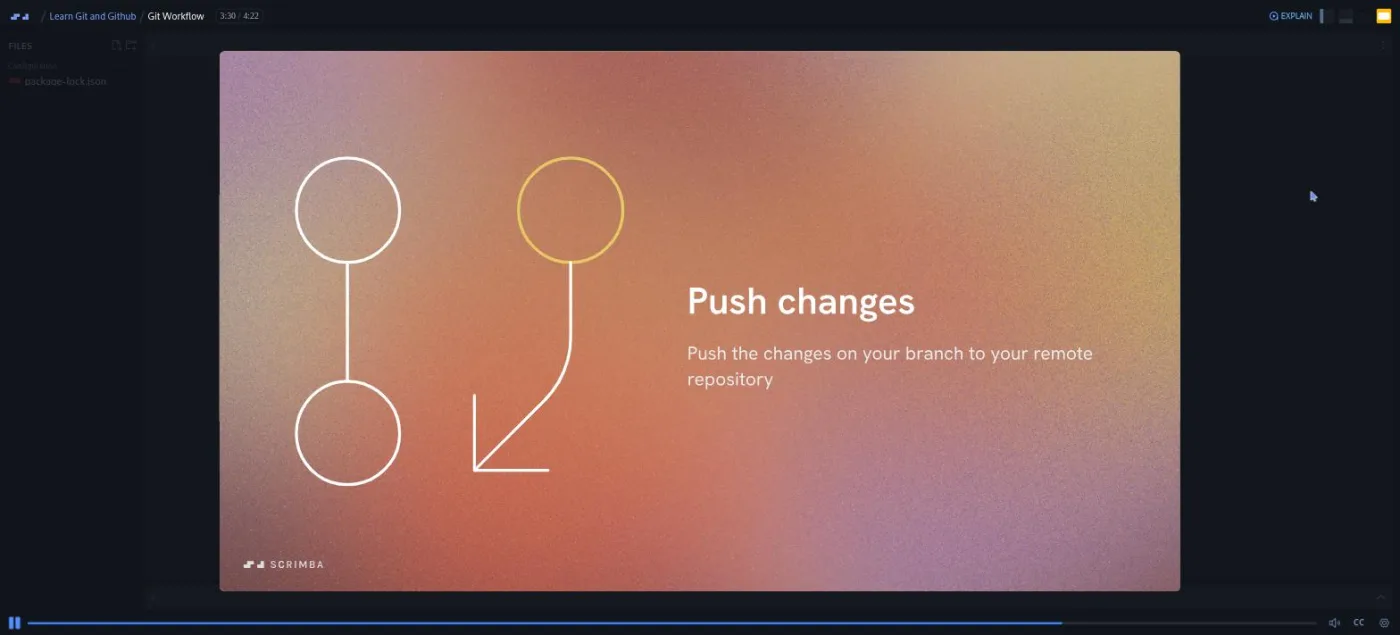
If you use Git by copying the same four commands and hoping, yes. The course is short and the order makes sense: website upload first, then a desktop app, then the editor, then the terminal. Gregor keeps returning to one diagram of the workflow: initialize, branch, change, stage, commit, push, pull request, merge, pull. By the time the terminal section starts you have already done that loop twice with a mouse, so the commands land on a mental model rather than on nothing.
Every lesson Gregor teaches has a single package-lock.json in the file explorer and nothing else. Only the two Scrimba house scrims, the Docs promo and the certificate one, carry a stub project, and you never touch it. There is no code to edit in the player, no challenge that stops the recording and waits for you, and no AI check.
The three "NEW" practice scrims tell you to export one of your Scrimba projects, put it on your own computer, and push it to GitHub. That is the right way to learn Git. It also means the course only works if you leave the browser and do the homework. If you want the usual Scrimba loop of pause, type, compare, this is not that.
It is also not a deep course. Rebase gets one five minute lesson that is mostly diagrams. Tags, cherry-pick, bisect, hooks and GitHub Actions do not appear at all. For the everyday workflow, that is fine.
What you'll learn
Course curriculum
7 modules · 40 lessons
- Git and GitHub course intro
- Coding locally: GitHub Desktop and VS Code
- Become a Git Pro: the terminal
- Collaboration
- Gits and Pieces
- Other GitHub features
- Wrap-up and certificate
Scrimba shows this course as one flat list of 40 scrims with no module headers, so the sections above are mine. I cut them where the course's own intro scrims ("Coding locally", "Become a Git Pro", "Collaboration", "Gits and Pieces", "Other GitHub Features") say a new part begins. The durations are the sum of the per-scrim times in the table of contents. They add up to about 111 minutes, while Scrimba's header says 103 minutes and its structured data says 1h 43m 49s, so treat the per-section numbers as approximate. The scrim count of 40 matches Scrimba's own lesson count, and I re-checked it against the expanded table of contents for this write-up.
Inside the course, module by module
1. Git and GitHub course intro (14 min, 4 scrims)
Four scrims, all marked SAMPLE, so you can watch this whole section without paying. The one minute intro is Gregor introducing himself as "a full time developer and coding tutor" and listing what is coming.
"Introducing Git and GitHub" (6:53) is the conceptual lesson. It covers what version control is: a record of every change to a project, so you can go back. It then separates the copy on your machine from the copy on GitHub, and names the three verbs you will use all day: stage, commit, push. Gregor's analogy is a video game. As he puts it in lesson 2, "in a video game, we'll reach these different save points and we can record our progress," and a commit is the same thing for your project. He also gives the Linus Torvalds origin story and a 2024 statistic on GitHub's size.
"Your first GitHub project" (4:47) uploads files through GitHub's website with no Git installed. You export the business card project from Scrimba as a zip, create a repository, drag the files in, edit the README in Markdown on github.com, then download the zip again to sync it back down. It is deliberately the clunky way, so the tools that follow feel like a relief.
"NEW: Give it a go" (0:53) is the first practice scrim. The brief: export any scrim from Scrimba with the cog in the bottom right corner, unzip it, create a repository on github.com, and upload the files. It carries a "Challenge" badge in the table of contents, but there is nothing to submit; the recording tells you to pause and do it.
2. Coding locally: GitHub Desktop and VS Code (30 min, 9 scrims)
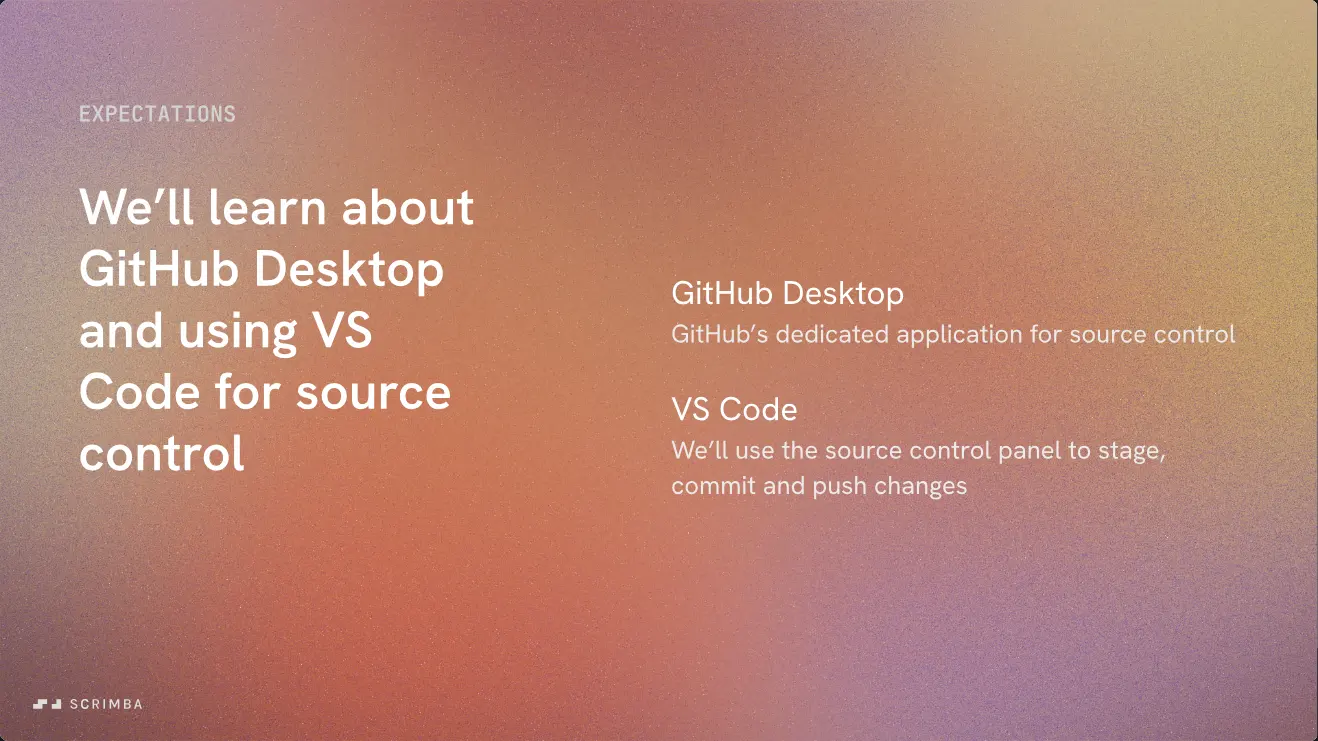
The longest section and the first that needs software on your machine. "Git Workflow" (4:22) is the lesson to remember. An animated diagram walks through the whole loop, and Gregor's framing is that "whichever way we're using git and github, then the general workflow that we follow is going to be the same." Everything after this is that diagram again in a different tool.
"GitHub Desktop" (7:50) is the longest scrim in the course. Gregor takes an exported Scrimba solo project (the basketball scorecard), creates a local repository from the folder, and publishes it to GitHub. He then edits the README and index.html in VS Code and shows staging individual files, and even individual lines, with checkboxes. Staging means choosing which changes go into the next commit.
He makes a point of the undo-commit button. As he says in lesson 8, "it can be quite challenging to revert commits once we've made them using VS Code source control or using the terminal," so this is the one feature where the desktop app wins. The lesson ends with fetch versus pull, which most beginner courses skip.
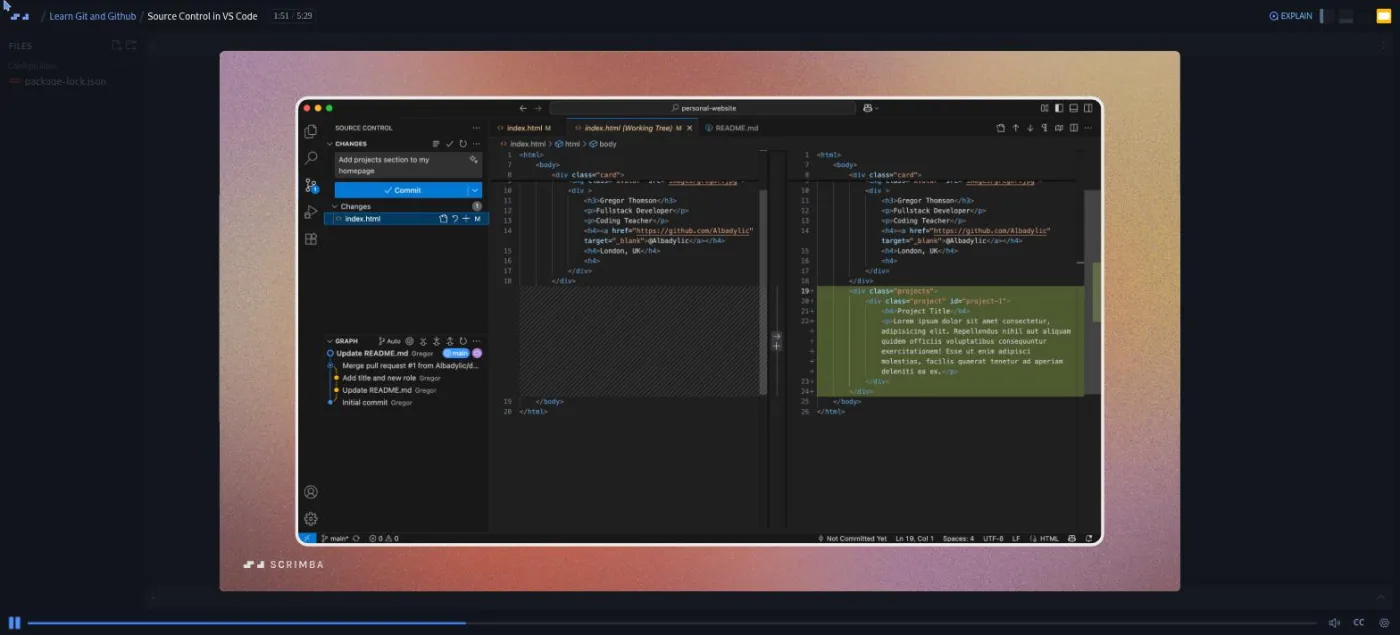
"Source Control in VS Code" (5:29) repeats the loop inside the editor, on his personal website project. You see the "no staged changes" warning you hit when you commit without staging, the side by side diff view, and staging selected lines with a right click so that two edits to one file become two commits. "Branching in VS Code" (4:13) creates a feature/projects-layout branch from the source control panel. A branch is a separate line of work that leaves main untouched until you merge it. There is a short detour on branch naming: lowercase, dashes, and feature/, release/ or fix/ prefixes.
"Pull Requests" (2:35) installs GitHub's Pull Requests extension so the merge happens inside VS Code, then deletes the branch and syncs main back down. A pull request is the GitHub page where you ask for a branch to be merged and someone reviews it first. "NEW: Over to you" (1:03) is the second homework prompt. The brief is to repeat what the section just did on a project of your own: pick GitHub Desktop or VS Code, commit a change on a branch, and open a pull request against your own main.
Two short scrims round out the section. ".gitignore" (2:08) is about keeping API keys, .env files and node_modules out of your repository, using the default .gitignore from a Vite React app as the example. The "Scrimba Docs" scrim (1:18) is not Gregor at all: it is a Scrimba staff promo for the docs.scrimba.com reference, and you can skip it.
3. Become a Git Pro: the terminal (16 min, 9 scrims)
The section intro is where the course says the quiet part out loud. As Gregor puts it in lesson 14, "Scrimba's terminal doesn't support installing git. It's one of the limitations of this web based platform," so the rest of the course happens in your own terminal. "Install Git" (1:23) points you at git-scm.com, then sets your name and email, main as the default branch name, and the code shell command on macOS.
The project here is a small surf school site called Swell Time. "git init" (2:53) creates the folder and files with touch, opens them with code ., and turns the folder into a repository. "Making changes, staging and committing" (2:32) is the most hands-on scrim in the course: git add index.html, then a bare git commit that drops you into Vim, the terminal text editor Git opens by default for commit messages. Gregor escapes with :wq before admitting in lesson 17 that "I don't love the Vim editor for writing my commit messages" and switching to git commit -m.
The next three scrims are one command each. "git diff" (0:42) adds a footer, shows the change, and teaches q to leave the pager (the scrolling view Git opens for long output). "git push" (1:41) explains what -u origin main does: it tells your local branch which remote branch it belongs to, so plain git push works from then on. "Terminal branching" (2:55) covers git branch and git checkout -b, and why a new branch needs its own upstream before you can push it.
"Best practice" (2:05) is a two minute list: commit early and often, keep commits atomic ("each commit should be small and self contained"), name branches after what they do, and pull main before branching. "NEW: Time to shine" (1:00) is the third and last homework prompt, this time with the terminal, and it carries the second "Challenge" badge.
4. Collaboration (18 min, 4 scrims)
The best section, and the reason to take this course rather than any random Git tutorial. After the one minute intro comes "Collaborative branching" (2:21), a diagram walkthrough of two developers cloning the same repository, branching separately, and opening two pull requests.
"Code Reviews" (7:22) is the lesson that shows the screens you will meet in a first team job. Gregor sets up two GitHub accounts, his own (Albadylic) and a second one, and asks you in lesson 25 to "imagine there are two developers." He then plays both sides of a pull request: adding a collaborator, commenting on specific lines, requesting changes, approving and merging. He also pushes a second pull request from the other account that touches the same CSS, on purpose, so that the next lesson has something to fix.
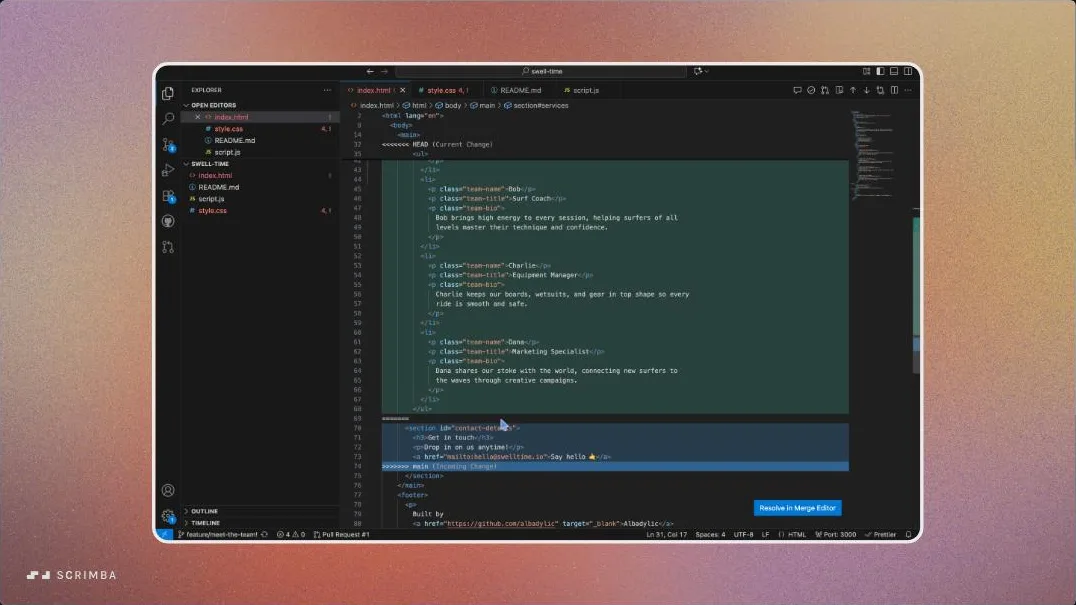
"Merge Conflicts" (6:48) opens with "merge conflicts can make a developer wanna throw their computer across the room." A merge conflict is what happens when two branches change the same lines and Git cannot decide which version wins. Gregor resolves one properly: check out main, pull, check out the feature branch, git merge main, open VS Code. He accepts both changes where that is right, hand edits the CSS where two rules clash, deletes the conflict markers, commits, pushes, and requests a second review. He shows VS Code's merge editor too but says he prefers editing the file by hand, which I think is the right advice for a beginner.
5. Gits and Pieces (18 min, 7 scrims)
Six commands, one lesson each, after an intro that admits these are "not things that we'll use necessarily every day." "git fetch" (3:36) is explained as pull without the merge: it downloads what changed on GitHub but leaves your files alone, and git diff main origin/main lets you compare before you integrate. "git log" (0:38) is the history command, and it gets 38 seconds.
"git stash" (2:42) has the best setup in the section. Gregor is half way through a contact form when he notices a missing closing tag, on the wrong branch. Stash puts the unfinished work aside, he fixes the tag on main, then git stash apply brings the form back. That is the exact situation stash exists for, and seeing it happen makes the command stick.
"git revert" (2:06) and "git reset" (1:49) are slide lessons, and the distinction is drawn cleanly. Revert adds a new commit that undoes an old one, so it is safe after you have pushed. Reset (--soft, --mixed, --hard) rewrites local history and is for commits you have not pushed yet.
"git rebase" (5:28) is diagrams rather than a terminal session. Rebase replays your branch's commits on top of the latest main, which gives a straight line history instead of a merge commit. The lesson covers that trade-off, the four step rebase workflow, and a quick tour of interactive rebase (pick, drop, squash, fixup, edit, reword) that ends by pointing you to an external article. Its one rule is worth the five minutes: as Gregor puts it in lesson 33, "we should never rebase public or shared history."
6. Other GitHub features (13 min, 5 scrims)
A tour rather than a lesson. "GitHub Profiles" (2:26) is the profile README trick: a repository named after your username, edited in Markdown, shown at the top of your profile. "Stars, forking and cloning" (3:54) uses Scrimba's own Learn HTML and CSS repository as the example. A fork is your own copy of someone else's repository on GitHub; cloning pulls a copy to your machine with git clone. The scrim ends with Gregor following "the man, the myth, the legend, Linus Torvalds."
"GitHub Issues" (2:35) opens a booking form enhancement on the surf site, then reads a real bug report on the React repository so you see what a good issue looks like. "GitHub Projects" (3:40) builds a Kanban board (columns for to do, in progress, done) from the template and moves that issue from backlog to done. Worth it if you have never used issues or GitHub Projects, skippable if you have.
7. Wrap-up (3 min, 2 scrims)
Two scrims from Scrimba's founder Per Borgen rather than Gregor. The two minute "Want to become a Scrimbassador?" pitch is the referral program the course page also advertises. The standard one minute "How to utilize your certificate" scrim comes next, then the certificate of completion.
What a lesson feels like
A typical scrim is two to five minutes and is a recorded screen: a macOS terminal, VS Code, GitHub Desktop, or github.com, framed inside a gradient slide with a Scrimba watermark. Conceptual lessons use animated slides instead. Gregor narrates in a calm, slightly formal voice. Nothing goes wrong on screen unless it is the point of the lesson (the missing closing tag that sets up git stash), which is the opposite of the "write the bug, then fix it" style in Learn JavaScript.
Because nothing in the player is editable, the usual Scrimba pause-and-type loop does not exist here. What you get instead is the transcript panel (settings menu, "Show Transcript"), captions in ten languages, playback speed, and the Explain button. I used the transcript a lot for this review and it is accurate enough to search for a command later. The three practice scrims are prompts to go and do the thing on your own machine.
Free or Pro: exactly what is gated
The first four scrims, up to and including the first practice prompt, are marked SAMPLE and play without a subscription. That is about 14 minutes and it gets you as far as uploading a project through GitHub's website.
The remaining 36 scrims are Pro, which is everything from "Coding locally" onward: GitHub Desktop, VS Code source control, the whole terminal section, collaboration, the extra commands, and the GitHub tour. The certificate of completion at the end is Pro as well. There are no Solo Projects in this course, so there is nothing else to unlock. Scrimba's pricing page lists basic access to the Discord community as free and the Pro-only channels as Pro, so the Discord itself is not gated. See current plans (opens in a new tab) for what Pro costs in your region.
My read: the course is a reason to have Pro for a month, not a reason to buy it on its own. If you already subscribe for a path, this is an obvious weekend add-on.
How long it takes
The 103 minutes is video runtime and you can watch all of it in an afternoon. That would be a waste. Plan for the three homework prompts and for repeating each section's workflow on a project of your own. That means: install Git and GitHub Desktop, set up a GitHub account, upload a project three different ways, open a pull request against yourself, and manufacture one merge conflict so the resolution lesson sticks.
That is four to six hours in total, or a week of evenings. The collaboration section takes longer than its 18 minutes because you need a second account or a friend to review your pull request the way Gregor does.
Who it's for, and who should skip it
It fits anyone who has finished a first coding course and has never pushed a project to GitHub. It also fits anyone who uses GitHub Desktop or VS Code buttons without knowing what they do. Self-taught developers heading for a first team job get the most from section 4, because the code review and merge conflict lessons show the exact screens you will see in a real pull request. CS students who learned Git from a lecture slide will get the most out of that section too.
Skip it if you already branch, open pull requests, and resolve conflicts without thinking; you will learn nothing new in 103 minutes. Also skip it if you were hoping to learn Git without leaving the browser. The course says itself that Scrimba's terminal cannot install Git, and from lesson 14 the work is on your own machine.
Watch the free sample lessons of Learn Git and GitHub (opens in a new tab)Prerequisites
Scrimba's course page recommends "a good grasp of basic JavaScript" and suggests finishing Learn JavaScript first. In practice the code in the examples is plain HTML and CSS, so the JavaScript is not the point. What you need is a project of your own to push, a computer you can install software on, and a GitHub account. If the terminal is new to you, Command Line Basics before section 3 will save some friction.
Where it fits
Scrimba's course page shows no path badge, but this is the Git & Github module of the Backend Developer Path, so backend learners get it as part of that path. It pairs with Command Line Basics as the tooling foundation. It is also the missing step between building a project in the browser and deploying it, which is why Deploying with Netlify makes more sense after it.
Section 2's GitHub Desktop lesson starts from an exported Scrimba solo project. So the natural moment to take this course is right after your first solo project in the Frontend Developer Path.
Strengths and limits
What it does well: it teaches the same workflow three times in three tools, so the mental model is solid before the commands arrive. The collaboration section shows a real two-account pull request with a review and a deliberate conflict. The transcript is good enough to use as a reference, and the whole thing is short.
Where it is limited: the player has nothing to type into, so all practice is self-directed homework on your own machine. The "Challenge" badges on two scrims are prompts rather than checked challenges. Rebase is diagrams only. The course is Pro-only apart from the first four scrims.
Related courses and comparisons
- All JavaScript courses, the category this course sits in
- Backend Developer Path, the path that includes this course as its Git & Github module
- Command Line Basics, the foundational tooling companion
- Deploying with Netlify, which uses git-based deploys
- Learn JavaScript, the course Scrimba suggests taking first
- Scrimba for CS students, if you want practical tooling alongside theory
- How certificates work, since this course ends in one
The first four scrims (about 14 minutes, through uploading a project on github.com) are free samples. The other 36 scrims and the certificate need Scrimba Pro. There are no Solo Projects in this course.
No. Every lesson is a recorded screencast of VS Code, GitHub Desktop, github.com or a terminal, and the file explorer holds only package-lock.json. The three practice scrims ask you to export a Scrimba project and push it to GitHub from your own computer.
Yes, from lesson 14 onward: Git, VS Code, and optionally GitHub Desktop. The course states that Scrimba's terminal does not support installing Git, so the terminal and collaboration sections happen on your own machine. You also need a GitHub account.
Gregor Thomson, who introduces himself as a full time developer and coding tutor. The teacher card and the title slide both name him; his GitHub handle, Albadylic, appears in the examples.
Not that I found. Two scrims ('NEW: Give it a go' and 'NEW: Time to shine') carry a Challenge badge in the table of contents, but they are voice prompts to pause and do the task on your own machine; nothing is submitted or checked.
Nothing new. You push existing projects: an exported Scrimba solo project (the basketball scorecard) through GitHub Desktop, a personal website through VS Code, and a small surf school site called Swell Time through the terminal. The collaboration section uses that surf site for the pull request and merge conflict.
Merge conflicts get a full 6:48 lesson resolved in VS Code, with both the manual edit and the merge editor shown. Rebase gets a 5:28 lesson that is diagrams only, covering the rebase workflow, interactive rebase options, and the rule against rebasing shared history.
103 minutes of video. With the homework and a project of your own, plan four to six hours, and a second GitHub account or a friend for the code review lesson.
Yes. Every scrim has a timestamped transcript panel and captions, and the course lists subtitles in ten languages.