Learn Node.js
Tom Chant teaches Scrimba's free Node.js course in about 3.5 hours across two projects: a JSON REST API built with nothing but Node's built-in http module, and a small ghost-sightings site with static files, POST handling and server-sent events. No Express, no framework. It's the course to take before you learn one, so you see what the framework hides.
Reviewed inside the course with a Pro account, September 2026: 48 of 49 scrims (the "serve the frontend" scrim would not load after three tries).
Quick answer
It fits a frontend developer who has only ever been on the receiving end of an API and wants to know what happens on the other end of fetch. The catch: no database, no authentication and no deployment, so treat it as the foundation, not the finish line. Take Learn Express.js next for the framework and a database built on the same ideas.
Learn Node.js
FreeTaught by Tom Chant (opens in a new tab)
Backend fundamentals with no framework: build a REST API and a routed site with Node's http, fs, path and events modules.
Start free on Scrimba (opens in a new tab)Is it worth your time?
Yes, if you are a frontend developer who has only ever been on the receiving end of an API. Tom's argument for learning bare Node before a framework is the one that convinced me: "Imagine as a front end equivalent, imagine knowing jQuery without knowing JavaScript," he says in the intro. The course delivers on that. By the end of the first project you have written, by hand, the routing, status codes, headers and query-string parsing that Express does for you in one line, and you know why it does them.
The format suits the subject. Scrimba's editor has a runner, a terminal, a network tool for firing requests and a mini browser, so you never install Node or open Postman. The downside is that the course stays small on purpose. There is no database (the first project fakes one with an async function over a JavaScript array), no authentication and no deployment. Tom also says out loud, in the second project's intro, that "you're pretty unlikely to be building a full stack project with a vanilla node back end in the real world." This is a foundations course, and it knows it.
One thing to know before you start: Scrimba's About text promises a third build, a "gold speculation app" solo project. It is not in the table of contents. Tom mentions in the first project's wrap-up that projects were being released iteratively, so it may still arrive, but as of September 2026 the course is the two projects below.
What you'll learn
Course curriculum
2 modules · 47 lessons
- Build a REST API
- Routes & Paths
Lesson counts are the scrims I counted in each expanded module in September 2026. The course intro (4:19) and the one-minute certificate scrim sit outside the modules and are not included. Scrimba's own module headers say 0/15 for both, and its listing data says 53 lessons; when another page on this site quotes 53, that is Scrimba's number. Twenty-five of the 47 module scrims carry the small ghost icon Scrimba uses to mark a challenge.
Inside the course, module by module
Course intro (4:19, 1 scrim)
A four-minute history of Node (Ryan Dahl, 2009, the V8 engine bundled outside the browser), a preview of the two projects, and the prerequisites stated plainly. Tom says you should ideally have finished "Scrimba's front end developer career path or something similar," and that "if you're confident with the main array methods in JavaScript like map, reduce, and filter, and you've made a fetch request and worked with async await, you're going to be absolutely fine." No React needed; all the frontend code is vanilla.
1. Build a REST API (81 min, 20 scrims)
The project is the Wild Horizons API: a data.js file of destinations (the Waitomo Glowworm Caves, the Door to Hell in Turkmenistan, an underwater waterfall in Mauritius) with a name, country, continent, an is_open_to_public boolean and a UUID. Three ways to query it: /api for everything, /api/continent/Asia or /api/country/India for path parameters, and /api?country=Turkey&is_open_to_public=true for query strings.
The first two scrims are the only setup you get, and they are enough. In "The package.json file" you run node server.js, meet the Node REPL ("the novelty does actually wear off after just a few seconds," Tom admits), and get your first challenge: npm init, answering the prompts from a project_details.md file. "Aside: The HTTP module" hits the ES module error on purpose, fixes it with "type": "module" in package.json, and builds the smallest possible server: http.createServer((req, res) => res.end('...')) listening on port 8000. Tom uses import http from 'node:http' throughout and explains why the node: prefix is good practice. Then "Recreate the server" deletes it all and makes you rebuild it from a hint.md of pseudocode.
From there the API grows one concept per scrim. "Routing and the req object" adds two challenges: only respond when req.url === '/api', then only when req.method === 'GET'. "Serve stringified JSON" introduces the mock database, an async getDataFromDB() function that Tom includes "so you can get into the async mindset because accessing a database is an async process." The challenge is open on purpose: "I've deliberately left that a little bit open to give you a bit of a cognitive workout." Most people will hit the two errors he then walks through: an empty {} response when you forget to await, then "Cannot use await outside an async function" when you remember.
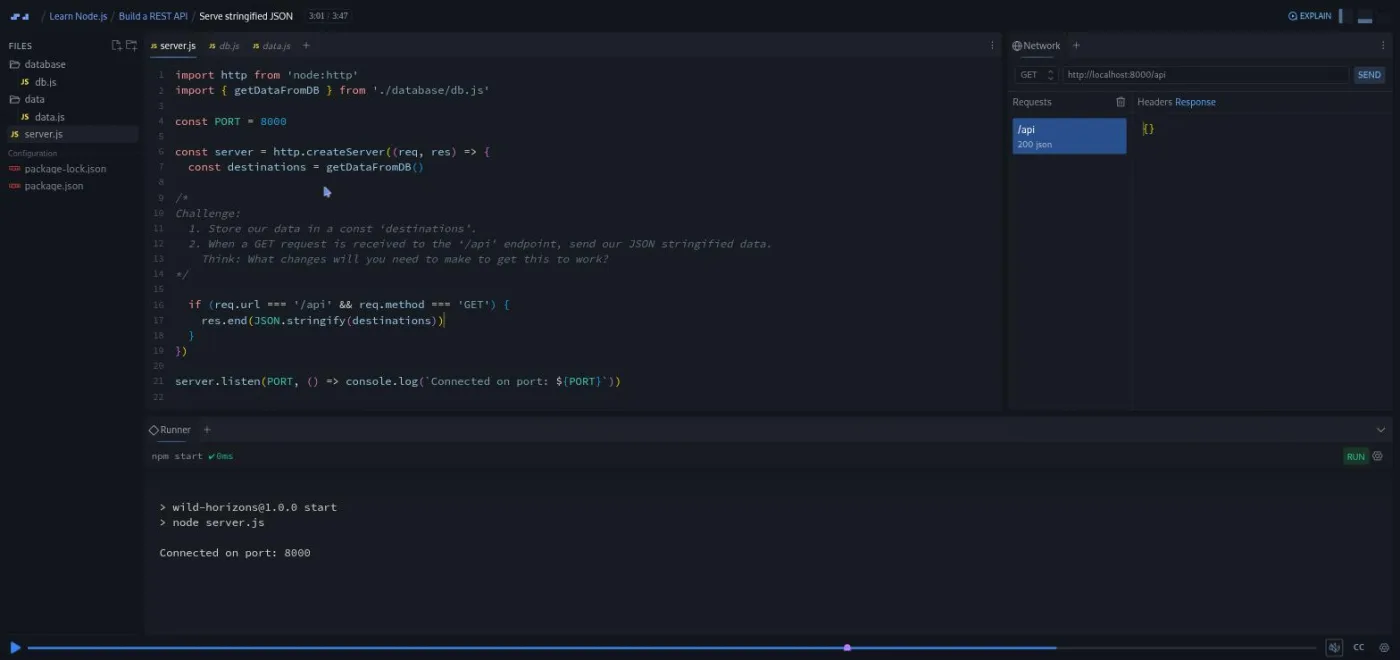
"Adding Content-Type" sets res.setHeader('Content-Type', 'application/json') and res.statusCode = 200 (a property, not a method, which he stresses twice). "Route Not Found" adds the 404 branch, and Tom notes that "if you come from front end dev it's quite nice to be the person giving out the four zero four rather than receiving it." "Add Path Parameters" is the first big challenge: startsWith, split('/').pop(), filter, toLowerCase, with a hint file if you need it.
Two "Modularise the Code" scrims then make you refactor: first a sendJSONResponse(res, statusCode, payload) utility, then a country route and a getDataByPathParams(data, locationType, locationName) function using bracket notation. Tom's rule for the refactor is "clean easy to read code. That's more important than clever complex but shorter code."
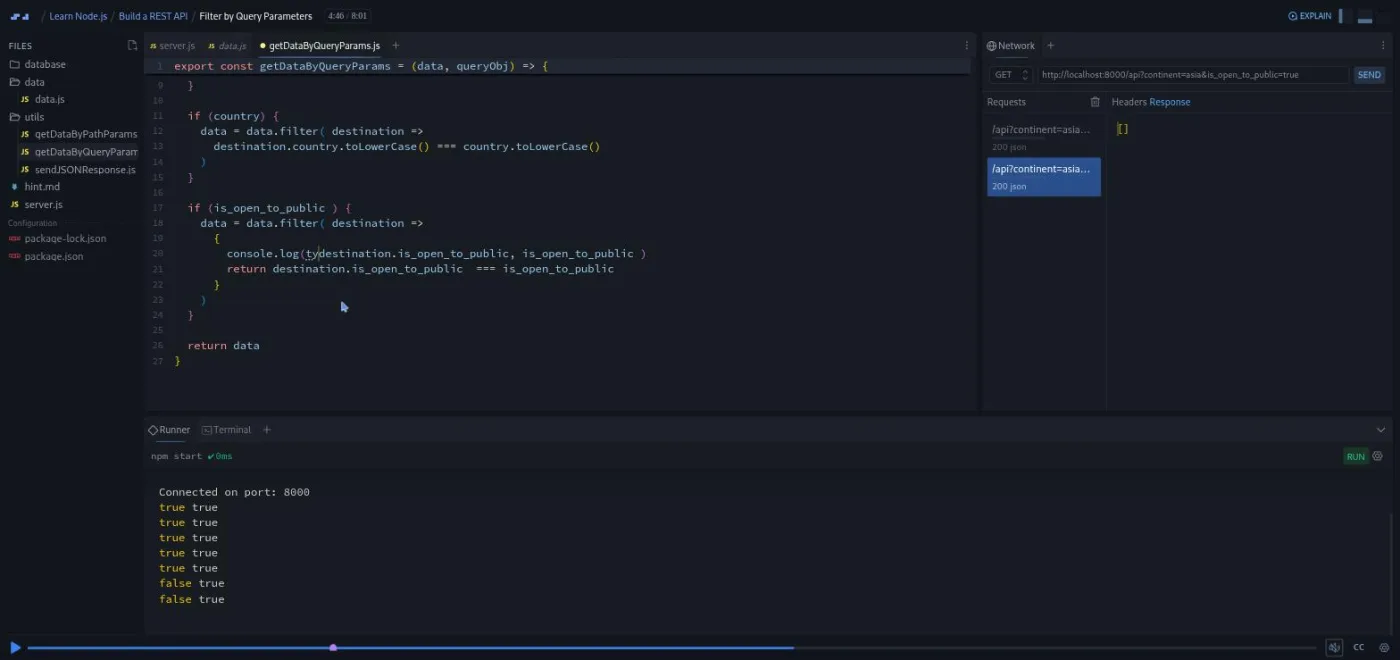
Query strings take three scrims. The aside shows the honest vanilla way, new URL(req.url, 'http://' + req.headers.host) and Object.fromEntries(urlObj.searchParams), and Tom does not pretend it is nice: "It's overly complex with horrible verbose code. Well, the good news is that the express framework abstracts this away." The follow-up makes you find urlObj.pathname yourself to fix a routing bug the query string introduces. "Filter by Query Parameters" (8:01, the longest scrim in the module) is the final challenge, and the bug in it is the most instructive in the course: comparing a boolean from the data to the string "true" from the URL.
The module ends with "CORS", a slide-driven explanation of same-origin policy and the two Access-Control-Allow-* headers you add to sendJSONResponse, with the caveat that "working here in Scrimba it's not gonna make any difference," and a wrap-up that suggests stretch goals (friendlier errors, POST support, keyword search). The last scrim, "Learning in public", is a generic Per Borgen talk about commenting on Reddit that appears in several Scrimba courses.
2. Routes & Paths (2.3 hrs, 27 scrims)
The second project is From the Other Side, a site "where users can share paranormal sightings." It has a home page, a Read page that renders each sighting as a card, and an Upload form that POSTs to the server. The HTML, CSS and frontend JavaScript are all written for you; Tom says you will spend "ninety nine percent of the time" in the server code. The plan is three jobs (serve the static files, serve the sightings as JSON, accept new sightings) plus a section on events.
It opens by making you rebuild what you learned: "Setting up the project" is npm init again plus a server that returns an HTML string with the right content type, and Tom is pleased if you did it from memory. "A Diversion into writeHead()" shows the one-line alternative to setHeader and explains why he avoids it (headers set after writeHead are silently dropped).
The next stretch is the part of the course that is most reusable outside it. "Routing and Paths" and "Aside: Path Module" take a detour into a second sandbox project, a retro tech store, to explain import.meta.dirname (the modern replacement for __dirname, Node 20 or later), process.cwd(), absolute versus relative paths, and path.join. "Aside: FS Module" walks through three ways to read a file. readFileSync blocks. readFile with a callback leads to callback hell, at which point "there are easier ways to make a living, like becoming a shark's dentist." node:fs/promises with async/await is what the course uses from then on. It also explains why you send a Buffer rather than a UTF-8 string when the same function will serve images. "global vars in node" is a history lesson on CommonJS require, __dirname, and the pre-Node-20 fileURLToPath(import.meta.url) workaround, so you recognize them in older codebases.
Each aside is followed by a challenge in the real project: build the path to index.html, write serveStatic and sendResponse, then extend serveStatic to any file using path.extname and a getContentType lookup object ("if you were doing this in the real world, you would never write this out by hand"). Until the content type is right, the CSS arrives as text/html and the site renders unstyled, which is a satisfying thing to fix yourself.
Data comes next. "Getting the JSON Data" writes getData(), which reads data.json with the promise-based fs, parses it, and returns an empty array on error so callers always get the type they expect. "Wire up the API" adds a handlers folder with handleGet, and the Read page fills with three creepy sample sightings. Then five scrims handle POST. "Incoming Body Parse" shows that the body arrives in chunks, so you build it with for await (const chunk of req), code Tom calls "pretty simple, but it's also a bit counterintuitive." You then write parseJSONBody yourself. The two "Handling POST" scrims end in addNewSighting, which reads the existing data, pushes the new sighting and writes it back with fs.writeFile, plus a bonus challenge to pretty-print the file with JSON.stringify(data, null, 2). Tom flags it as "one of the last big challenges in this project so take your time and get it right."
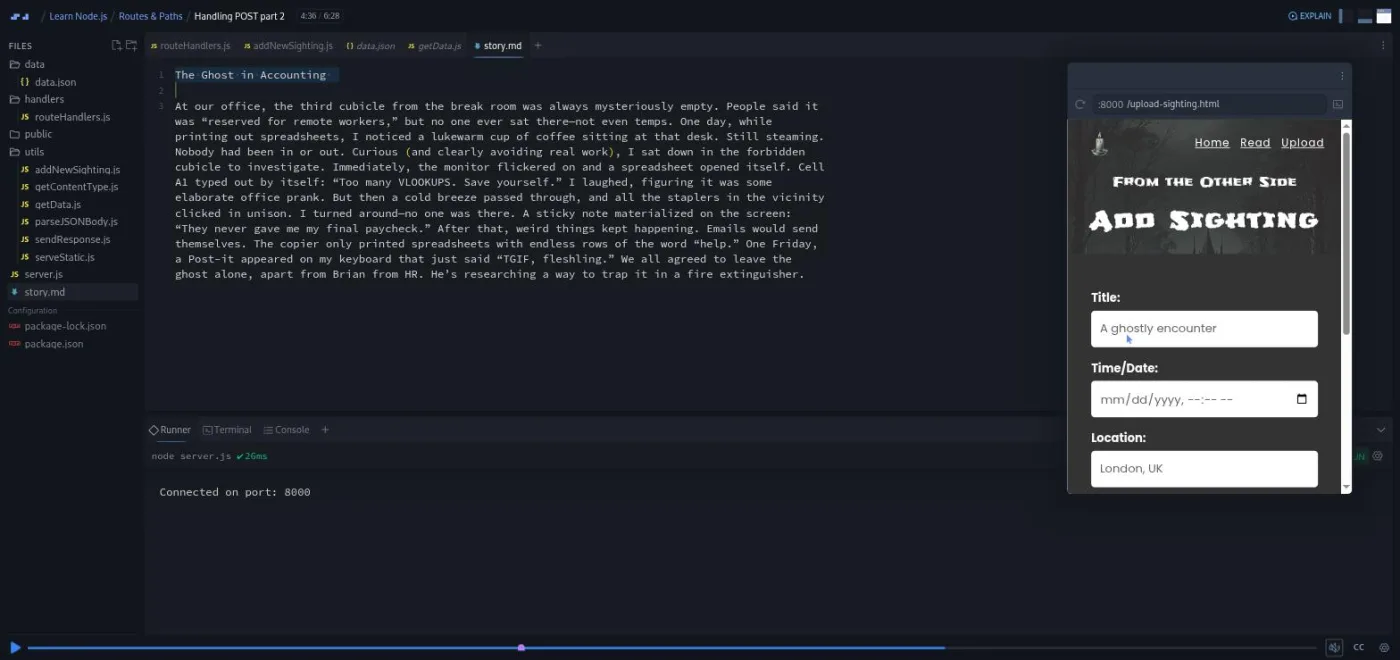
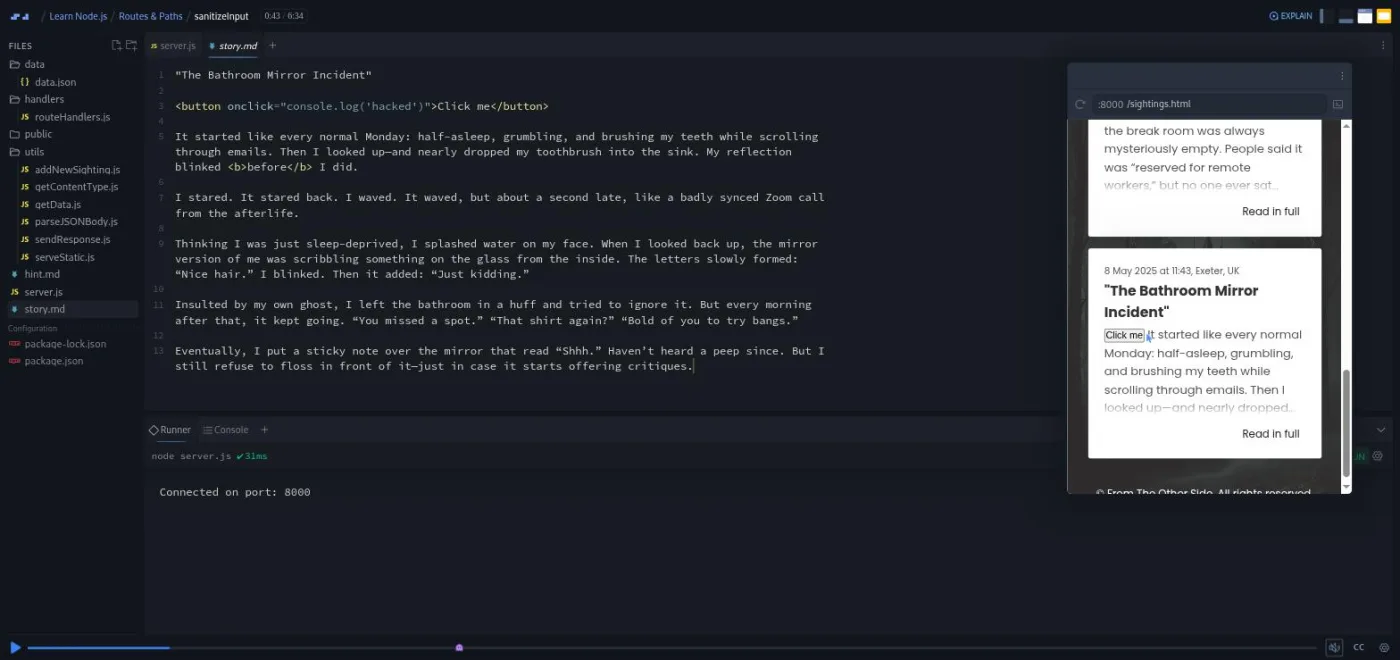
Then security. "Aside: Sanitization" explains cross-site scripting and installs the sanitize-html package, the course's only runtime dependency, showing how it strips <script> and <style> by default and how allowedTags and allowedAttributes narrow it further. "sanitizeInput" is the payoff: Tom uploads a story containing a <button onclick="console.log('hacked')">, the Read page renders a clickable button, and the challenge is to write a utility that iterates over the submitted object and sanitizes every string value, allowing only <b>. He calls it "your last challenge" and gives no walkthrough until after.
The last section is events. "Aside: EventEmitter" builds a tiny emitter that fires an emailRequest event for a customer called Meryl Sheep, then "Add an Event Emitter" has you register a sightingAdded listener that logs an alert for ghost hunters in the sighting's location ("really, there's just four lines of code"). "Aside: Server-Sent Events" explains one-way streaming with a fake weather app: Content-Type: text/event-stream, Cache-Control: no-cache, Connection: keep-alive, res.write with a data: line ending in two newlines, and new EventSource() on the frontend. The "Server-Sent Events Challenge" applies it to a news ticker of made-up ghost headlines at /api/news ("this is the last challenge, so make it count. I might have promised you the last challenge before").
Two closing scrims: "Intro to Nodemon" turns off Scrimba's runner to show what life is like locally, installs nodemon as a dev dependency, and adds an npm run dev script; "outro" lists loose ends (unhandled /api/xyz routes, methods other than GET and POST, UUIDs for new sightings). A one-minute "How to Utilize Your Certificate" scrim from Per Borgen sits after the module.
What a lesson feels like
A typical scrim is two to six minutes, and only one passes eight. Tom talks over a live editor with a runner panel at the bottom (it restarts the server every time you save) and, depending on the project, a network tool or a mini browser on the right. When a scrim is a challenge, the brief is a comment block in the file, often with a hint.md next to it, and the recording pauses for you to write code in the same editor. Then you press play and he types his solution, usually with a bug or two he fixes out loud.
The voice is dry English humour: a running tennis joke about servers ("it's not as good as Serena"), a demo object of type cattle named Jack Nicholson, and a fake two billion dollar funding round to motivate the security section. It works because the jokes are short and the explanations are not. Every scrim has captions, a transcript panel under the settings menu, and subtitles in ten languages.
Free or Pro: exactly what is gated
All 49 scrims, both projects and every challenge are free, and nothing in the table of contents is marked as a Pro solo project. Three scrims (the intro, "The package.json file" and "Aside: The HTTP module") carry a SAMPLE badge, which only matters for the catalog preview; you do not need a card to finish the course.
What Pro adds is the certificate of completion at the end of the list, the two career paths this course belongs to (Backend and Fullstack), and the Pro-only channels on Scrimba's Discord (the pricing page lists basic Discord access as free). The solo project mentioned in the course description does not exist in the table of contents yet, so there is nothing else to unlock. See current plans (opens in a new tab) if you want the path structure around it.
How long it takes
The 3.5 hours is video runtime. Twenty-five scrims are challenges, and about eight of them are real work (the two refactors, path parameters, query-parameter filtering, serveStatic, addNewSighting, sanitizeInput, the SSE ticker). Budget seven to ten hours in total: a comfortable week at an hour a day, or two focused weekend sessions. If you have never written a server before, the second project will take longer than its runtime suggests, because the fs and path asides are dense and worth pausing.
Who it's for, and who should skip it
It fits frontend developers who can write JavaScript and are ready to see the server side of the requests they have only ever sent. It is also a good first backend course for career changers with limited time, because the scrims are short and nothing needs installing.
Skip it if you cannot yet write filter and async/await without looking them up; do Learn JavaScript first, and possibly Advanced JavaScript. Skip it, for now, if you need a database, authentication or deployment: those live in Learn Express.js and Intro to SQL. And if you already know Node and just want a framework, go straight to Express or Intro to NestJS.
Prerequisites
Solid JavaScript: array methods (map, filter, reduce), objects and destructuring, fetch, promises and async/await. Tom says the Frontend Developer Path "or something similar" is the ideal starting point. No Node, no backend experience and no frameworks are assumed. Nothing needs installing; the runner, terminal, network tool and mini browser are inside the scrim.
Where it fits
Learn Node.js is the first backend course in two paths: the Fullstack Developer Path and the Backend Developer Path; it is not part of the Frontend Developer Path. It is the direct prerequisite for Learn Express.js, also taught by Tom, which rebuilds the same ideas (routing, query parameters, JSON responses) with the framework and then adds a database and sessions. The sanitization scrims are a preview of Learn Cybersecurity.
Strengths and limits
What it does well:
- It teaches the HTTP request and response cycle by making you write it.
- The two projects are small enough to finish.
- The challenges escalate sensibly, from one-line conditions to writing whole utility modules.
- The asides on
path,fs, ES modules versus CommonJS andimport.meta.dirnamewill save you real confusion in other people's code.
Where it is limited:
- There is no database, auth or deployment.
- The mock database and JSON-file storage are stand-ins you will replace in the next course.
- The solo project promised in the description is missing.
- Two scrims ("Learning in public" and "Want to become a Scrimbassador?") are Scrimba promos rather than lessons.
- The second project's frontend is handed to you, so you never wire a real form yourself.
Related courses and comparisons
- All JavaScript courses, the full category
- Learn Express.js, the direct next step
- Intro to NestJS, a more structured framework
- Learn Next.js, fullstack React on top of Node
- Learn JavaScript, the prerequisite
- Backend Developer Path, if you want the whole sequence
Yes. All 49 scrims, both projects and every challenge are free with no card required. Pro adds the certificate, the career paths and the Pro-only Discord channels; there is no Pro-gated solo project in the table of contents.
Tom Chant, who has taught at Scrimba since 2021 and also teaches Learn Express.js and Advanced JavaScript. Two short scrims (Learning in public and the Scrimbassador promo) and the certificate scrim are by Per Borgen.
The Wild Horizons API, a JSON REST API over a dataset of unusual travel destinations with path and query-parameter filtering, and From the Other Side, a site where users upload ghost sightings, with static file serving, a POST endpoint that writes to a JSON file, input sanitizing, an event emitter and a server-sent-events news ticker.
No. The whole course uses Node's built-in http, fs, path and events modules and ES module imports. Tom explains what Express abstracts away, and Learn Express.js is the follow-up course.
No. Scrimba's editor has a runner that restarts your server on save, a terminal, a network tool for sending requests and a mini browser. The last scrim shows how nodemon does the runner's job on your own machine.
Yes. Every scrim has captions, a timestamped transcript panel under the settings menu, and subtitles in ten languages.
Twenty-five scrims carry Scrimba's challenge icon in the table of contents, the same icon it uses for AI-checked challenges elsewhere, but none of the transcripts mention AI feedback. In practice every challenge has a written brief and usually a hint.md file, you write your solution, then press play and compare it with Tom's.
3.5 hours of video. With the challenges, plan on seven to ten hours, or about a week at an hour a day.
Modern Node: ES module imports with the node: prefix, node:fs/promises, and import.meta.dirname, which Tom notes needs Node 20 or later. One scrim covers the older CommonJS require and __dirname so you can read legacy code.
Learn Express.js, which is Tom's course too and adds a framework, a SQLite database and authentication on top of what you learn here.