Learn Accessible Web Design
Fredrik Ridderfalk teaches Scrimba's Learn Accessible Web Design in 96 minutes across 27 scrims, no modules. You repair a broken drone-delivery site called Skynet Eats: fixing contrast, alt text, links, form labels, headings and ARIA one topic at a time, then hunting down every issue on a final contact page. It is a fast, practical fix for shipping inaccessible HTML.
Reviewed inside the course with a Pro account, September 2026.
Quick answer
This fits developers who write HTML and CSS but have never audited their own markup: it hands you the habits in an afternoon, not just the theory. The catch is depth: screen reader testing and WCAG success criteria by number never come up, so treat it as a foundation rather than the whole subject. Already know why placeholders are not labels? Move straight to Learn JavaScript instead.
Learn Accessible Web Design
ProTaught by Fredrik Ridderfalk (opens in a new tab)
Write accessible HTML by fixing a real, broken website through short interactive coding challenges.
View on Scrimba (opens in a new tab)Is it worth your time?
For most frontend learners, yes, because it is short and the format fits the topic. Accessibility is a list of habits, and habits stick when you practice them, not when you read about them. Nearly every scrim here ends with "pause here and give this a go" and a concrete fix to make on a page you can see in the preview pane. By the end you have made the same kinds of edits eight or nine times, which is enough for them to become reflexes.
This is an introduction to writing accessible HTML, not a course on accessibility engineering. Fredrik shows you where the accessibility tree lives in Chrome DevTools and mentions Lighthouse and axe, but you never run a screen reader in the course, never test with a keyboard beyond pressing Tab once, and never look at a WCAG success criterion by number. The ARIA lessons show it: the card-link CSS trick in scrim 7 is "a bit advanced and out of scope for this lesson", and the ARIA scrim is a single toggle switch. Treat it as the foundation it is.
Pricing is the other thing to weigh. The entire course is Pro. Four scrims are free samples, about 16 minutes, and two of them (Aside: Text contrast and Semantic HTML) include a challenge, so you can try the format before paying. Details below.
What you'll learn
Scrimba's course page shows one flat list of 27 scrims with no module headers, so the grouping below is mine. I split the list by topic so you can see how the time is spent.
Course curriculum
8 topic groups (editorial), 27 scrims, 96 minutes of video
- Intro and how assistive tech reads a page
- Color contrast and use of color
- Alternative text and links
- Form labels and radio buttons
- Semantic HTML, lists, text size, headings
- ARIA, live regions, accessible JavaScript
- Hiding content and skip navigation links
- Final challenge and wrap-up
Scrim counts are the items I counted in the table of contents in September 2026, and the durations are the sum of each scrim's own timer. Scrimba's header says 96 minutes and my sum comes to 98 minutes and 42 seconds, close enough that I trust both. The catalog data behind this site lists 29 lessons; I count 27 scrims plus the certificate entry, and the difference is likely a counting convention rather than missing content.
Inside the course, module by module
1. Intro and how assistive tech reads a page (6 min, 2 scrims)
The intro is a minute long. It defines accessible content as content whose "functionality can be operated by anyone", then sets up the premise: "Here's a website which is currently suffering a lot of accessibility issues. In this course, it'll be your job to save this website," as Fredrik puts it in the first scrim. The site is Skynet Eats, a company that delivers groceries to your window by drone.
The second scrim is the only theory lesson. It introduces the accessibility tree (the simplified version of your page that the browser hands to screen readers), shows two identical-looking buttons where the div one has no meaning in that tree, and explains that a real button gets keyboard focus for free. It also shows where the accessibility tree and the Lighthouse tab live in Chrome DevTools. Fredrik mentions that he uses ChatGPT daily to check his code for missing labels and poor contrast, which tells you how the course treats tooling: as a helper, not a subject.
2. Color contrast and use of color (12 min, 3 scrims)
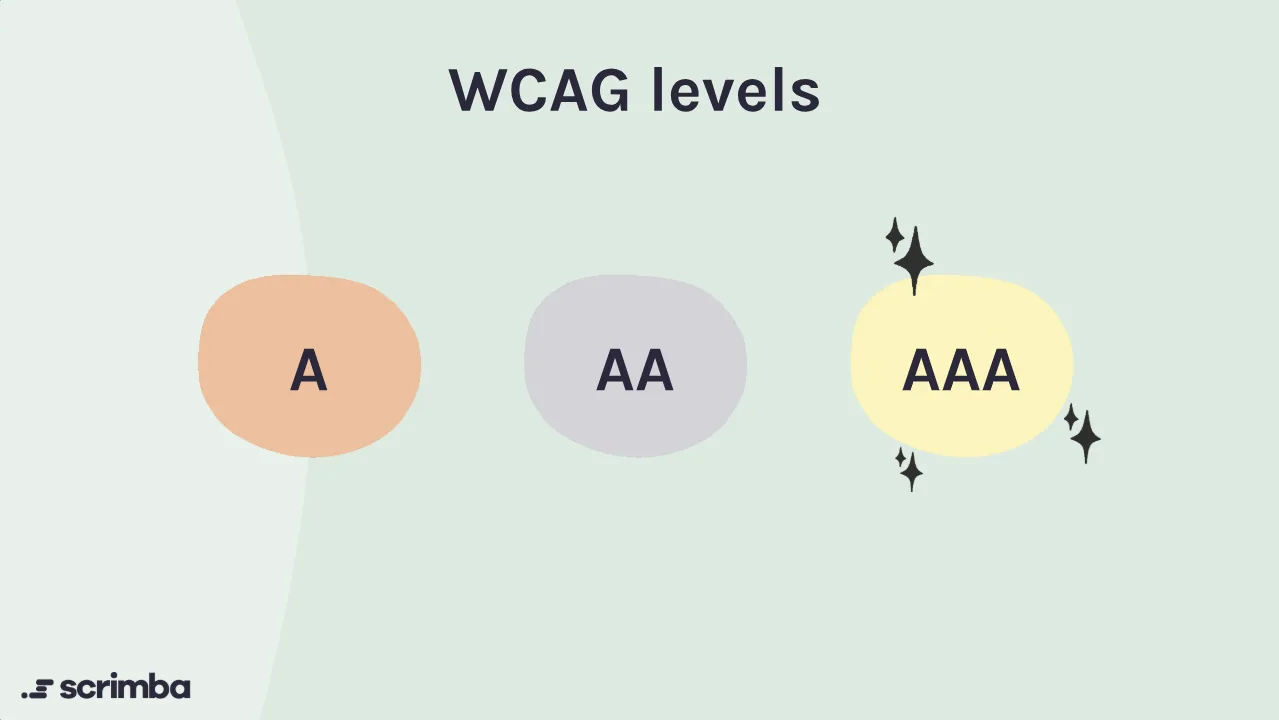
Scrim 3 is where the challenges start. Fredrik explains the three WCAG levels (A, AA, AAA), shows contrast ratios from 1:1 up to 21:1, and hands you a rainbow of stripes with dark blue text. Your first task is to change the text colours so every stripe hits 4.5:1. The follow-up point is the useful one: no text colour reaches AAA on the red and green stripes, so "you would need to either change the background color or make the text bigger."
Scrim 4 is a short aside about not relying on colour alone, using two chat-style user cards with a green or red online dot. Fredrik's fix is to pair the colour with an icon and the word "online" or "offline". Scrim 5 applies all of it to the Skynet Eats homepage.
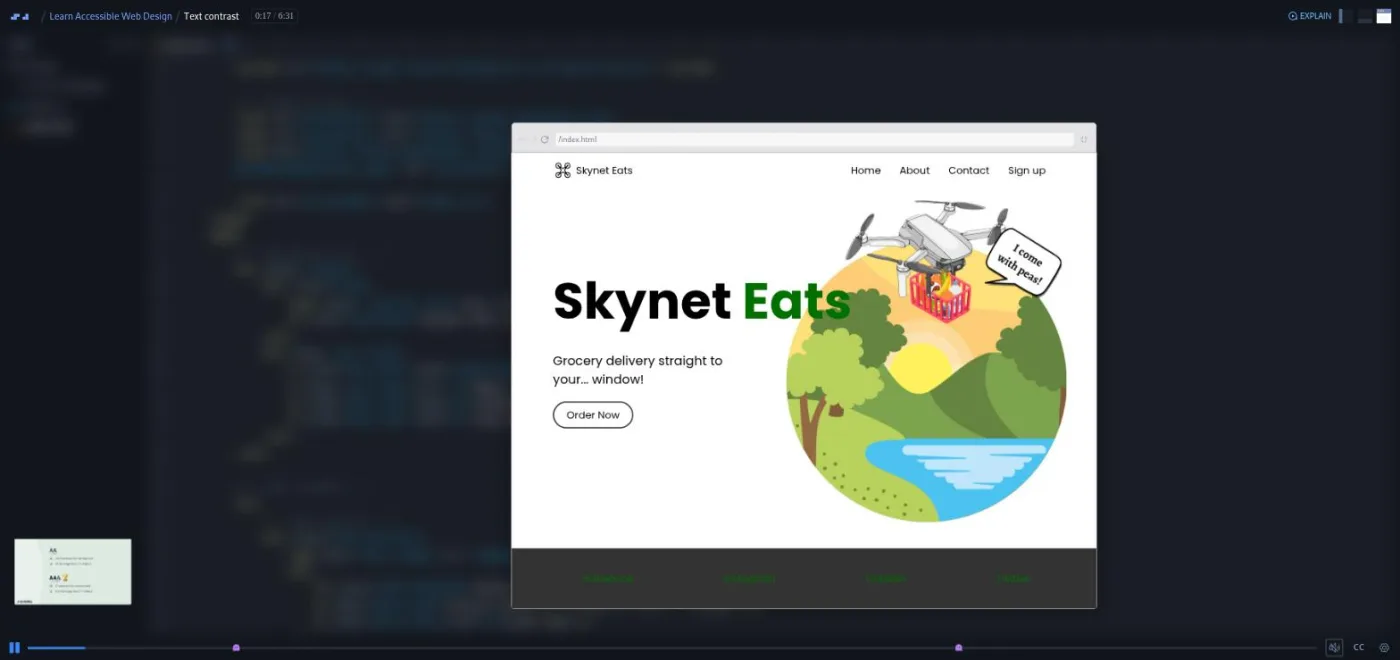
His solution is worth watching even if you solved it. Recolouring the word fails (black and white both clash somewhere over the image), so he shows two layout fixes: display: block to push the word onto its own line, or shrinking the hero image. The About section is harder because the text sits on a background photo. That becomes a second challenge: look up background-blend-mode, then layer a white rgba colour over the image with lighten. It is the one CSS property here most people will not have met.
3. Alternative text and links (18 min, 3 scrims)
This is the longest stretch and the strongest. Scrim 6 moves to a second site, a gallery of strange digital art, and asks you to write alt text for four images. Fredrik's rules are short: be concise, do not start with "image of", every img needs an alt, and a decorative image gets an empty one so the file name is not read out. His own alt for the hero image is "a hand made of metallic liquid dripping upwards", and he ends every description with a period because, as he says in scrim 6, "it makes a screen reader do a brief pause".
Scrim 7 covers links: use an a tag, make it recognisable by more than colour, and make the text make sense out of context. The challenge is to fix three "click here" links, and the solution wraps the whole sentence in the anchor and restores the underline. The second half is the best five minutes in the course: a card where the entire thing is a link. Wrapping the card in a makes a screen reader read the whole card before announcing it as a link, so the anchor goes inside the card and absolute positioning makes the card clickable. Scrim 8 brings both skills back to Skynet Eats, where you write alt text for a drone image ("a flying Skynet drone.") and fix a vague "read more" link.
4. Form labels and radio buttons (11 min, 3 scrims)
Scrim 9 opens with the rule that placeholder text is not a label under WCAG, then gives you the Skynet Eats sign-up form with placeholders only. The challenge has three parts: add an id to each input, add a label with a matching for, and rewrite the placeholders as example values ("Obama for a surname field"). Fredrik also shows that a custom div button needs an aria-label, keyboard handling and JavaScript to match what a native button does for free. "It's often simpler and more accessible to use the standard button element," as he puts it in scrim 9. That line is the whole course in one sentence.
Scrim 10 is a two minute detour into fieldset and legend for the radio buttons, including the styling they drag in. Scrim 11 repeats the labels drill on a second "notify me" form, where the button is a bare check mark that you replace with real text and the placeholder colour gets darkened.
5. Semantic HTML, lists, text size, headings (17 min, 4 scrims)
Scrim 12 is a free sample and a recap: landmarks (nav, header, main, section, footer) and why screen readers use them to jump around. The challenge replaces the homepage's div soup with landmarks and turns a div submit button into a button. Fredrik opens it with a statistic I could not verify, that "ninety six point five percent of websites have accessibility issues", so treat that number as his, not mine.
Scrim 13 turns the nav, the stats and the footer into ul and li and removes the bullets with list-style-type: none. Scrim 14 opens with Fredrik blurring the homepage to show how it looks to him without his glasses, then explains why px font sizes ignore a user's browser font setting and rem does not. The challenge is mechanical: divide every font-size by sixteen. Scrim 15 covers the three heading rules (consecutive levels, one h1, structure not style) and has you fix a section that jumps from h2 to h4.
6. ARIA, live regions, accessible JavaScript (14 min, 3 scrims)
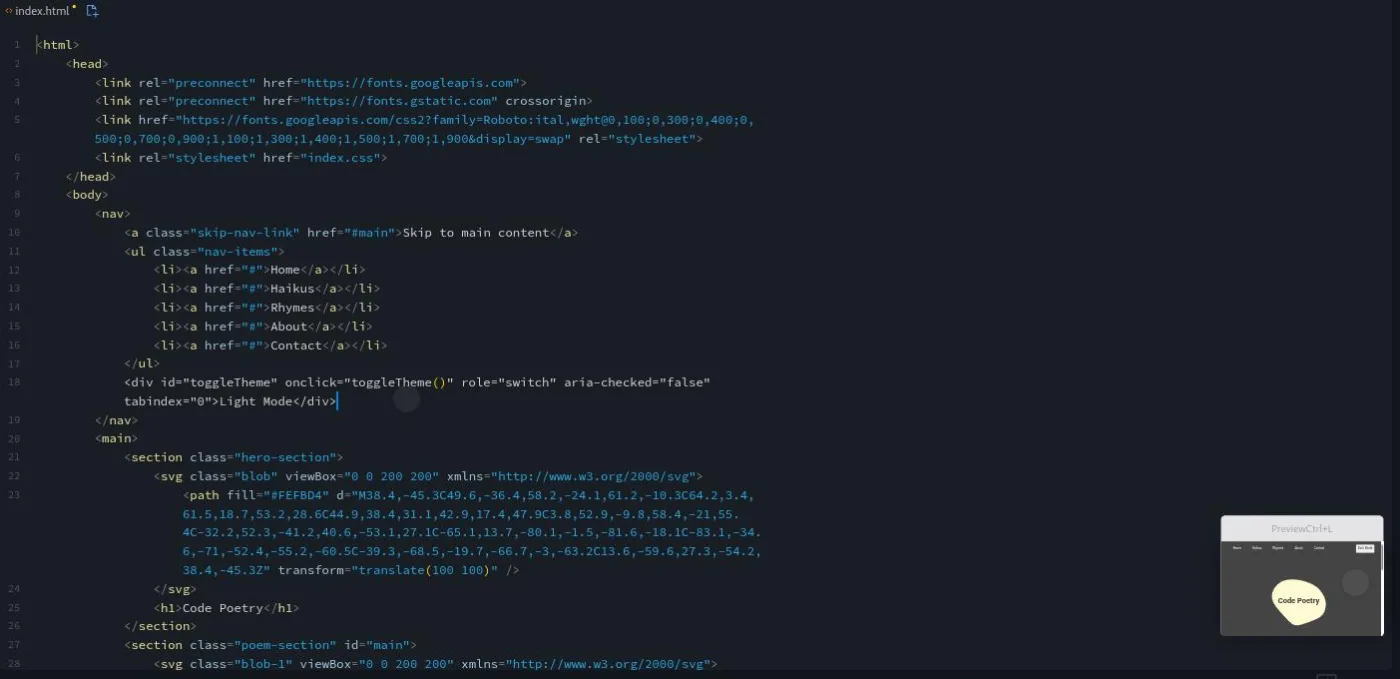
Scrim 16 introduces ARIA with the button-versus-div comparison again, states the first rule of ARIA (do not use ARIA if native HTML already does the job), and then gives you a case where you need it: a dark theme toggle built as a div. The challenge is to add three attributes, and you are told to look up the role yourself.
Scrim 17 is the most advanced lesson. On a contact form, Fredrik explains aria-live (off, polite, assertive) and has you add aria-live="polite" to a success message so a screen reader announces it without the user hunting for it. A second challenge moves keyboard focus to the home link after submit with .focus(), which the course calls programmatic focus management. Scrim 18 shows a warning that only appears on mouseover, points out that touch and screen reader users never see it, and replaces the event listener with a message in the page flow that toggles opacity rather than display.
7. Hiding content and skip navigation links (10 min, 4 scrims)
Scrim 19 explains why display: none and visibility: hidden also remove content from the accessibility tree, and shows the alternatives (off-screen positioning or opacity) with DevTools slides. It ends with a small opinion I liked: before building a modal, ask "does this really need to be a modal?"
Scrims 20 to 22 build a skip link. On a site called Code Poetry with a long nav, pressing Tab makes a "Skip to main content" link slide in from the side. You style it, add a transition so it takes a second to appear and three to disappear (so a fast tabber does not miss it), then build one from scratch on the Skynet Eats homepage. Fredrik is upfront that this is "not the most important accessibility feature to have on a website, but it can definitely be fun." Scrim 20 also opens with a poem, which is the moment you learn what kind of teacher he is.
8. Final challenge and wrap-up (11 min, 5 scrims)
The final challenge is in two parts on a brand new contact page. Part one asks you to find every violation and write them as a comment in the CSS file before he reveals them. Part two is fixing them.
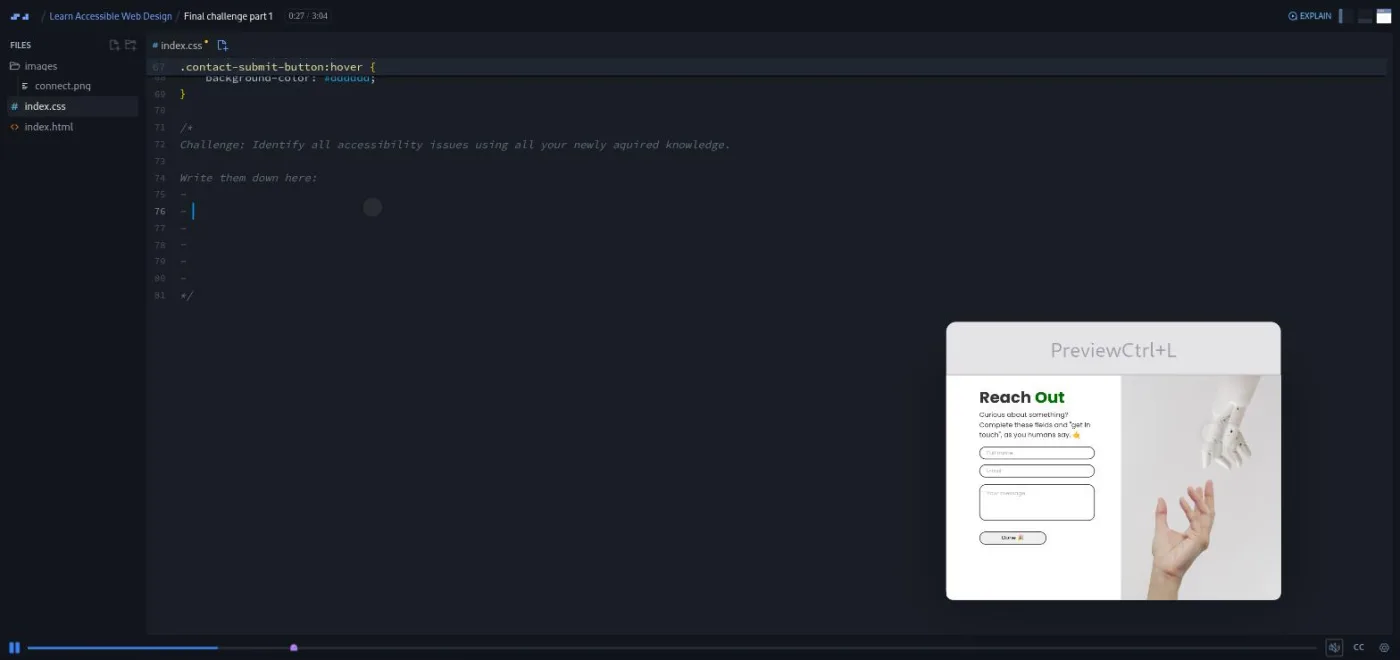
There are seven issues, and every one maps to an earlier scrim, which is the point. The last three scrims are a two minute Scrimbassador referral ad voiced by Per Borgen, a one minute outro that ends in a rhyme, and Per's standard certificate clip. Only 25 of the 27 scrims are Fredrik's.
What a lesson feels like
A scrim here is two to six minutes. Most follow the same shape: a slide or two of explanation, a look at the broken page in the preview pane, a challenge stated out loud and usually written as a comment in the code, a pause, then Fredrik's solution typed live. The instruction is always "pause here and give this a go", never a graded check. I did not find any AI-checked challenges in this course; you compare your answer against his.
The tone is warm and a little silly. The intro sells accessibility as a superpower, the outro ends with a rhyme, and the fictional company is founded by "the pioneer of AI and robotics, Ariana Grande". Fredrik also tells you when something is his preference rather than a rule (the period at the end of alt text, for one), which most beginner material skips. Every scrim has captions, a timestamped transcript panel behind the settings menu, and subtitles in ten languages. The preview pane is a real browser, so you can press Tab in it and watch focus move, which is how the skip link lesson works.
Free or Pro: exactly what is gated
The course is Pro. Scrimba's page header says Pro, and the structured data on the page says it is not free, even though the page title still reads "Free interactive course," a leftover from an earlier listing. Four scrims carry a SAMPLE badge and open without a subscription: the intro, Understanding web accessibility, Aside: Text contrast, and Semantic HTML. Between them that is about 16 minutes, and only Text contrast and Semantic HTML contain a challenge.
Everything else, including the Skynet Eats fixes, the ARIA and live region lessons, the skip link, the final challenge and the certificate, needs Pro. Pro also unlocks the Pro-only channels on Scrimba's Discord (basic access to the Discord community is listed as free on the pricing page) and the career paths. See current plans (opens in a new tab) for what Pro costs in your region.
If you are deciding whether this course alone is worth a subscription, it is not; it is too short. It is worth it as one item in a Pro month alongside a path or a couple of the larger courses.
How long it takes
The video runtime is 96 minutes. About nineteen scrims contain a challenge, and most are two to five minutes of editing if you know HTML and CSS. Budget two to three times the runtime: three to five hours, or two evenings. The background-blend-mode lookup, the card-link CSS and the final challenge are where you are likely to slow down. If you also open the accessibility tree in your own DevTools on a site you have built, add an hour and get more out of it.
Who it's for, and who should skip it
It fits people who already build pages and want to stop shipping the seven mistakes on that contact page. That includes anyone partway through the Frontend Developer Path, designers who hand off markup, and career changers preparing for interviews where accessibility comes up, because it gives you the vocabulary (accessibility tree, landmarks, live regions, focus management) to talk about it.
Skip it if you have never written HTML; go through Learn HTML and CSS first, which is what Scrimba's own prerequisite note points to. Also skip it if you have already worked with a screen reader or shipped a component library with ARIA in it; there is nothing here you do not know.
Start Learn Accessible Web Design on Scrimba (opens in a new tab)Prerequisites
Basic HTML and CSS. You need to be comfortable finding a selector in a stylesheet and editing tags in a file. Two scrims (ARIA live regions and Accessible JavaScript) touch a few lines of JavaScript, but you edit attributes and one .focus() call, so no JavaScript knowledge is assumed. There is nothing to install.
Where it fits
This is a standalone course in the catalog rather than a listed path member. The natural place for it is right after Learn HTML and CSS and before or alongside Learn JavaScript, so the habits are in place before you start building interactive components. It pairs well with Build a Multi-Page Website with HTML and CSS, which is where you will next write a nav, a form and a set of images that need this treatment.
Strengths and limits
What it does well: every concept is practiced on a page you can see, the fixes are the ones that matter most in real code review (alt text, labels, landmarks, heading order, contrast), the card-link and live region lessons go a step beyond the basics, and the final challenge is a real test because nothing in it is new.
Where it is limited: the whole course is Pro and only 16 minutes of it is previewable, there is no screen reader or keyboard testing beyond one Tab press, ARIA is one toggle switch and one live region, the "96.5 percent of websites" statistic is stated without a source, and two of the 27 scrims are marketing clips from Scrimba rather than lessons.
Related courses and comparisons
- All JavaScript courses, the full category hub
- Learn HTML and CSS, the stated prerequisite
- Build a Multi-Page Website with HTML and CSS, for layout fundamentals
- Build and Deploy Your Portfolio, to apply accessible markup to your own site
- Learn JavaScript, when you move on to interactivity
- Frontend Developer Path, if you want this inside a full curriculum
- Scrimba vs Codecademy, if you are choosing a platform
No. It is a Pro course. Four scrims are free samples (the intro, Understanding web accessibility, Aside: Text contrast, and Semantic HTML), about 16 minutes in total. The rest, including the final challenge and certificate, needs Pro.
Fredrik Ridderfalk, a senior front-end developer at Odevo according to his Scrimba bio, and a former science teacher. 25 of the 27 scrims are his; the Scrimbassador clip and the certificate clip are voiced by Per Borgen.
You do not build from scratch. You repair the Skynet Eats site (a drone grocery homepage, sign-up forms, and a contact page), fix alt text and links on a digital art gallery, and add a skip link to a site called Code Poetry. The final challenge is finding and fixing seven issues on a new contact page.
No. Two scrims touch JavaScript (a live region and an event listener), but you add attributes and one focus() call. Basic HTML and CSS is the only prerequisite Scrimba lists.
I did not find any. Every challenge is pause, try it, then watch Fredrik's solution. About nineteen of the 27 scrims contain a challenge.
Yes. Every scrim has captions, a timestamped transcript panel under the settings menu, and subtitles in ten languages. I read all 27 transcripts for this review.
96 minutes of video. Plan for three to five hours with the challenges, or two evenings.
No. Everything runs in the browser, including the preview you press Tab in to test the skip link. Fredrik shows Chrome DevTools features, which you can try on your own machine but the course never requires.
Only in passing. The course explains the accessibility tree and mentions Lighthouse and axe, but you never run a screen reader inside it. Fredrik suggests looking up screen reader demos yourself.
Scrimba's course data does not list it inside a path. Fredrik's bio says it launched through the Frontend Developer Path, but I did not verify where it sits on that path today.