Learn Markdown
Dylan C. Israel teaches this 37 minute Pro course in 26 scrims, all under three minutes, built around one real project: you write and publish a technical article on dev.to, then open a pull request adding it to a shared GitHub repo. It is a pleasant first hour with Markdown, not a course worth subscribing for alone.
Reviewed inside the course with a Pro account, September 2026.
Quick answer
It fits anyone who has never written Markdown and wants a reason to write a first blog post, especially a beginner a month into a path who needs a first README or pull request. The one catch: Scrimba labels the course Intermediate, but nothing here assumes you can code, so do not let the label talk you out of it. The natural next stop is Learn Git and GitHub, where the README habit this course starts gets used.
Learn Markdown
ProTaught by Dylan C. Israel (opens in a new tab)
Markdown essentials in 26 short scrims, taught by writing and publishing a technical article on dev.to.
View on Scrimba (opens in a new tab)Is it worth your time?
For a first contact with Markdown, yes, mostly because of the project. Markdown is easy to read about and easy to forget. Dylan's fix is to make you write something real as you go: by the third scrim you have a dev.to account, by the fifth you have a title with an emoji, and each challenge after that asks for one more section of the same article. By the end you have published a post and opened a pull request with the link. That is a better hour than reading a syntax table.
Markdown is about fifteen rules, and Dylan needs 26 minutes of lessons and challenges to cover all of them. The course is short because the subject is short, which is fine, but it means the Pro price tag is hard to justify for this course alone. It also means the Intermediate label is wrong. Dylan says it himself in the first lesson: "Basically, it's shorthand HTML." Anyone who can type can follow it.
One thing to know before you start: the recordings are old. The course was published in 2018, and in two lessons Dylan introduces himself as a front end engineer at Amazon, while the teacher card on the course page now says he is an engineering manager at ClickUp. Markdown has not changed, so the content holds up, but the dev.to screenshots and the Discord channel names he mentions may not match what you see.
What you'll learn
Scrimba presents this course as one flat list of 26 scrims with no modules. The grouping below is mine, so you can see how the time is spent.
Course curriculum
26 scrims in one flat list, grouped here by topic
- Introduction and setup
- Basic syntax and the dev.to article
- Extended syntax
- Final challenge and wrap-up
I counted 26 scrims in the table of contents in September 2026, and the durations above are my sums of the per-scrim times, which come to about 38 minutes against Scrimba's 37 min 20 s. Scrimba's own numbers differ from each other: the course description says "24 interactive screencasts" (Dylan's lessons, leaving out the two Scrimba house scrims at the end), while the listing's structured data says 27 lessons.
Inside the course, module by module
1. Introduction and setup (5 min, 3 scrims)
The intro is a minute and a half: what Markdown is, where you meet it (README files, blogs, forums, documentation, chat), and a look at the preview pane, where the README already renders an image, bold text and a list. "I use Markdown almost every single day," Dylan says at the top, and the whole course is pitched at that level of practicality.
The course overview sets out the project. The README in that scrim is a four step list: create a dev.to account, write an article in Markdown on a subject of your choice, share it on Scrimba's Discord, and open a pull request adding it to a GitHub repo of student articles. Dylan wants the subject to be technical, ideally something you learned on Scrimba, "because at the end of the day, I want you to have a portfolio item," as he puts it in lesson 2.
The setup scrim explains the boilerplate you will never touch: an index.html with a compiled-markdown div, a copy of the marked.js library, and an index.js that reads README.md and injects the compiled HTML. You save the file, the preview updates. Dylan's advice is not to worry about any of it, and to fork the scrim if you want a scratchpad to play in.
2. Basic syntax and the dev.to article (21 min, 14 scrims)
This is the course. The rhythm is one teaching scrim, then one challenge that applies it to your article, and it repeats seven times. The teaching scrims are all between 52 seconds and two minutes.
Paragraphs and headings come first, and the point of the lesson is how little you have to do: paragraphs "just work," and a heading is a hash sign per level. The first two challenges follow immediately. "Starting our Article" is the dev.to setup (account, Write a Post, a title with an emoji), and "Introductory Paragraph" asks for one paragraph, which Dylan admits is "kind of a trick question because Markdown will actually take the paragraph that you put."
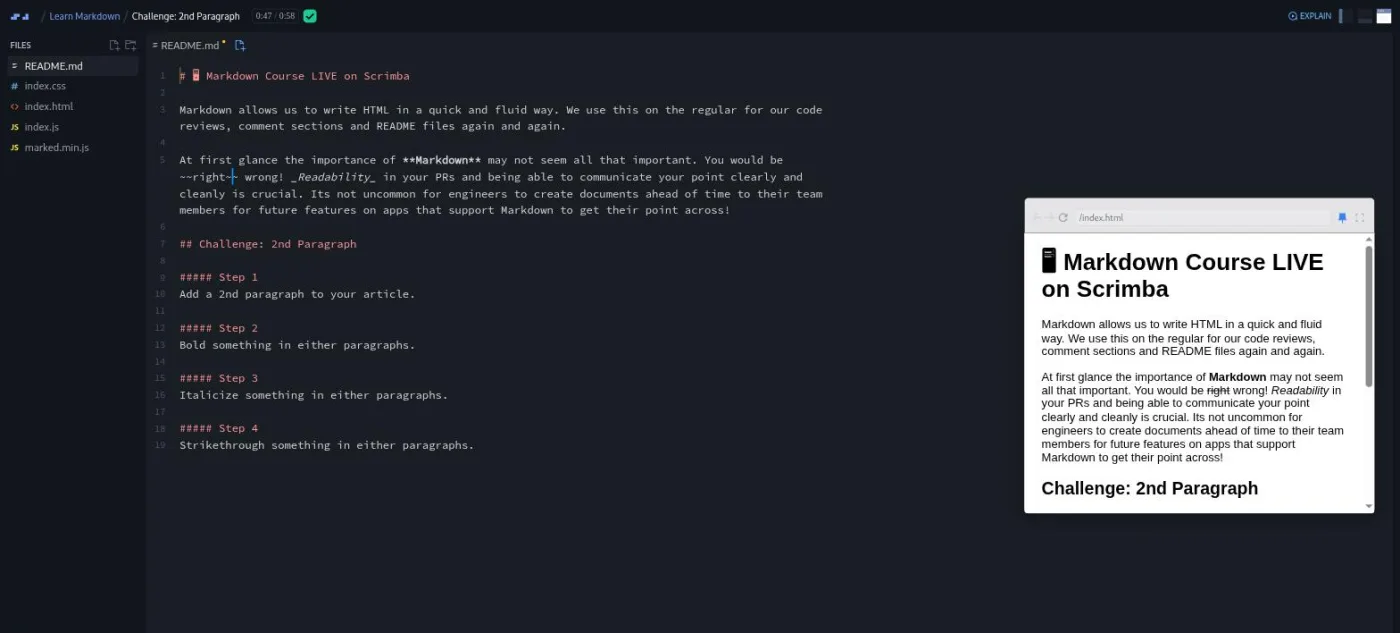
Bold, italic and strikethrough is where he gives the advice that runs through the course. Markdown has two ways to bold and two ways to italicize, and his line in lesson 7 is: "Anytime there's multiple ways of doing things, go and try and find a standard or at the very least be consistent." He recommends double asterisks for bold, and the challenge that follows has you add a second paragraph and use all three styles in it.
Blockquotes and horizontal rules take 69 seconds, with the closest thing the course has to a joke: "a wise man once said, get good, get great, get better. A wise man was me." The "Organization and Quote" challenge adds a paragraph, a rule and a quote to your article, and from here Dylan says you can do the challenges straight in dev.to rather than in the Scrimba editor, since you are only adding content, not editing what is there.
Lists is the longest teaching scrim at two minutes. Ordered lists, nested lists with a tab, and the three markers for unordered lists, of which his advice is "just do the dashes." He also shows a gotcha worth knowing: numbering a list 1, 8, 5 still renders as 1, 2, 3, "Don't do that." The challenge asks for a supporting paragraph and a list of at least three items.
Code blocks and images are quick. Fenced backticks versus indentation (use the backticks), why a pre block preserves your spacing, and a note that language tags like js after the backticks are extended syntax he is deliberately not using. Images are , with a sentence on why alt text matters for screen readers. The "Spice It Up" challenge asks for an image or a code block, your choice.
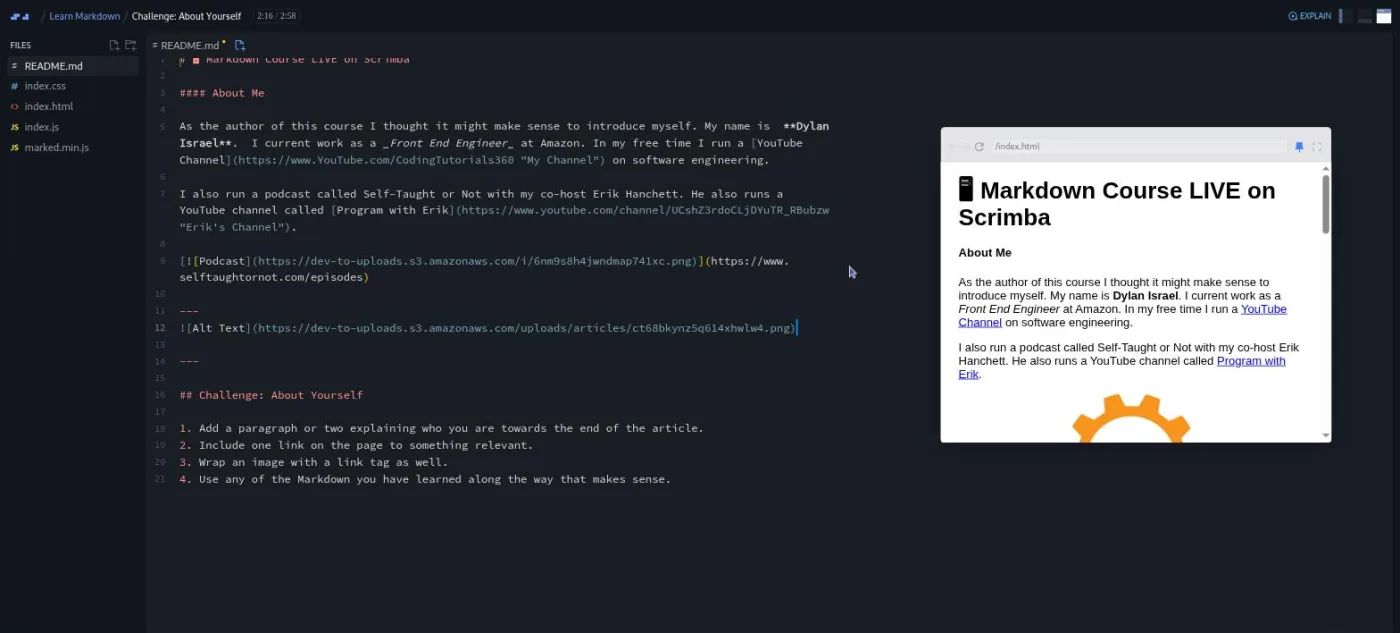
Links and emails close the section, and then the biggest challenge in the course, "About Yourself," at just under three minutes. The brief has four parts: a paragraph or two about you, a link, an image wrapped in a link, and any other Markdown that fits. Dylan's solution writes an About Me heading, bolds his name, links his YouTube channel, and then nests an image inside a link. "Probably the hardest part is just understanding that you can nest your Markdown," he says at 2:33, and he is right, because that is the only part of the syntax that is not obvious from looking at it.
3. Extended syntax (5 min, 4 scrims)
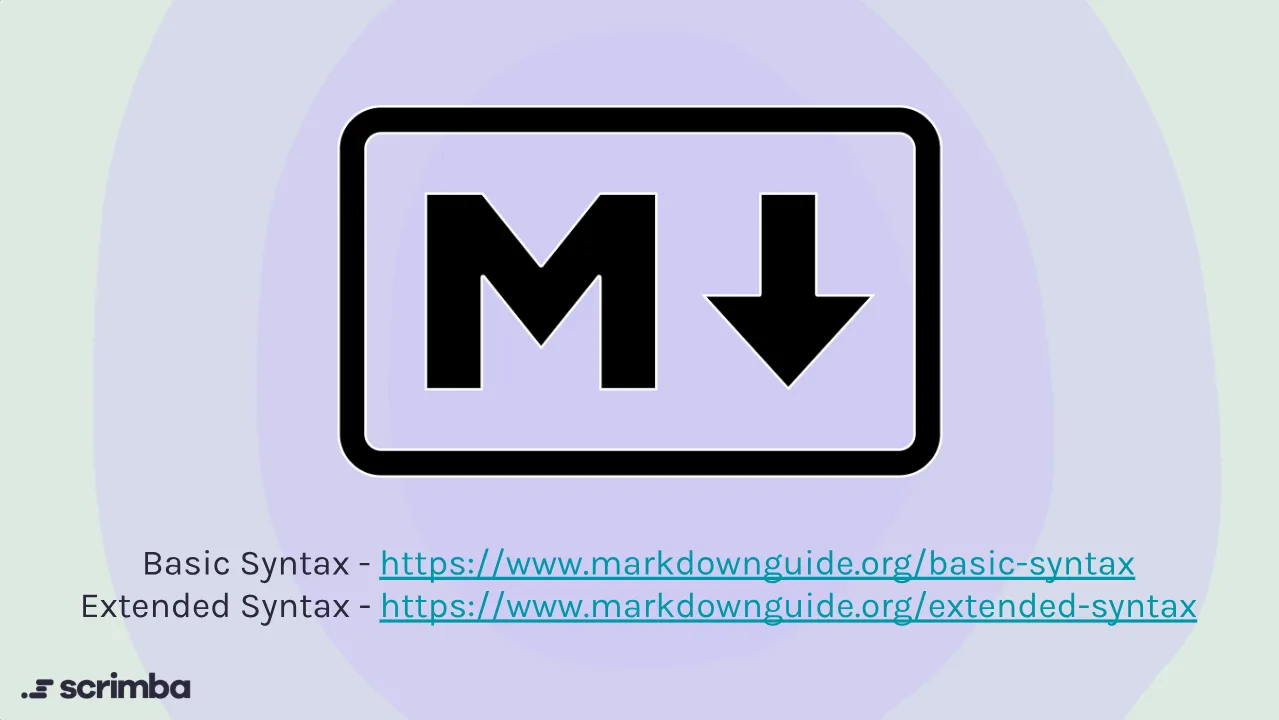
The introduction is the most useful minute in the course for understanding why Markdown behaves differently in different places. Dylan's explanation: "Markdown, at the end of the day, is nothing more than a library that compiles shorthand HTML for us," and different libraries add different extras. GitHub has its own flavor, dev.to another. He warns that what follows "may not work in all scenarios," and links the basic and extended syntax pages on markdownguide.org as the references to keep.
Tables get the longest of the four scrims: pipes, a row of dashes under the header, then colons on either side of the dashes to set alignment. He also shows what happens if you type underscores instead of dashes (nothing renders) and his summary is fair: "Quite a bit of setup to get it going, but that's just really tables and HTML in general."
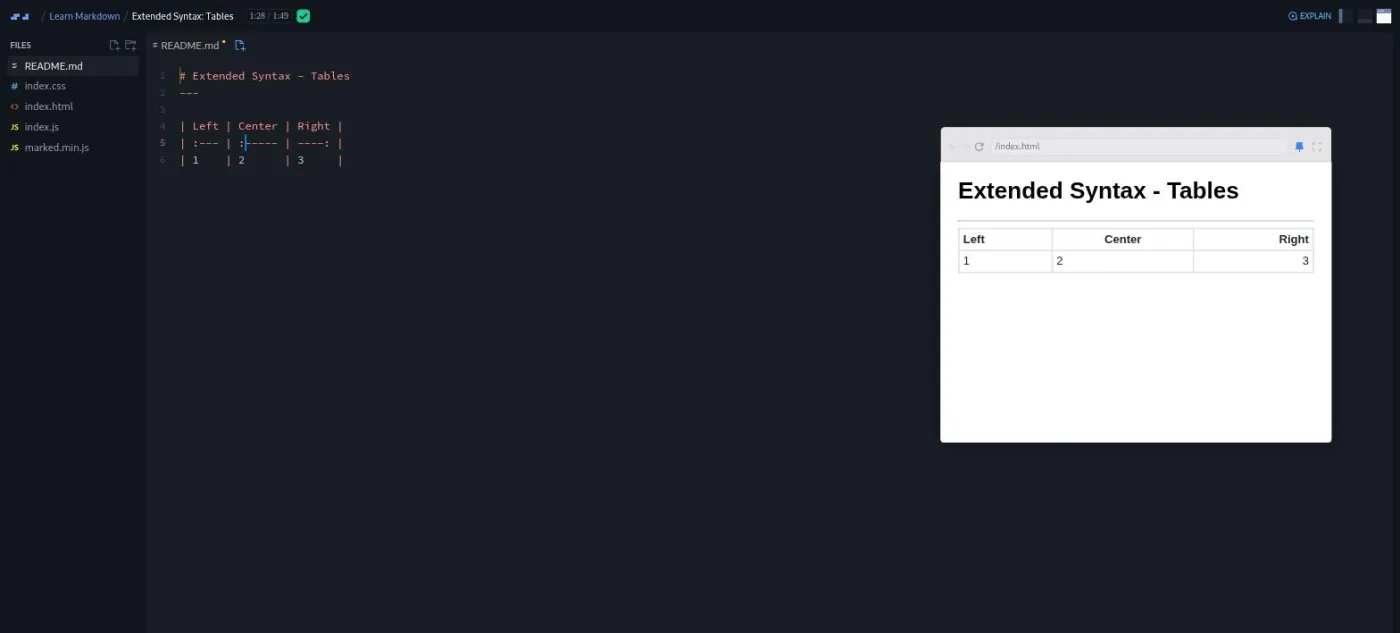
Task lists are the checkboxes you see in pull request templates. Dylan is candid that to make them render he "had to actually go and update our marked.min.js to a later version," and that "this syntax doesn't work on dev.to either." Automatic URLs is the shortest scrim in the course at 37 seconds: paste a bare URL and some renderers link it, wrap it in backticks if you want it left alone.
4. Final challenge and wrap-up (7 min, 5 scrims)
The final challenge is in two parts. Part one is a final edit and publish. Dylan's tone here is the tone of the whole course: "Don't worry too much about grammar. Do your best. We're not here because we are professional blog writers. We're here because we wanna learn Markdown." Then you share the post on Discord.
Part two is a small Git exercise: clone the student articles repo, make a branch, add your link to the README, stage, commit, push, and open a pull request. Dylan walks through every command on a slide and says plainly, "This isn't a course on Git by any means." If you have never used Git, this scrim is where the course will take you longest, and you may want Learn Git and GitHub open in another tab.
"What's Next?" leaves you with a Markdown cheat sheet (also included as a file in the scrim) and a pointer to GitHub's Mastering Markdown guide. The last two scrims are Scrimba's standard endings, not Dylan's: a two minute pitch for the Scrimbassador referral program by Per Borgen, and a 53 second "How to Utilize Your Certificate" scrim.
What a lesson feels like
Every scrim in this course uses the same layout: README.md open in the editor on the left, the rendered result in a preview pane on the right. Dylan types Markdown, hits save, and the preview updates. That is the entire teaching device, and it works because Markdown's whole job is the gap between what you type and what appears. The lessons are short enough (52 seconds to two minutes) that you never wait long for the next thing to try.
Challenges are written as numbered steps inside the README itself, under a heading like "Challenge: 2nd Paragraph." Dylan reads the brief, says "go ahead and give it a shot," and the recording pauses. When you press play, he does it his way, usually by pasting in the matching section of his own article, and then shows a screenshot of how that section looks on dev.to. There is no AI checking of your answer in this course, and no checklist; the check is your preview pane and your dev.to draft.
Captions, a timestamped transcript panel (under the settings menu) and subtitles in ten languages are all there. The audio is from an older recording and the transcript has a few artifacts of that (dev.to comes out as "dev dot two" throughout), but it is easy to follow.
Free or Pro: exactly what is gated
The course is Pro. Four scrims are marked SAMPLE and open without a subscription: Introduction, Course Overview, Setup, and Paragraphs and Headings, which is the first six and a half minutes. Everything from the first challenge onwards is behind Pro, and so is the certificate of completion at the end. There are no Solo Projects and no AI checked challenges in this course, so there is nothing else to gate. Scrimba's pricing page lists basic access to the Discord community as free and the Pro-only channels as Pro, so the "I wrote this" channel Dylan points to in the final challenge may or may not be one you can reach without a subscription.
Whether that matters depends on why you are here. Nobody should buy Pro for a 37 minute Markdown course; the free sample plus a cheat sheet gets you most of the way. If you already have Pro for the paths, it is a nice hour to spend. See current plans (opens in a new tab) for what Pro costs in your region, and our Pro vs free breakdown for what else it unlocks.
How long it takes
The runtime is 37 minutes, but the runtime is the wrong number here, because the challenges happen on dev.to, not in the scrim. Writing a short technical article takes most people an hour or two on its own. Add the dev.to signup, the seven challenge pauses, and the pull request at the end (ten minutes if you know Git, an evening if you do not), and a realistic budget is two to three hours in one or two sittings. If you skip the article and just watch, it is a 40 minute video, and you will remember about as much as you would from a cheat sheet.
Who it's for, and who should skip it
It fits people who have never written Markdown and are about to need it: a first README for a portfolio project, a first pull request description, a first post about what they are learning. That is most beginners about a month into a path, and the dev.to article is a good first piece of learning in public. It also suits anyone who wants a nudge to start writing; the course is as much "publish your first post" as it is "learn Markdown."
Skip it if you already write Markdown without thinking, because there is nothing new here, not even in the extended syntax section. Skip it too if you are deciding whether to subscribe and this is the course you would subscribe for. The Intermediate label should not be part of that decision, because it does not describe the content.
Try the free sample lessons of Learn Markdown (opens in a new tab)Prerequisites
None. You do not need to know HTML, though if you do, Dylan's "shorthand HTML" framing will make everything click faster. You need a dev.to account (free, no card) for the challenges and a GitHub account for the final pull request. The Git commands in the final challenge are shown on a slide with no explanation, so a little Git experience helps for the last ten minutes and is not needed for the rest.
Where it fits
Learn Markdown is not in any of Scrimba's career paths. Think of it as a utility you pick up alongside the first course that makes you write a README, which is usually Learn Git and GitHub or Build and Deploy Your Portfolio. If you take it early, the dev.to article becomes the first entry in a habit the paths keep pushing: writing about what you build. Dylan has other courses on Scrimba, and the two that share this one's short, practical style are Introduction to Clean Code and Introduction to Unit Testing.
Strengths and limits
What it does well: it teaches Markdown by making you publish something, the lessons are short and each one has a visible result in the preview pane, Dylan's "be consistent" advice about the multiple syntaxes is the right thing to take away, and the extended syntax section explains why Markdown differs between GitHub, dev.to and everywhere else instead of pretending it is one standard.
Where it is limited: the subject is small enough that the course is padded by Scrimba's two house scrims at the end, the recordings date from 2018 and the dev.to screenshots and Discord references show it, the Intermediate label is wrong, it sits behind Pro, and the Git final challenge assumes commands the course never explains.
Related courses and comparisons
- All JavaScript courses, the category this course sits in
- Learn Git and GitHub, where your first README will need this
- Command Line Basics, another small, high-utility skill
- Learn JavaScript, if you want a real programming start
- Introduction to Clean Code, Dylan's other short course
No. It is a Pro course. Four scrims are free samples (Introduction, Course Overview, Setup, and Paragraphs and Headings), which is the first six and a half minutes. All seven challenges, the extended syntax lessons and the certificate need a subscription.
No. Scrimba labels it Intermediate, but it assumes no coding background, and Dylan describes Markdown as shorthand HTML in the first lesson. The hardest idea in the course is nesting an image inside a link.
Dylan C. Israel, who also made Scrimba's Introduction to Clean Code and Introduction to Unit Testing courses. The recordings are from 2018, when he introduces himself as a front end engineer at Amazon; his teacher card now says engineering manager at ClickUp. The last two scrims are Scrimba's standard Scrimbassador and certificate videos, not his.
A technical article on dev.to, written one section per challenge: title, intro paragraph, styled second paragraph, a quote and a rule, a list, an image or code block, and an About Me section. The final challenge publishes it and opens a pull request adding your link to a shared GitHub repo.
37 minutes of video, but the challenges happen on dev.to, so plan two to three hours including writing your article and the Git pull request at the end.
No. The lessons run in Scrimba's editor with a live preview. You need a free dev.to account for the article and a GitHub account with Git on your machine for the final pull request.
Partly. The extended syntax section covers tables, task lists and automatic URLs and explains that support varies by platform. Task lists do not work on dev.to, and code block language tags are mentioned but not used.
No. The seven challenges are numbered steps inside the README, and you check your own work in the preview pane and on dev.to. There is no instant feedback feature in this course.
Yes. Every scrim has captions, a timestamped transcript panel under the settings menu, and subtitles in ten languages.