Intro to DevOps
Scrimba's Pro-only Intro to DevOps is a 5.6-hour, 84-scrim course from DonTheDeveloper that takes one small Node app from localhost to a production workflow: Docker containers, deployment to Render, GitHub Actions CI, a full continuous delivery pipeline with database migrations, and a CDN in front of it. If you can already build an API but have never shipped one, this is the course that closes that gap.
Reviewed inside the course with a Pro account, September 2026.
Quick answer
Intro to DevOps fits developers who can already build a backend and want the parts nobody teaches alongside it: containers, CI, safe deploys, and CDNs. The catch is pace: five modules, each a distinct discipline, in 5.6 hours, so it is a working tour, not a deep dive into any one tool. It's a full member of the Backend Developer Path. If you have not built a Node API yet, start with Learn Express.js first.
Intro to DevOps
ProTaught by DonTheDeveloper (opens in a new tab)
Take a Node app from localhost to production: Docker containers, deployment to Render, GitHub Actions CI, a full continuous delivery pipeline with database migrations, and a CDN.
View on Scrimba (opens in a new tab)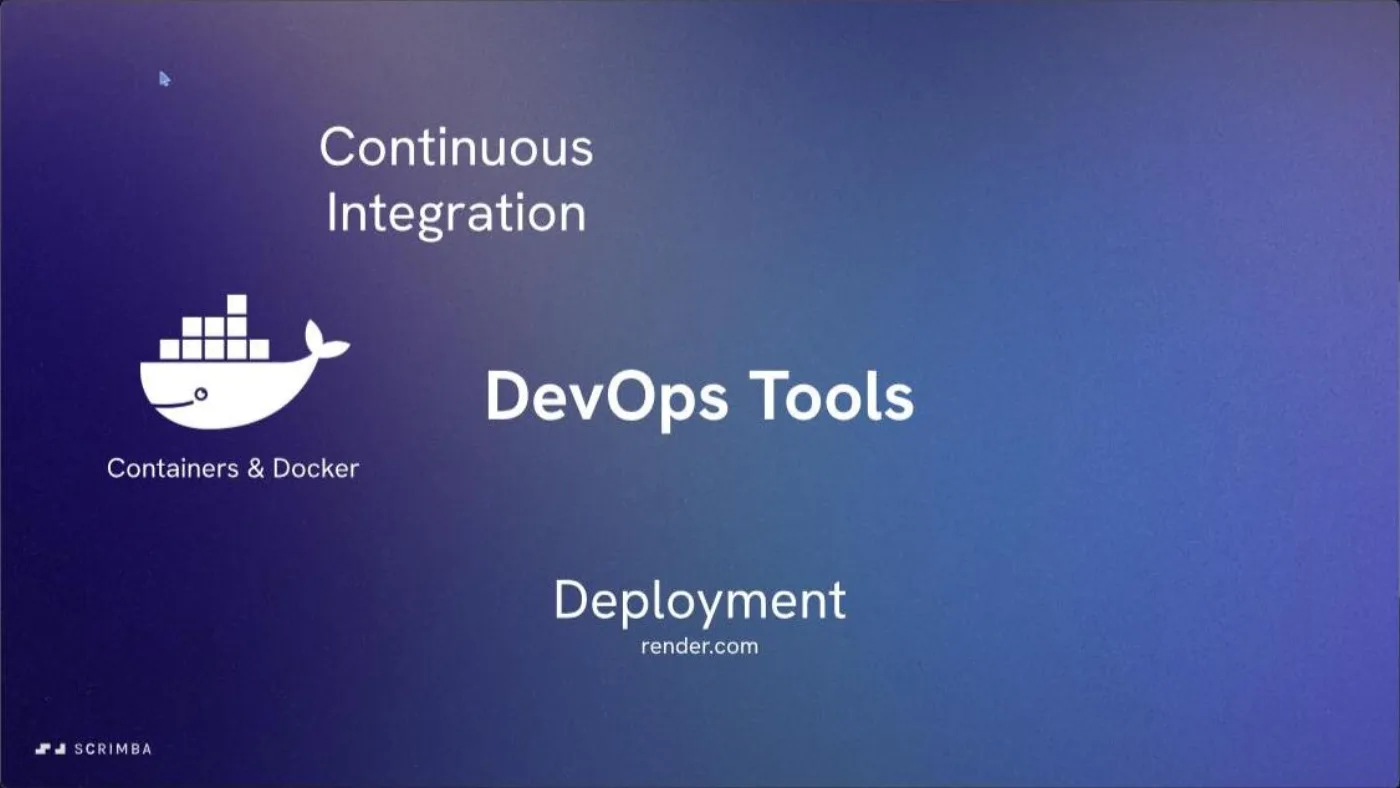
Is it worth your time?
Yes, if you have a backend project sitting on your machine with no way to show anyone. The course does not teach you to write an API; it teaches you what happens after: pack it into a container, get it onto a server, gate every change with automated checks, and roll changes out without downtime. Each module hands you one habit a working developer needs and a real tool for it: Docker, Render, GitHub Actions, and a CDN.
The pace is the trade-off. Continuous Integration alone renders 23 rows in the expanded table of contents and covers GitHub Actions, Prettier, ESLint, and a private Docker Hub push in 75 minutes. That is enough to follow along and rebuild it yourself, not enough to master any one piece. Don treats that honestly: the "Docker Outro" lesson in module one points you at Docker Compose docs for anything past what the course covers, and the first GitHub Actions lesson says the deployment half is "covered in the continuous delivery course" for viewers who want more.
Continuous Delivery is the strongest module. It is not a slide about best practices; it is 20 scrims building backward-compatible database migrations step by step (expand, backfill, prepare, switch, contract), health checks, feature flags, and rollbacks, ending on a "Professional CD Pipeline" scrim and an actual "Deploying to PRODUCTION" lesson. That sequence alone is worth the price of admission if you have ever broken a database with a migration.
What you'll learn
Course curriculum
5 modules · 82 lessons
- Containers and Docker
- Deployment
- Continuous Integration
- Continuous Delivery
- CDNs
Scrimba's own module headers read 9, 11, 22, 14, and 0 lessons for these five modules (0 for CDNs is Scrimba's own header, not a scraping error). Expanding every group in September 2026 rendered 15, 15, 23, 20, and 9 rows, 83 total including the free intro scrim, close to the 84 Scrimba's course page states up top. I use the expanded count above; the module durations (64, 75, 75, 92, 23 minutes) match Scrimba's header exactly.
Inside the course, module by module
1. Containers and Docker (64 min, 15 scrims)
The free "Intro" scrim opens on an overview slide naming three of the course's five disciplines (Containers & Docker, Deployment on render.com, Continuous Integration), and later slides in the same deck add Continuous Delivery and CDNs, all before any code appears.
From there it is one build: install Docker, containerize a Node app in two parts, push an image to Docker Hub, then move on to persistence with bind mounts and named volumes. The module ends on "Docker Compose Set Up" and "Docker Compose Implementation," so you leave with a multi-container docker-compose.yml, not just a single docker run command. "Docker Outro" closes it and a "Want to become a Scrimbassador?" scrim sits at the very end of the module, Scrimba's own recruiting pitch rather than course content.
2. Deployment (75 min, 15 scrims)
This module takes the containerized app and puts it on Render (render.com), a hosting platform, rather than teaching cloud infrastructure in the abstract. The sequence runs a code check, pushes to GitHub, sets the Render build command, deploys with Docker, then runs a smoke test (a quick manual check that the live site actually responds) before touching domain names.
"Database Problems" and "Staging" show up before "Merging," which tells you the order Don wants you thinking in: get a database working safely, get a staging environment, then worry about merging code. "Alerts and Notifications," a "health endpoint," and "Terminating Processes & Signals" round it out, the unglamorous plumbing that makes a deploy survivable at 2 a.m.
3. Continuous Integration (75 min, 23 scrims)
CI opens with a "CI/CD" concept scrim and "Project Setup," then goes straight into GitHub Actions: "Create Your First YAML File," then a "Success" and a "Failure" scrim, so you see the workflow pass and fail before touching anything else.
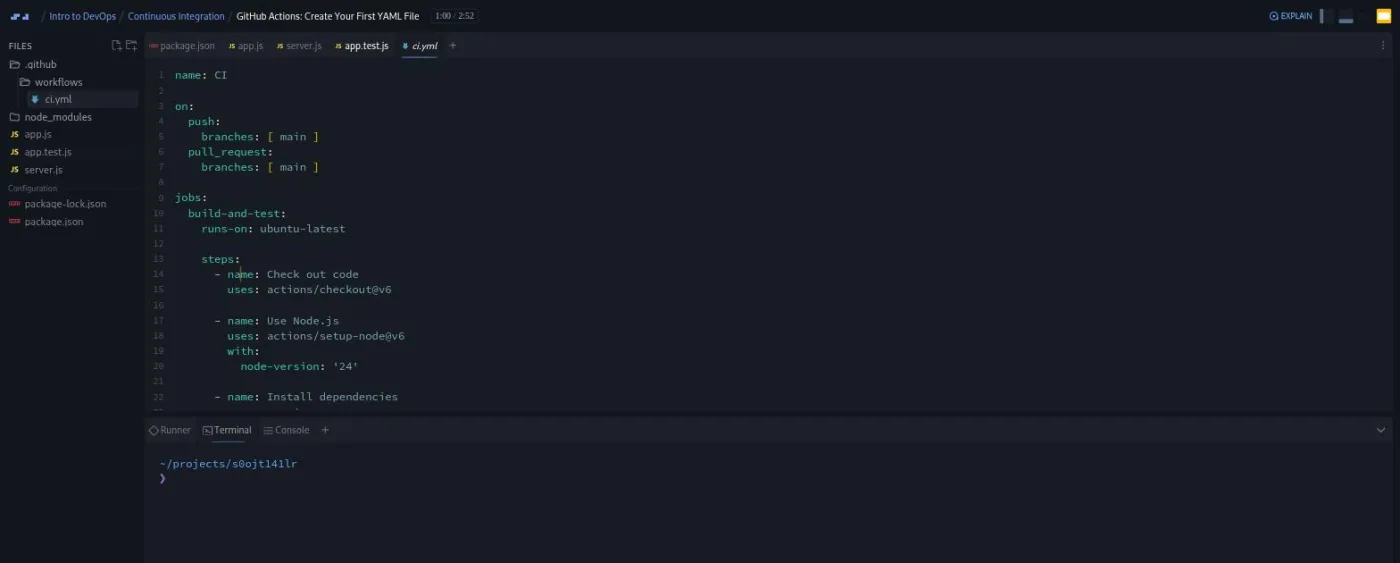
In that lesson Don explains the file line by line: "the on indicates when this workflow runs, so it runs when you push directly to the main branch, and it also runs when you open a new pull request targeting the main branch, as well as when you push new commits to that pull request." He is direct about scope too: "the deployment part will be covered in the continuous delivery course."
The rest of the module layers on formatting (Prettier, four scrims including a Prettier-ignore file), linting (ESLint, four scrims covering config and custom rules), then a private Docker Hub push authenticated with GitHub Actions secrets, PR status checks, and branch rulesets (branch protection). "CI Outro" closes it.
4. Continuous Delivery (92 min, 20 scrims)
The longest and most specific module. After an intro and "Upgrade Our App," it walks a database migration in five explicit stages: expand, backfill, prepare, switch, contract, each its own scrim, the standard technique for changing a live schema without downtime. "Create Neon Database and Run Migrations" and "Automate Migrations" bookend that sequence with the actual Postgres provider and the automation that runs it in CI.
Health checks, feature flags, and rollbacks follow, then two scrims that assemble everything the course has taught into named pipelines: "Professional CI Pipeline" and "Professional CD Pipeline." The module, and in effect the course's main build, ends on "Deploying to PRODUCTION."
5. CDNs (23 min, 9 scrims)
The short module and a change of register: less building, more explaining why a CDN sits in front of a production app. It opens with "Problems with Origin Servers" and "Solution: CDNs," then covers DDoS protection, caching, reliability, and cost as separate lessons before "Edge Functions" and "CDN Drawbacks & Gotchas." "Try a CDN Out!" closes the course hands-on rather than on a slide.
What a lesson feels like
The Containers and Docker module opens in Scrimba's newer slide-first player (the title card and topic overview render as an SVG slide deck); the CI and CD scrims sit in the classic IDE layout, a Monaco editor next to a file tree, with Terminal, Console, and Runner tabs in the bottom drawer. Every scrim I opened had a working timestamped transcript panel (toggle it from the settings gear next to the scrubber) and burned-in captions you can switch off from the same menu.
Don's delivery is plain and sequential: explain the concept in a sentence, show the file, run it, move to the next file. He treats scope limits as something to say out loud rather than gloss over, which shows up as "the deployment part will be covered in the continuous delivery course" inside the first GitHub Actions lesson.
Free or Pro: exactly what is gated
The whole course sits behind Pro. There is no free sample beyond the two-minute "Intro" scrim; everything after it, the other 83 of the course's 84 scrims across all five modules, requires a Pro plan. What Pro also adds here is the Backend Developer Path this course is a full member of, a Certificate of Completion, and the Pro-only channels on Scrimba's Discord (basic Discord access is free). See current plans (opens in a new tab) for what Pro costs in your region; never take a listed price as final since discounts and regional pricing shift it.
How long it takes
5.6 hours of video across five modules that each demand you actually run the tools, not just watch: pulling Docker images, waiting on a Render deploy, watching a GitHub Actions run go green or red. Budget two to three times the runtime, 12 to 17 hours, spread over a week or two, especially if you follow along with your own project instead of the course's sample app.
Who it's for, and who should skip it
It fits developers who can already build and run a backend API and now need to ship it: junior developers about to join a team with a CI pipeline, or anyone whose side projects live only on localhost. It is also the natural module for anyone on the Backend Developer Path, where this course supplies the entire DevOps section.
Skip it if you have never built a backend project; start with Learn Node.js and Learn Express.js first. Skip it too if you want deep, standalone Docker or Kubernetes training; five modules in 5.6 hours means Docker gets 64 minutes here, not a dedicated course.
Start Intro to DevOps on Scrimba (opens in a new tab)Prerequisites
A working backend project of your own, in any Node framework, is the real prerequisite; nothing here teaches you to write API routes from scratch. Comfort with the command line helps since Docker, GitHub, and the deploy tooling all run through it; Scrimba's own free Command Line Basics covers that if you need it.
You do not need to install anything to follow the scrims; the project runs inside Scrimba's browser IDE. Reproducing the CI pipeline on your own machine needs Docker Desktop (or an equivalent) and a GitHub account, since the course pushes real workflow runs and a real Docker Hub image.
Where it fits
Intro to DevOps is the shipping stage of Scrimba's JavaScript track, sitting after Learn Node.js, Learn Express.js, and, if you use it, Intro to NestJS. It is a full member of the Backend Developer Path, where it supplies the entire DevOps module (Containers & Docker, Deployment, Continuous Integration, Continuous Delivery, and CDNs). It is not part of the Frontend Developer Path or the Fullstack Developer Path.
Strengths and limits
What it does well: every module builds something real instead of narrating a concept. The Continuous Delivery module's five-stage migration sequence (expand, backfill, prepare, switch, contract) is the kind of detail most bootcamp courses skip entirely, and the course ends on an actual "Deploying to PRODUCTION" lesson, not a slide about best practices.
Where it is limited: breadth over depth. Five distinct disciplines in 5.6 hours means Docker gets an hour, CDNs get 23 minutes, and none of the five modules functions as a standalone deep dive. There is also no free sample beyond the two-minute intro, so you cannot try the course's teaching style on a real lesson before paying for Pro.
Related courses and comparisons
- All JavaScript courses, the category this course belongs to
- Learn Node.js, the runtime this course's app is built on
- Learn Express.js, the framework prerequisite if you have not built an API yet
- Intro to NestJS, a structured framework option before you get here
- Command Line Basics, the terminal skills this course assumes
- Backend Developer Path, where this course is the entire DevOps module
No. Only the two-minute Intro scrim is a free sample; the other 83 scrims across all five modules require a Pro plan.
DonTheDeveloper, credited on Scrimba as the instructor for this course and for Intro to NestJS, and with contributions to the Backend Developer Path.
You take one small Node app from localhost to production: containerize it with Docker and Docker Compose, deploy it to Render, add a GitHub Actions CI pipeline with Prettier formatting, ESLint linting and a private Docker Hub push, build a continuous delivery pipeline with staged database migrations, health checks, feature flags and rollbacks, then put a CDN in front of it.
No, but you do need a backend project of your own to get value from it: the course teaches shipping, not building the API itself. Command line comfort helps since most lessons run through a terminal.
5.6 hours of video, but plan on two to three times that, roughly 12 to 17 hours, once you run the Docker builds, GitHub Actions workflows, and Render deploys yourself instead of only watching.
Every scrim I opened had a timestamped transcript panel, toggled from the settings gear next to the player controls, plus captions you can switch off in the same menu.
Yes, as a full member: it supplies the path's entire DevOps section. It is not part of the Frontend or Fullstack paths.
No. The course runs in Scrimba's browser IDE. You only need Docker and a GitHub account locally if you want to reproduce the pipeline on your own machine afterward.
Render (render.com). The Deployment module walks through setting a build command, deploying the Docker image, running a smoke test, and handling domain names on that platform specifically.